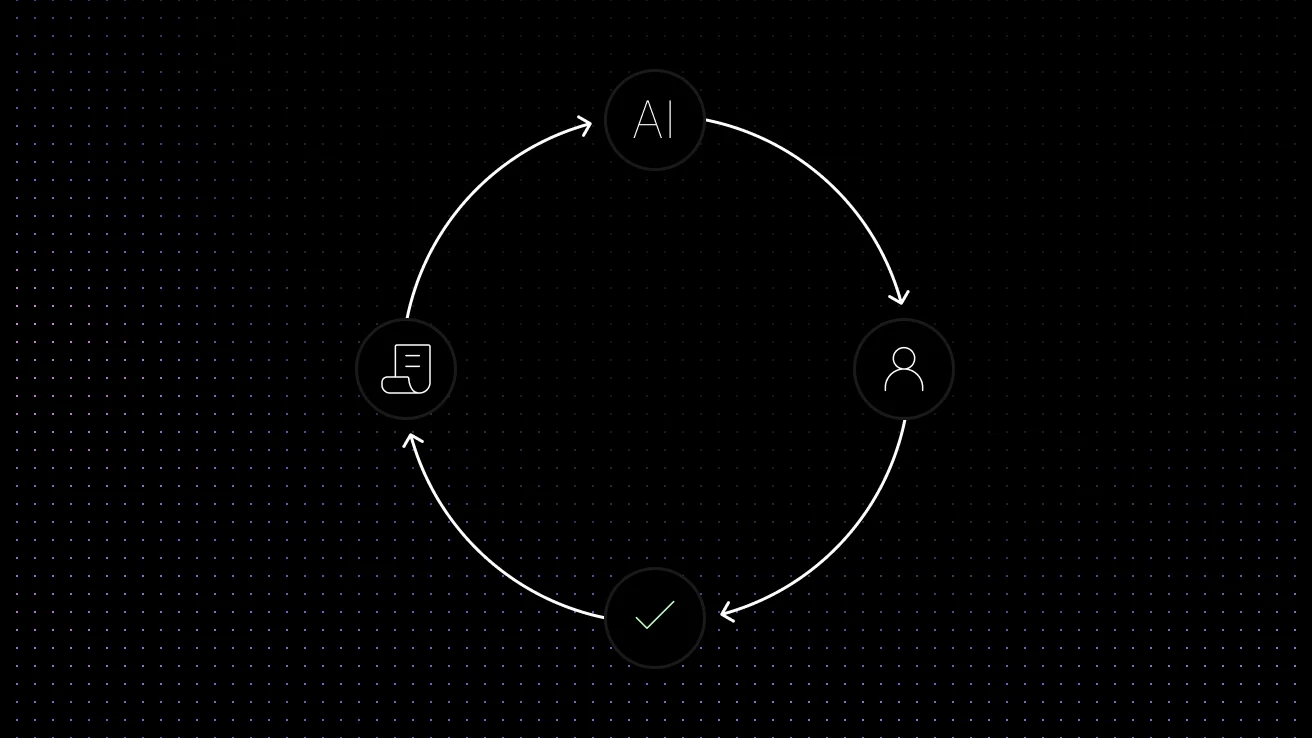
| What is SaaS customer support automation? | SaaS customer support automation uses AI to answer repetitive Tier 1 questions, search help-center content, automate ticket triage, collect customer and account context, and hand complex issues to human agents across chat and email. The most effective systems combine AI answers with knowledge grounding, ticket workflows, conversation history, and clear human handoff rules. |
|---|
For most SaaS teams, the best place to start is not automating every conversation. Start with high-volume, repeatable requests such as account access, billing questions, onboarding guidance, product FAQs, feature instructions, and basic troubleshooting. Keep technical escalations, sensitive billing disputes, security issues, and conversations requiring judgment in human hands.
AI customer support automation helps solve that problem by moving repetitive work away from human agents and into intelligent systems. Instead of treating every message as a manual task, support teams can leverage conversational AI and self-service portals to automate common requests, including:
- Billing and subscription management questions
- Basic onboarding guidance and feature tutorials
- Ticket triage and intelligent routing
- Dynamic knowledge base recommendations
For SaaS companies, the value of a modern support tech stack goes far beyond speed. High-quality automation improves scalability, ensures consistent brand messaging across omnichannel support platforms, and gives agents more time to focus on high-value conversations, such as escalations, retention risks, technical troubleshooting, and expansion opportunities. In short, AI support automation is not just a cost-saving tool; it is a critical driver of the overall customer journey.
This guide explains how AI customer support automation works, which SaaS workflows to automate first, what to look for in a platform, and how support teams can combine knowledge, routing, ticketing, and privacy-first AI without making the experience feel robotic.
What Is AI Customer Support Automation?
AI customer support automation refers to the deployment of artificial intelligence to handle customer interactions and streamline backend support operations. In practice, a comprehensive virtual agent deployment includes several core capabilities:
- AI Chatbots & Conversational Interfaces: Engaging users in natural, human-like dialogue.
- Intent Detection & Sentiment Analysis: Understanding not just what the customer is asking, but how they feel.
- Automated Ticket Routing: Sending complex queries directly to the right specialized human agent.
- Agent Assist Tools: Providing human agents with suggested replies, automated summarizations, and internal knowledge base search.
Modern platforms combine several advanced technologies to achieve this. Natural Language Processing (NLP) helps the system understand user syntax and context, as explained by IBM’s NLP overview. Machine Learning (ML) improves classification accuracy and content recommendations over time. Meanwhile, Generative AI and Large Language Models (LLMs) are used to generate dynamic, context-aware responses rather than relying on rigid decision trees. Helpdesk integrations then connect these capabilities directly to your existing CRM workflows inside systems like Zendesk, Intercom, HubSpot, or a shared inbox.
For SaaS teams, automation works best when the AI is grounded in trusted support content and connected to the full support workflow. That includes knowledge base content, prior ticket history, routing rules, escalation logic, and shared conversation context. Without that foundation, automation may feel fast, but it often becomes shallow or inaccurate. And when that context includes sensitive customer information, teams also need confidence that support data is not being used to train third-party AI models.
The goal is not to replace every support agent. The goal is to automate the repetitive layer of Tier 1 queries so human teams can spend more time on cases where judgment, empathy, product expertise, or account context matter most.
Why SaaS Companies Are Adopting It
SaaS teams usually adopt AI customer support automation for three practical reasons:
-
Faster first responses.
AI can respond instantly to common questions, which helps reduce queue pressure and improves support availability outside business hours.
-
Lower ticket volume for repetitive issues.
When AI can answer billing questions, basic setup requests, account-access issues, and common how-to questions, teams can reduce the number of repetitive Tier 1 tickets that need manual handling.
-
Higher agent productivity.
Automation helps agents spend less time on repetitive work and more time on escalations, technical troubleshooting, retention risks, and higher-value conversations.
How AI Customer Support Automation Works
Most AI support workflows follow the same pattern. A customer asks a question. The system identifies the intent. It searches connected sources such as documentation, historical tickets, macros, or product data. Then it takes the right action: answer, clarify, recommend an article, route the request, or escalate it to a human agent with context attached.
That workflow can be broken into a few core layers:
- Intent understanding. The system identifies whether the request is about billing, onboarding, account access, bug reporting, pricing, feature usage, or something else.
- Knowledge retrieval. It searches the knowledge base, help center, saved replies, prior resolved tickets, or product documentation to find the best answer.
- Response generation. The platform generates a response, presents a recommended answer to an agent, or offers the customer a guided self-service flow.
- Workflow automation. If the issue should not be solved in chat, the system can create a ticket, assign priority, set tags, collect missing information, and route the request to the right queue.
- Learning and analytics. Over time, support analytics reveal which issues are being automated successfully, where handoffs fail, and which content gaps still create tickets.
How Do SaaS Companies Automate Tier 1 Support With AI?
SaaS companies typically automate Tier 1 support by connecting an AI support system to the knowledge and workflows their support team already uses. Instead of simply placing a chatbot on the website, the AI should understand the customer’s question, retrieve an answer from trusted support content, take approved actions, and escalate when human judgment is required.
1. Connect support knowledge. Give the AI access to your help center, product documentation, approved FAQs, macros, and relevant historical support content.
2. Start with repetitive tickets. Automate high-volume requests such as password resets, account access, onboarding questions, billing FAQs, feature instructions, and common troubleshooting.
3. Add customer context. Where appropriate, use plan, account, conversation, and ticket context so the AI can give more relevant answers instead of generic responses.
4. Automate ticket and chat workflows. The AI can categorize the request, collect missing details, create or update a ticket, apply tags, recommend documentation, or route the customer to the correct team.
5. Escalate with context. If the request is complex, sensitive, or outside the AI’s approved knowledge, transfer it to a human agent with the conversation history, detected intent, and relevant information attached.
6. Measure resolution quality. Track automated resolution, containment, escalation quality, repeat contacts, and the questions the AI could not answer.
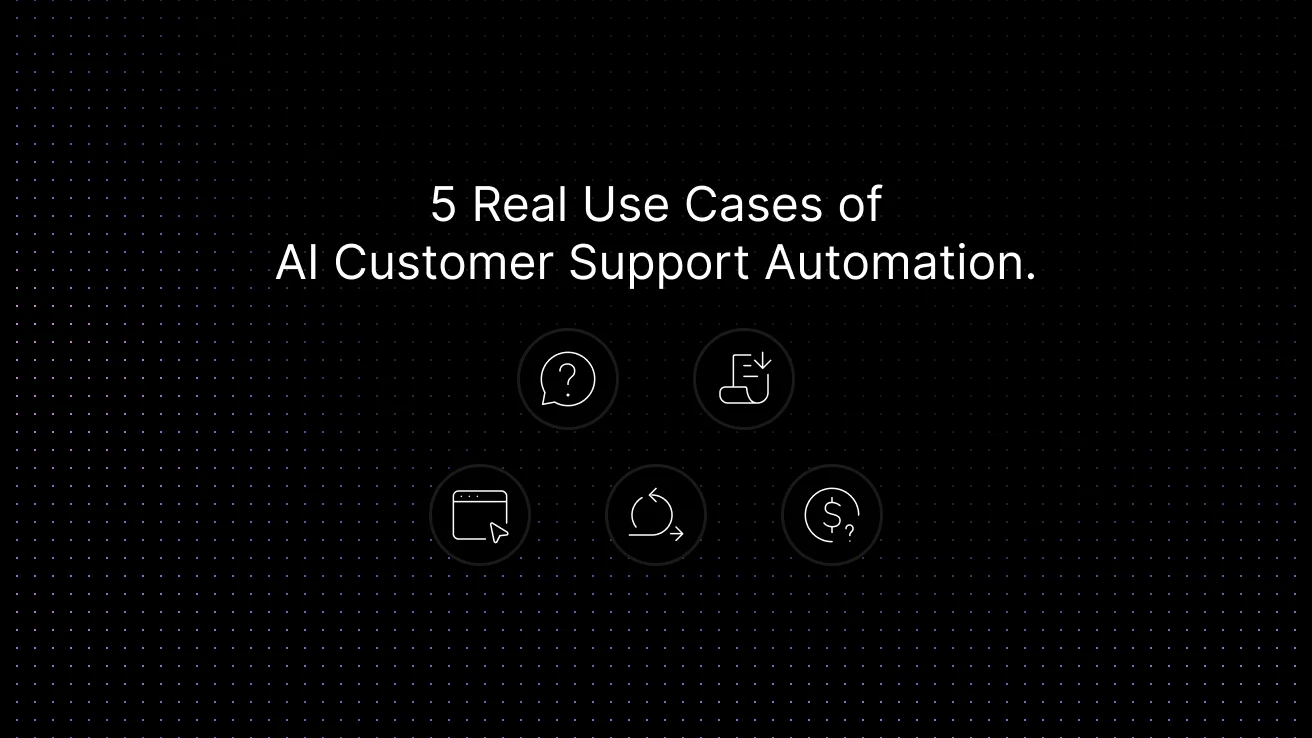
5 Real Use Cases of AI Customer Support Automation
-
Instant Resolution of Product FAQs.
Instead of waiting hours for an agent to answer a basic “how-to” question, AI can instantly pull accurate information directly from your existing knowledge base, website, or past tickets. It formulates a conversational, precise answer 24/7, completely eliminating wait times for your most repetitive queries. When that answer comes from a grounded system like Aily, the response can stay aligned with your approved support content instead of relying on generic AI guesses.
-
Intelligent Ticket Deflection.
When customers type out a support request, AI can step in before the ticket is even created. By analyzing the user’s intent, the AI can proactively offer the exact answer or step-by-step troubleshooting guide right in the chat widget. This drastically reduces your overall ticket volume and encourages self-service without frustrating the customer. For a full breakdown of which ticket types deflect safely and how to measure whether it’s actually working, see our guide to ticket deflection for SaaS support teams.
-
Conversational Onboarding and Feature Guidance.
New users often experience friction when trying to complete setup steps, configure integrations, or invite teammates. Instead of making them dig through help articles, an AI assistant can walk them through these processes conversationally. It extracts the exact steps from your documentation and guides the user in real-time, driving higher activation rates.
-
Automated Triage and Seamless Human Handoff.
AI isn’t meant to handle everything. For complex issues, the AI acts as an intelligent frontline. It collects initial context, categorizes the request by urgency and intent, and then seamlessly routes it to the right human agent. Most importantly, it passes along the full conversation history and a concise summary, so the agent has all the context they need the second they join the chat.
-
Policy, Billing, and Subscription Inquiries.
Customers frequently ask about invoice details, plan limits, upgrade paths, or refund policies. AI can handle the bulk of these by instantly surfacing your documented billing policies and answering direct questions. If a customer needs a sensitive action performed, like a refund or a complex account change, the AI smoothly escalates the case to your finance or success team.
For teams that want AI support directly on their website, Inquirly also works as AI live chat software for SaaS support teams.
Best AI Customer Support Automation Software for SaaS in 2026
The best AI support automation software for a SaaS company depends on whether you need a complete help desk, an AI layer for an existing support stack, stronger knowledge-base automation, or a simpler conversational support tool. When comparing platforms, look beyond the chatbot itself and evaluate knowledge grounding, ticket automation, chat and email coverage, human handoff, integrations, analytics, security, and pricing.
| Platform | Best For | Key SaaS Support Strength |
|---|---|---|
| Inquirly | SaaS teams wanting an integrated support workspace | Knowledge, AI assistance, routing, ticketing and omnichannel conversations |
| Intercom Fin | Teams already using Intercom | AI customer service across multiple channels with configurable human handoff |
| Zendesk AI | Larger help desk operations | AI-powered routing, classification and service automation |
| Ada | Teams with complex automated workflows | AI workflows that can collect information before human escalation |
| Tidio Lyro | Smaller teams starting with conversational AI | AI answers grounded in a knowledge base with configurable guidance |
What an Automated Support Workflow Looks Like
To understand the practical value, it helps to look at actual automation workflows rather than broad claims about efficiency.
Workflow 1: Billing question automation. A customer asks why their card was declined. The AI identifies the issue as billing, suggests the billing FAQ, asks one follow-up question to confirm the subscription status, and either resolves the issue through self-service or creates a ticket tagged for finance support.
Workflow 2: Onboarding assistance. A new trial user asks how to connect their CRM. The AI chatbot recognizes the intent, sends the setup guide, offers the relevant integration checklist, and asks whether the user wants a walkthrough. If the customer is on a high-value plan, the workflow can escalate the conversation to a human team member.
Workflow 3: Ticket routing for technical issues. A user reports a syncing problem. The AI collects account ID, browser, error message, and steps to reproduce before passing the case to technical support. Instead of sending a blank escalation, it attaches the conversation history, relevant knowledge base references, and a short summary, so the technical agent can start with context instead of starting from zero.
Workflow 4: Knowledge base deflection. A customer asks how to change user permissions. The AI returns a precise answer from the help center and offers a second article about role management. If the user still has trouble, the conversation escalates with the article history included.
Workflow 5: After-hours support coverage. Overnight or on weekends, AI handles basic troubleshooting, ticket intake, and expectation-setting so customers are not left with silence until the next business day.
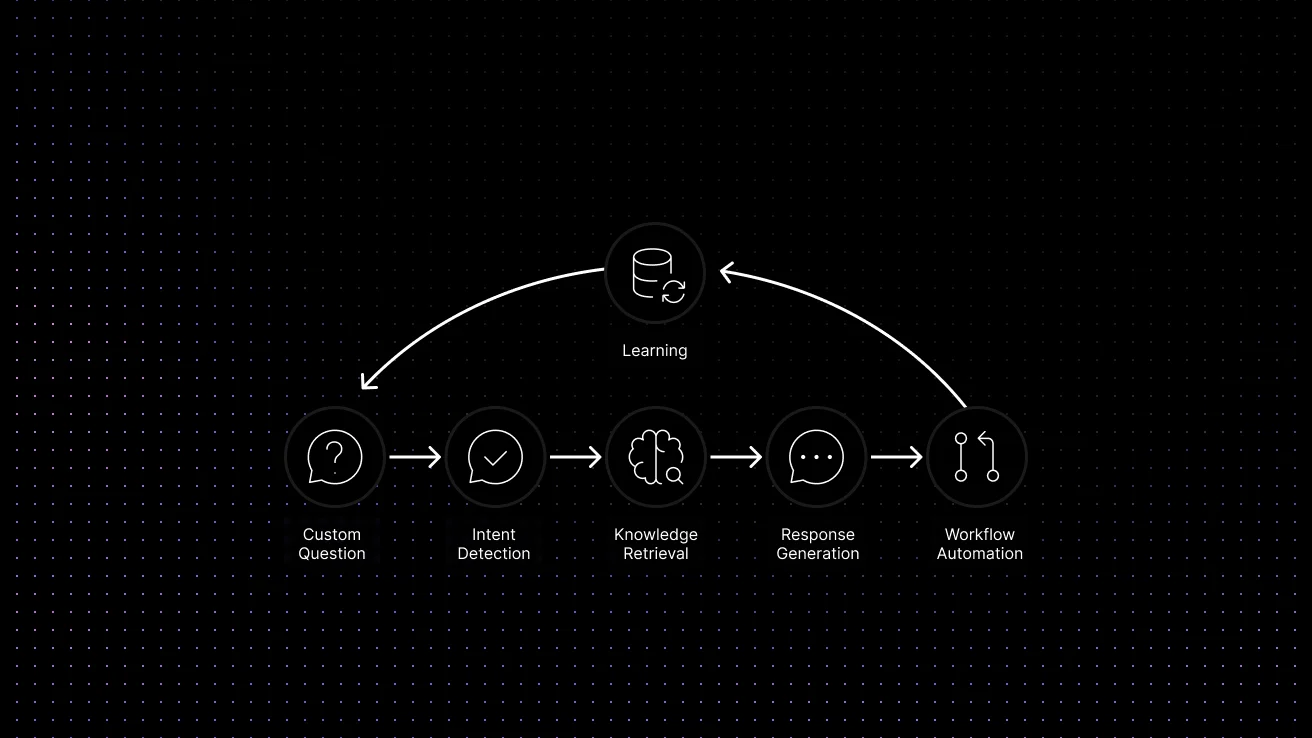
A simple support automation flow: customer question, intent detection, knowledge retrieval, response generation, workflow automation, and learning.
How to Automate SaaS Support Tickets and Chat Responses
AI can automate support tickets and chat responses at different points in the same workflow. In live chat, AI can answer repetitive questions immediately, recommend help-center content, collect missing information, or determine whether a human is needed. For ticket-based support, it can classify the issue, summarize the conversation, apply tags, prioritize requests, route tickets, and prepare suggested replies.
The key is maintaining context between channels. If a conversation begins with AI in chat and later becomes a ticket, the human agent should receive the customer’s question, relevant account details, troubleshooting already attempted, articles shown, and a summary of the AI interaction. Customers should not have to repeat the entire problem after escalation.
The Business Impact: Efficiency, Experience, and ROI
The strongest case for automation is not that it sounds innovative. It is that it improves support economics and customer experience at the same time.
When repetitive issues are automated, support teams can often reduce queue pressure significantly. That usually leads to faster first-response times, lower ticket handling time for simple requests, and better consistency across channels. Customers get answers faster, and agents spend less time copying the same instructions into new conversations.
For SaaS companies, that creates three categories of return. First is operational return: fewer manual touches per ticket and better use of agent time. Second is customer return: quicker resolution, smoother onboarding, and better self-service. Third is strategic return: support teams can shift effort toward retention, upsell conversations, complex troubleshooting, and proactive outreach.
A useful way to think about ROI is to ask three questions. Which ticket categories are most repetitive? How many of those requests can be partially or fully automated? What does your team gain if agents recover those hours each week? Even modest automation on common ticket types can create meaningful savings once ticket volume is high.
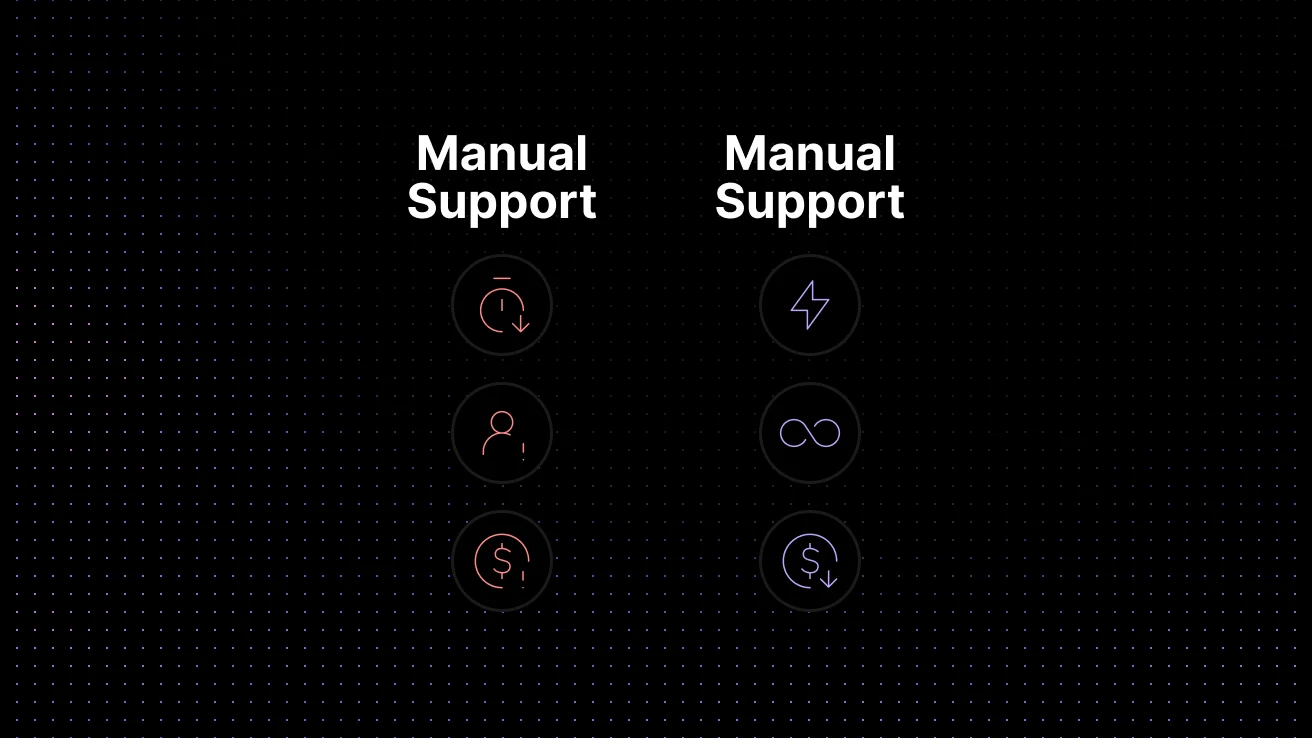
Manual Support vs. AI-Assisted Support
| Area | Manual-first support | AI-assisted support |
|---|---|---|
| Response time | Depends on queue length and agent availability | Instant for common requests; faster triage for the rest |
| Ticket intake | Agents collect details manually | AI collects intent, account context, and missing fields automatically |
| Knowledge use | Answers vary by agent experience | Knowledge base suggestions make answers more consistent |
How to Implement AI Customer Support Automation
Successful implementation starts with process design, not with a chatbot widget. Teams that see the best results usually begin by auditing ticket volume, support categories, channels, escalation paths, and knowledge quality before they automate anything.
- Step 1: Analyze your support workflow. Review recent tickets and identify the highest-volume repetitive categories. Good early candidates include password resets, billing clarifications, onboarding questions, and feature how-to requests
- Step 2: Clean up the knowledge base. AI performs better when the source material is clear, current, and written in a way customers can actually follow. Thin or outdated articles lead to weak automation. For a deeper look at what makes self-service content actually work, see our guide to customer self-service for SaaS teams.
- Step 3: Choose the right platform. Look for a solution that supports AI chat, knowledge ingestion, ticket routing, analytics, and integration with your existing support stack. For SaaS teams, the best platforms do not just add a chatbot on top of support. They connect automation to the full workflow, including shared context, escalation, and reporting.
- Step 4: Train the system on real support content. Historical tickets, FAQs, onboarding docs, release notes, and help center content all improve answer quality when used carefully.
- Step 5: Launch with a narrow scope. Start with one or two ticket categories, measure containment and escalation quality, then expand. This is usually safer than trying to automate every support path at once.
- Step 6: Monitor and optimize. Review conversations, spot failure patterns, improve prompts and workflows, and update articles where users still get stuck.
How to Choose AI Support Automation Software for SaaS
Choosing AI support software is not simply about finding a platform with a chatbot. For SaaS teams, the more important question is whether the system can reliably resolve support work using your actual knowledge, customer context, channels, ticket workflows, and escalation rules.
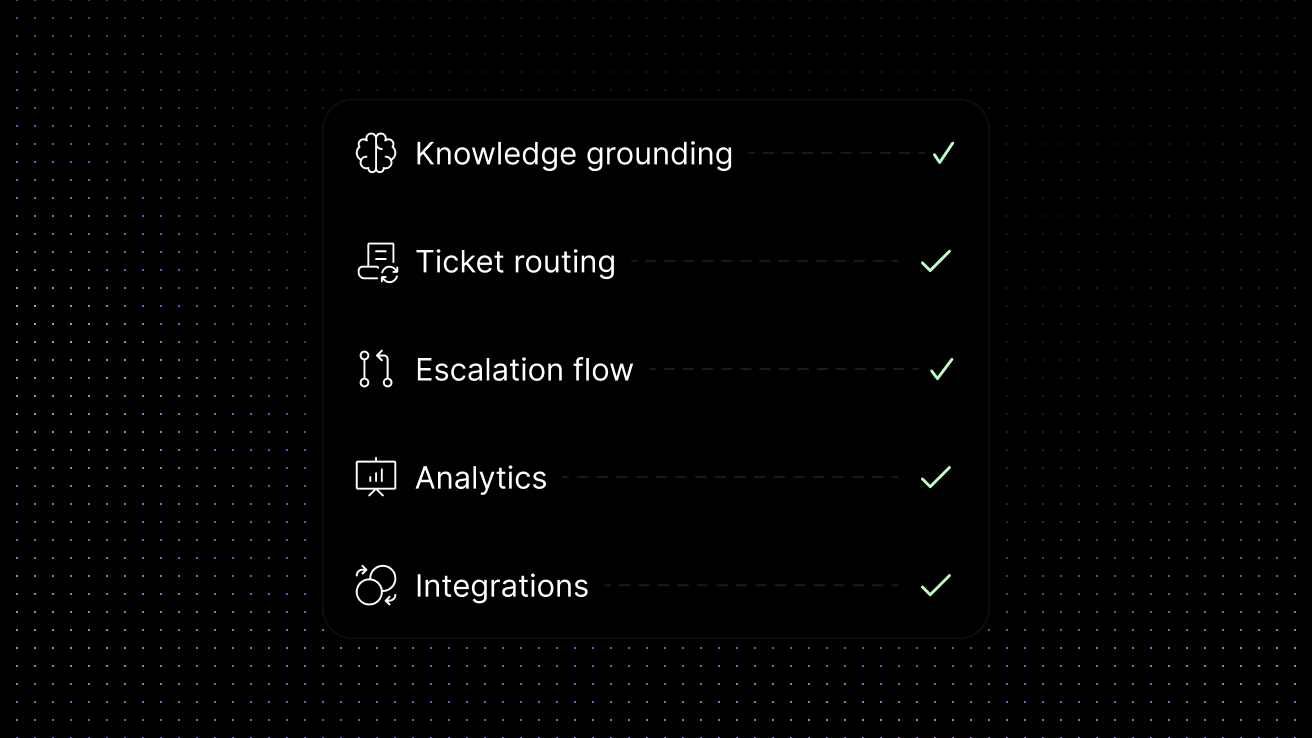
Evaluation Checklist for Buyers
| Evaluation area | Why it matters | What to ask |
|---|---|---|
| Knowledge grounding | Accuracy | Does the system answer from our help center, docs, and prior support content? |
| Ticket routing | Efficiency | Can it tag, prioritize, and assign cases by intent or urgency? |
| Escalation flow | Customer experience | Does it pass clean context to human agents when automation should stop? |
| Analytics | Optimization | Can we see automation rates, failed intents, and content gaps? |
| Integrations | Adoption | Does it connect with our CRM, help desk, and product support channels? |
Best Practices for Better Results
Start with repetitive, low-risk requests instead of high-emotion edge cases. The fastest wins usually come from standard workflows, not from the hardest conversations.
Use AI to assist agents as well as customers. Suggested replies, summaries, and knowledge recommendations can improve productivity even when the customer never interacts directly with a bot.
Keep escalation easy. Customers should be able to reach a human when the issue is complex, urgent, or sensitive. Good automation reduces friction; it should not trap the user.
Review failed conversations regularly. The best optimization opportunities often come from tickets the AI almost solved but did not finish cleanly.
Treat documentation as part of the automation system. If the help center is weak, support automation will be weak too.
Common Challenges and How to Avoid Them
The biggest risk is automating bad content. If your help articles are outdated or unclear, the AI will return low-quality answers more quickly, not better ones.
Another challenge is over-automation. Some teams try to force every conversation through a bot, even when the issue needs empathy or product judgment. That usually hurts customer trust.
There is also a data and integration challenge. AI support works best when it can access the right knowledge sources and pass context into the help desk. Without that connection, conversations become shallow and escalations become messy.
Finally, teams need governance. Support leaders should define which workflows are safe to automate, which answers require approval, when human review is mandatory, and what customer data the AI layer can access. For SaaS teams in more sensitive categories, privacy is part of support design, not just a legal consideration. The right platform should make it easier to automate support without turning customer conversations and internal knowledge into training material for third-party AI systems.
Conclusion: Turning AI Support Automation into a Strategic Advantage
AI customer support automation can help SaaS teams scale support without scaling repetitive work at the same pace. The biggest gains usually come from automating the first layer of support well: answering common questions, guiding users to the right content, collecting context, and routing issues cleanly when human help is needed.
The long-term advantage comes from using AI inside a connected support system, not as a disconnected add-on. When knowledge, routing, ticketing, and conversation history work together, automation becomes more accurate, more useful for agents, and less frustrating for customers.
See how Inquirly combines knowledge, routing, ticketing, and Aily’s private AI assistance in one connected support workflow. Book a demo to see how SaaS teams can automate support faster without losing context or exposing customer conversations to third-party AI training.
Go Deeper on Each Layer This guide covers the full picture of AI customer support automation. If you want to go deeper on a specific layer:
– Ticket Deflection for SaaS which ticket types to automate first and how to measure whether deflection is actually working.
– Customer Self-Service for SaaS how to structure help centers and knowledge bases so self-service actually resolves issues.
– Knowledge Base AI Chatbot for Customer Support how to train and ground your chatbot in real support content.
– Support Ticket Automation for SaaS how AI routing and ticketing workflows fit together.