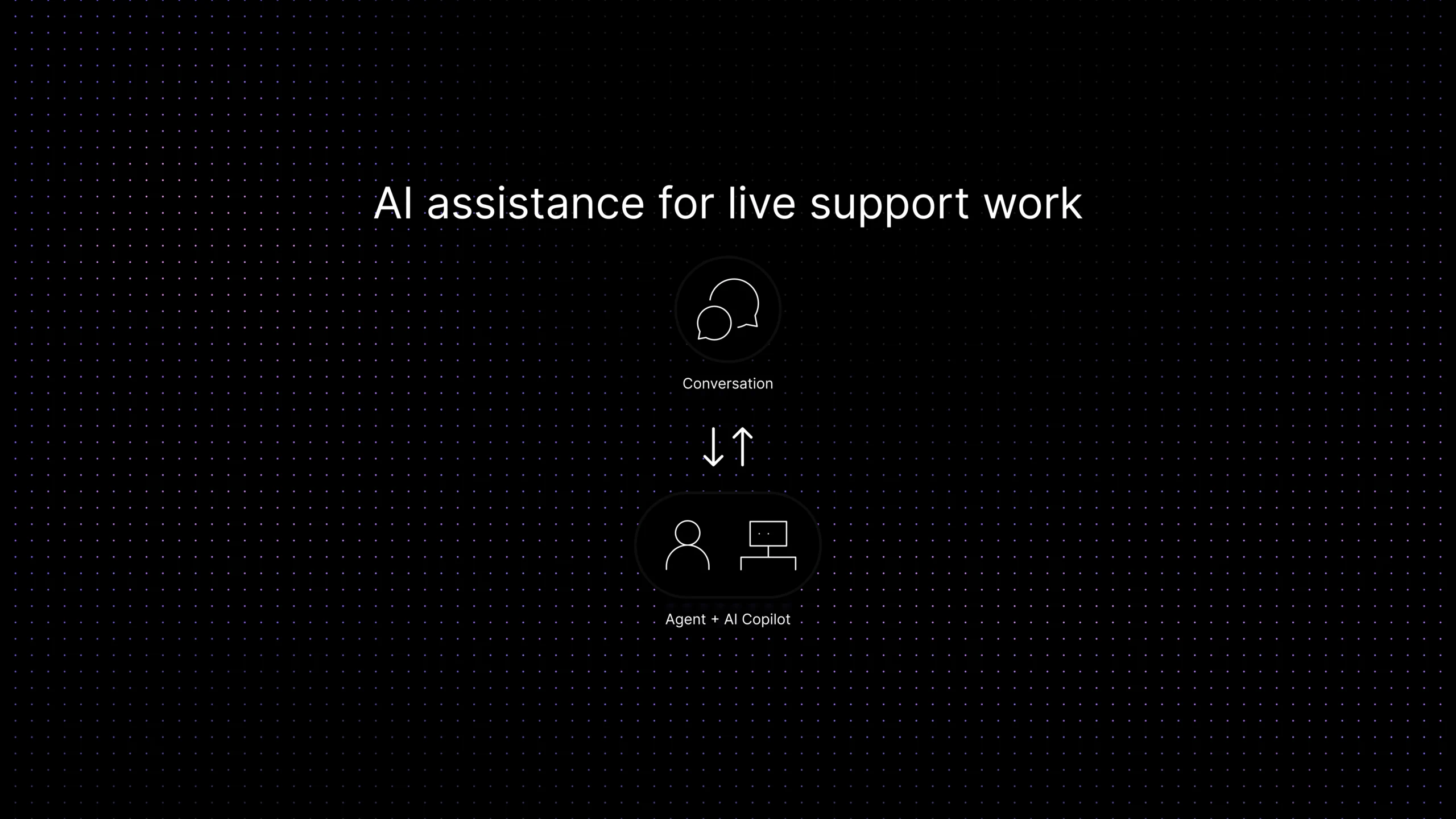
| What is a customer support copilot? | A customer support copilot is an AI assistant that helps human support agents during live support work. It can summarize conversations, suggest replies, surface relevant knowledge, recommend next steps, and prepare handoffs, while the human agent stays responsible for final judgment, policy decisions, and customer communication. |
|---|
The easiest way to misunderstand this category is to think an AI copilot is just a chatbot turned inward. It is not.
A chatbot tries to answer the customer directly. A support copilot tries to help the human agent answer better. That sounds like a small distinction, but in real support operations it changes almost everything. The design goals are different. The risks are different. The success metrics are different too.
Most support teams do not actually need another tool that writes vaguely helpful text. They need help with the messy parts of live support work: getting up to speed fast, finding the right answer without opening five tabs, summarizing a long thread before a handoff, drafting a reply that matches policy, and spotting the next useful action before the queue gets stuck.
That is where the idea of a customer support copilot becomes useful. Not because it replaces agents, and not because it magically fixes broken support workflows, but because it can reduce the drag around repetitive mental work that slows good agents down.
This guide breaks the category down in plain language. It explains what AI copilots do well for support agents, what they should not do on their own, how they differ from chatbots and automation, and how SaaS teams can evaluate them without buying into category hype.
What a customer support copilot actually is
Customer support copilots are part of a broader trend in AI-assisted workflows, similar to tools described in AI-assisted workflows, where AI supports human decision-making instead of replacing it.
The best way to think about it is this: a copilot does not own the conversation. The agent still owns the conversation. The copilot supports the agent with context, suggestions, and workflow guidance.
That means a good support copilot is usually strongest in five places: understanding what has already happened, retrieving relevant knowledge, drafting or improving a response, summarizing the case for the next person, and suggesting the next best action inside the workflow.
That framing also helps separate this topic from broader AI-support categories. A customer-facing AI agent is trying to resolve issues on its own. A routing workflow is trying to get work to the right queue. A copilot is trying to make the human who is already in the conversation faster, more consistent, and less mentally overloaded.
How agent assist AI fits into the support workflow
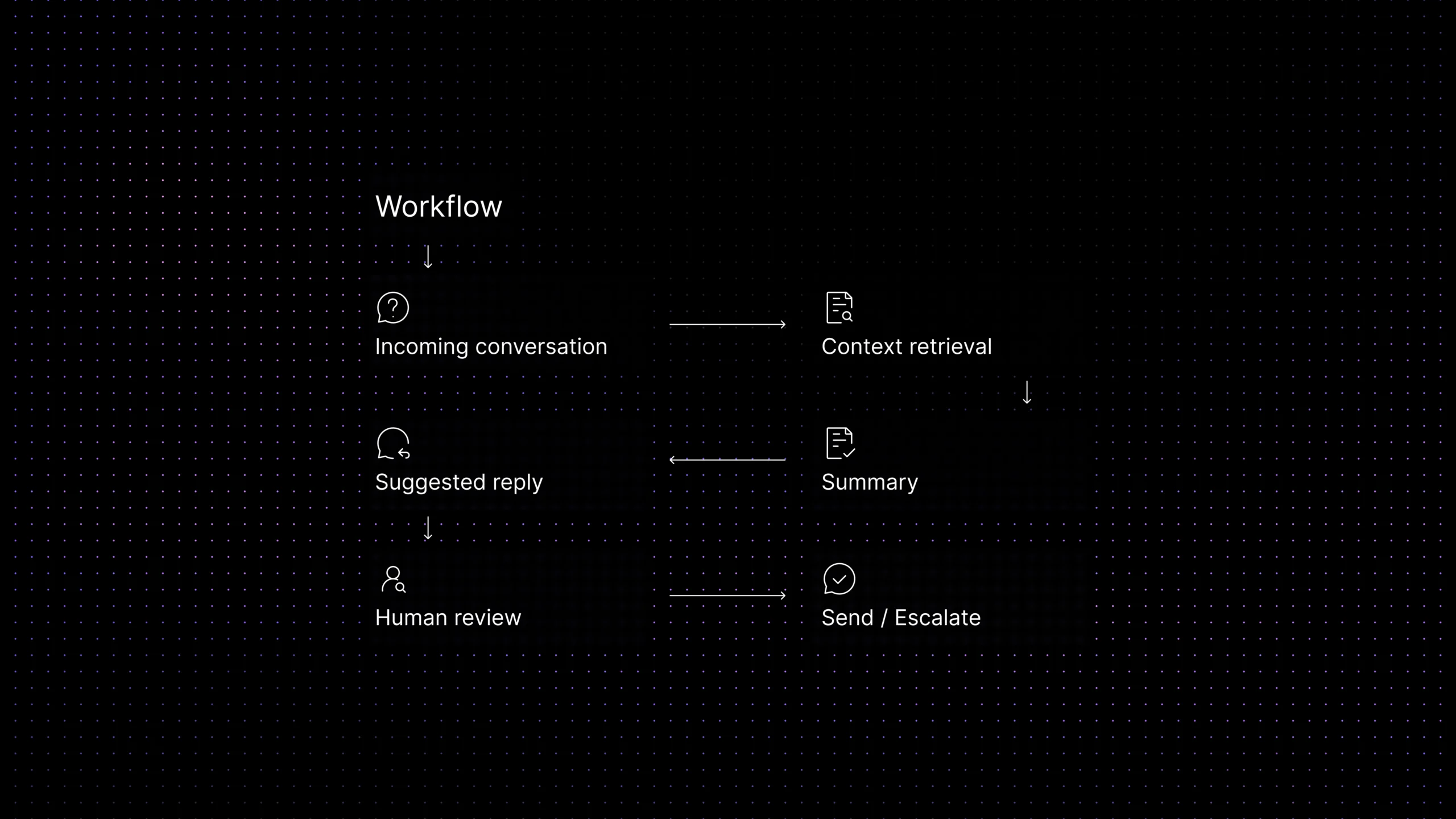
Agent assist AI is not a replacement for the workflow. It sits inside the workflow.
In a healthy SaaS support environment, a new conversation arrives, context is pulled in, the issue is classified, the right owner sees it, and the agent starts working. A copilot becomes useful at the moments where human effort gets wasted: reading a long history, looking for the right article, checking whether a reply matches policy, or deciding what the next likely step should be.
That is why the category makes the most sense when it is tied to one workspace. If the conversation is in one tool, the ticket history in another, the knowledge base somewhere else, and workflow actions somewhere else again, the copilot ends up with the same fragmentation problem the agent already has.
A strong support copilot is not just a writing assistant. It is a context assistant. It should help the agent understand the case faster and act on it with more confidence.
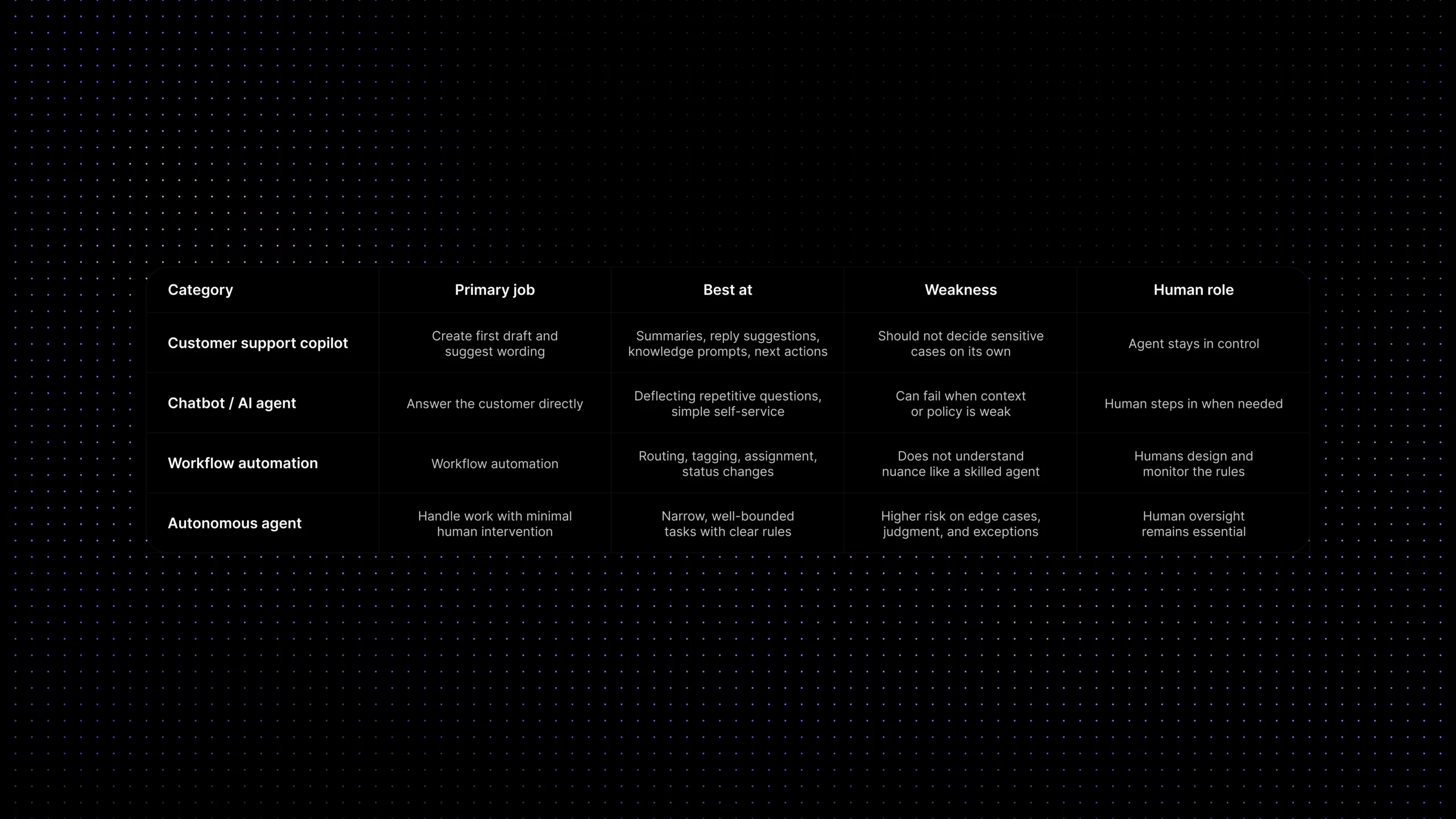
AI copilot vs chatbot vs automation vs autonomous agent
| Category | Primary job | Best at | Weakness | Human role |
|---|---|---|---|---|
| Customer support copilot | Assist the agent during live work | Summaries, reply suggestions, knowledge prompts, next actions | Should not decide sensitive cases on its own | Agent stays in control |
| Chatbot / AI agent | Answer the customer directly | Deflecting repetitive questions, simple self-service | Can fail when context or policy is weak | Human steps in when needed |
| Workflow automation | Move work automatically | Routing, tagging, assignment, status changes | Does not understand nuance like a skilled agent | Humans design and monitor the rules |
| Autonomous agent | Handle work with minimal human intervention | Narrow, well-bounded tasks with clear rules | Higher risk on edge cases, judgment, and exceptions | Human oversight remains essential |
What AI copilots do well for support agents
The strongest use cases are not the flashy ones. They are the ones that remove repeated cognitive load from real agent work.
- Conversation summaries:
When a thread is long, transferred, or spread across notes and replies, a summary helps the next agent understand the issue without rereading everything. - Reply drafting: A good copilot can create a first draft based on the conversation, known policy, and relevant support content. That is especially helpful for common issues that still need a human touch.
- Knowledge suggestions: Instead of making agents search manually, the copilot can surface the article, macro, policy note, or prior case that is most likely to help.
- Next-best-action guidance: Some tools can suggest the next useful move, such as verify account state, request a screenshot, escalate to billing, or link the right document.
- Writing support: Tone cleanup, clarity improvements, and shorter rewrites are useful when an agent already knows what needs to be said but wants to say it better.
- Handoff support: When a case changes owner, a copilot can generate a cleaner handoff summary so the next person does not restart from zero.
The pattern behind all of these use cases is simple: a copilot is most valuable when it reduces searching, reading, drafting, and summarizing without removing human review.
The capabilities that matter most in practice
If a team is evaluating agent-assist AI, it helps to ignore the broad promise language for a minute and ask a narrower question: what does the agent get during a live conversation that they would otherwise have to do manually?
In most SaaS support environments, the most valuable capabilities are the boring ones. Good summaries. Good knowledge retrieval. Helpful draft replies. Clear next-step prompts. These sound less impressive than the bigger marketing claims around autonomous AI, but they are also the capabilities most likely to create steady day-to-day value.
That is also where the category lines up with what the major players are shipping. Official product material from Zendesk describes agent copilot around suggested first replies, ticket summaries, writing enhancement, auto assist, and next-step guidance, while Intercom positions Copilot as a teammate-facing assistant that answers questions using conversation history, internal articles, public articles, macros, and external content.
The important lesson is not which brand says it best. It is that the category becomes useful when it is grounded in real agent tasks, not abstract AI promises.
What AI copilots should not do on their own
This is where support teams need to stay disciplined. A good copilot can make agents better. A badly scoped copilot can make bad decisions faster.
There are some tasks an AI copilot should support, but not own. It should not improvise policy. It should not decide refunds, credits, or account exceptions by itself. It should not choose a risky escalation path without clear workflow logic. It should not summarize away important nuance in a sensitive complaint. And it should not create false confidence just because the draft sounds polished.
In other words, fluency is not the same as judgment. A reply can sound excellent and still be operationally wrong.
That matters most in support because many high-risk moments are not really language problems. They are decision problems. Does this case need legal review? Is the customer allowed an exception? Is there a security issue behind the request? Should the conversation be escalated, paused, or handled by a specialist? Those are places where human oversight still matters.
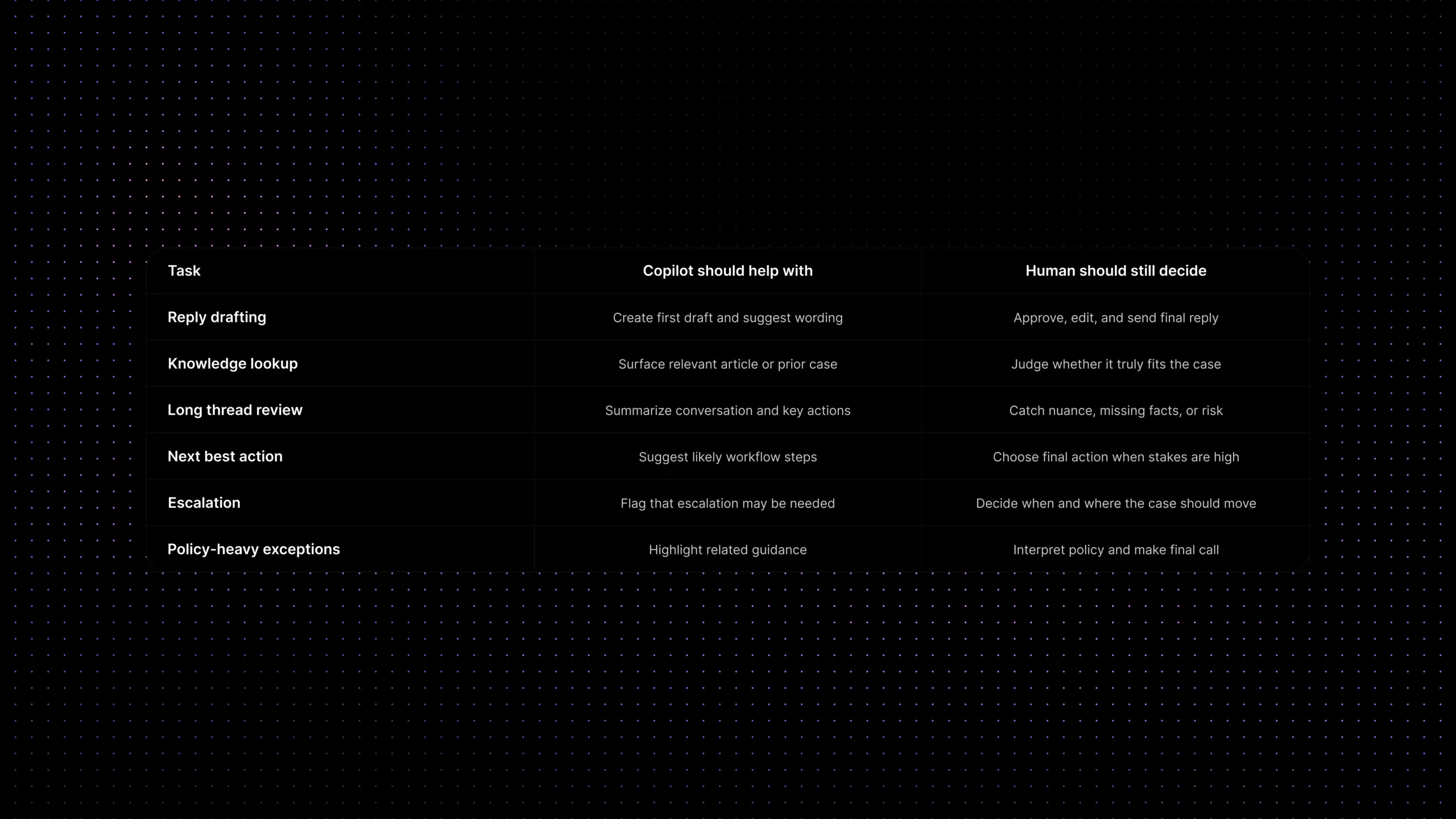
What copilots should do vs what still needs human judgment
| Task | Copilot should help with | Human should still decide |
|---|---|---|
| Reply drafting | Create a first draft and suggest wording | Approve, edit, and send the final reply |
| Knowledge lookup | Surface the most relevant article or past case | Judge whether the content truly fits the case |
| Long thread review | Summarize the conversation and key actions | Catch nuance, risk, or missing facts |
| Next best action | Suggest likely steps inside the workflow | Choose the final action when stakes are high |
| Escalation | Flag that escalation may be needed | Decide when and where the case should move |
| Policy-heavy exceptions | Highlight related guidance | Interpret policy and make the final call |
What copilots do not solve on their own
A copilot will not fix broken knowledge. It will not clean up a messy workflow by itself. It will not create ownership where none exists. And it will not solve quality problems that come from weak policy, inconsistent escalation paths, or fragmented customer context.
This is one of the biggest reasons support teams get disappointed. They buy a feature that promises faster work, but the real bottleneck is upstream. The inbox is fragmented. The knowledge base is outdated. Routing is messy. Handoffs are weak. In those cases, the copilot ends up reflecting the quality of the system around it.
That does not mean the category is weak. It means the category is dependent. The better your support foundations are, the more useful the copilot becomes.
How to evaluate a support copilot without buying hype
The simplest test is not whether the demo looks smooth. It is whether the tool improves real agent work on live cases.
A practical evaluation should answer five questions. First, does it use the right context? Second, does it pull from trustworthy support content? Third, do the suggestions save time without creating extra correction work? Fourth, can agents stay in control? Fifth, does it fit naturally into the workflow instead of creating one more place to look?
You should also evaluate it against boring but important outcomes: faster first replies, shorter time spent searching, cleaner handoffs, more consistent answers, and lower agent effort on repetitive work. If a copilot sounds impressive but does not change those things, the category promise has not turned into operational value yet.
A good rule of thumb is this: judge a support copilot by the quality of assistance it provides in real conversations, not by the number of AI features on the pricing page.
Where Inquirly fits
For SaaS teams, an agent copilot becomes genuinely useful when it sits inside one connected support environment rather than floating above disconnected tools.
That is where Inquirly fits. Inquirly brings conversations, ticketing, workflow automation, labels, and knowledge into one workspace, which gives an AI copilot better raw material to work with. Instead of assisting agents from the edge of the workflow, the copilot can assist from inside it.
That matters because reply suggestions are only as good as the context behind them. Summaries are only as useful as the conversation history they can see. And next-best-action prompts are only as helpful as the workflow logic and support knowledge they can access.
For teams exploring AI assistance, the real goal is not to layer a flashy copilot on top of fragmented operations. It is to build an environment where human agents, workflows, knowledge, and AI assistance can actually reinforce each other.
Conclusion
The healthiest way to view this category is not as AI replacing support agents, and not as a magic productivity layer that fixes everything underneath it. It is a focused assistance layer for the parts of support work that are slow, repetitive, and mentally expensive.
A good copilot helps agents get up to speed faster, reply with more confidence, and work with better context. A bad one creates polished-looking noise. The difference usually comes down to workflow fit, knowledge quality, and whether the human stays in control where judgment matters.
That is why the most useful question is not, “Do we need an AI copilot?” It is, “Where would agent assistance remove real friction from our support workflow without creating new risk?”
See how Inquirly combines shared inbox, ticketing, workflow automation, knowledge, and context-aware support in one connected workspace — so AI assistance can help agents where it actually matters.