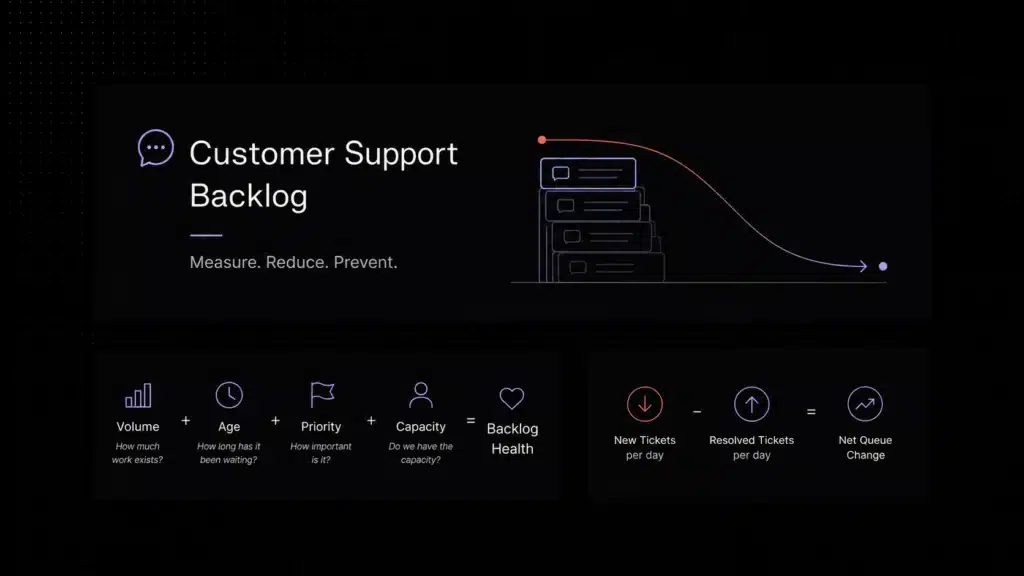
Small businesses do not usually struggle with customer support because every question is complicated. They struggle because the same questions keep coming back. Customers ask about pricing, setup, account access, product steps, billing, troubleshooting, order status, onboarding, and basic how-to guidance again and again. When every repeated question becomes a manual reply, the support team loses time, customers wait longer, and the business becomes harder to scale.
That is where a knowledge base AI chatbot becomes useful. Instead of forcing customers to search through help articles on their own or wait for a human agent to answer a common question, the chatbot can retrieve information from approved support content and turn it into a clear response. The goal is not to replace the support team. The goal is to remove repetitive work, make self-service more useful, and let human agents focus on the issues that actually need judgment, empathy, or account-specific review.
This matters especially for small businesses because support resources are limited. A large company can add more agents, create specialized support queues, and assign teams to documentation. A smaller team needs a leaner system: one that turns existing help content into faster answers, keeps support consistent across channels, and escalates the right conversations before customers get frustrated.
Key Takeaways
- Small businesses can use a knowledge base AI chatbot to reduce repetitive tickets by answering common questions from help-center articles, FAQs, product docs, and approved support policies.
- AI self-service support works best when it is grounded in real company content, not generic AI answers that may sound confident but miss product-specific details.
- RAG architecture in support helps improve answer accuracy by retrieving relevant knowledge base content before generating a response for the customer.
- A strong AI support chatbot should know when not to answer and hand off billing disputes, security concerns, technical bugs, angry customers, or account-specific issues to a human agent.
If your team is evaluating the broader workflow side of customer support automation, this topic sits inside a larger shift toward AI-powered support operations. But this guide focuses on one specific layer: how small businesses and growing support teams can build a grounded, privacy-conscious knowledge base AI chatbot that answers from trusted docs, improves self-service, and hands off cleanly when a human agent should take over.
What Is a Knowledge Base AI Chatbot?
A knowledge base AI chatbot is a support chatbot that uses a company’s own content as the source of truth for customer answers. In practice, that means it pulls from help-center articles, onboarding guides, billing policies, product documentation, troubleshooting steps, and FAQ content instead of relying only on generic model knowledge.
Modern versions of these systems often combine large language models, natural language processing, semantic search, embeddings, and retrieval-augmented generation. Retrieval-augmented generation (RAG) , the architectural pattern most knowledge base chatbots use , was developed specifically to give LLMs access to current, trusted source material rather than relying on static training knowledge alone.
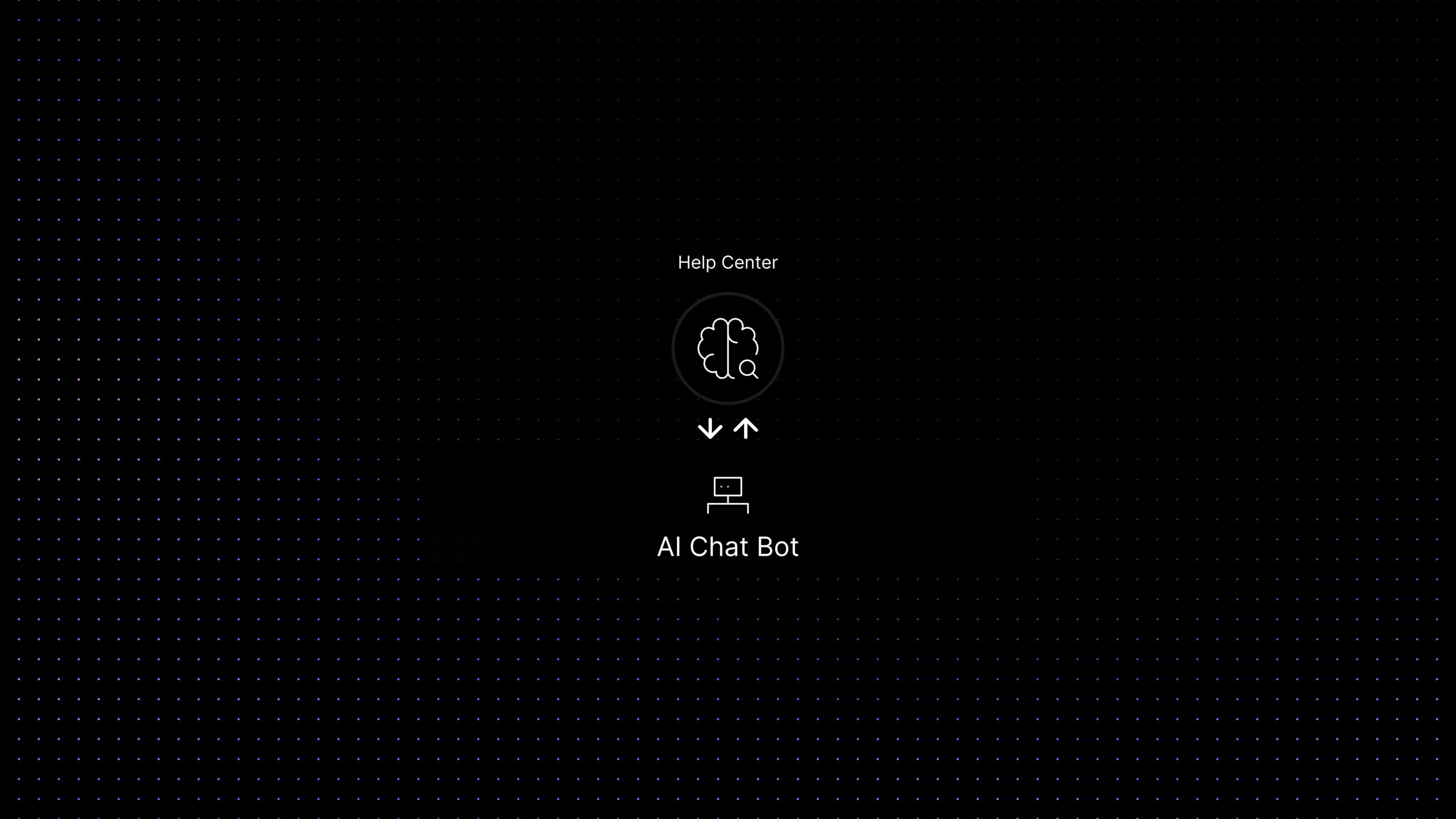
In simple terms, the chatbot interprets the customer’s question, retrieves the most relevant content from trusted sources, and turns that information into a clear answer. The best systems also know when not to answer.
In a stronger support setup, this is not just a chatbot feature. It becomes an operational layer. With Aily, Inquirly’s private AI knowledge agent, teams can answer from approved support content while keeping tighter control over which documents are used, how answers are grounded, and when the system should escalate instead of improvising. That matters even more when support content includes sensitive troubleshooting steps, billing policies, or internal guidance that teams do not want exposed to third-party AI training.
That distinction matters. A generic AI chatbot may sound fluent, but fluent is not the same as accurate. A knowledge base AI chatbot is designed for operational reliability. Its job is not to improvise. Its job is to answer from approved knowledge, stay consistent, and support the rest of the customer support workflow.
Why Generic AI Chatbots Fail in Customer Support
Generic AI chatbots often fail in customer support for one simple reason: they do not know your company well enough. They may understand language, but they do not automatically understand your pricing model, refund rules, integration limits, permissions logic, onboarding flow, escalation path, or product-specific troubleshooting steps.
That creates four common problems.
First, they give answers that sound reasonable but are not grounded in current documentation. In support, an answer that sounds correct but is slightly wrong can create more tickets than it resolves.
Second, they struggle with policy-driven questions. Billing terms, account security, refunds, cancellations, and service limitations usually require exact responses, not approximate ones.
Third, they create inconsistent experiences across channels. One customer gets a different answer in chat than another gets in email because the system is not anchored to a single source of truth.
Fourth, they often lack clean handoff logic. When the issue becomes technical, urgent, or account-specific, a weak chatbot keeps the customer stuck in a loop instead of escalating with context.
For small businesses and growing support teams, that is why “training” a chatbot is rarely about model fine-tuning in the strict machine-learning sense. In most support environments, training means preparing trusted content, connecting the right documents, defining retrieval scope, setting rules, testing responses, and monitoring where the system fails.
Training a Chatbot vs Fine-Tuning a Model
In customer support, “training a chatbot” usually does not mean fine-tuning a language model from scratch. Most small businesses, it means preparing trusted support content, connecting the chatbot to approved sources, defining retrieval rules, testing real customer questions, and creating escalation boundaries.
Fine-tuning changes model behavior using training data. Knowledge-base grounding is different: it keeps the model connected to current company content so answers can reflect your latest product, policies, pricing, and support workflows.
Why Small Businesses Use Knowledge Base AI Chatbots
Small businesses benefit from knowledge-based support automation because many of their customer questions are repetitive, predictable, and already answered somewhere in existing support content. Questions about setup, pricing, billing, account access, product usage, onboarding, troubleshooting, and basic policies can often be handled from approved help-center articles, FAQs, and documentation.
A strong knowledge base AI chatbot helps small businesses in several ways. Common questions can be answered immediately, which improves first-response speed. Approved documentation also makes support more consistent. Self-service becomes more useful because customers can get precise guidance without waiting in a queue. Agent efficiency improves too, since repetitive tickets are deflected or partially resolved before a human joins the conversation.
It also supports growth more cleanly than a generic chatbot strategy. Small businesses usually need a support system that can answer across product areas, respect account context, tag conversations by intent, and escalate when a request becomes sensitive, technical, or account-specific. That is much easier when the chatbot is connected to a structured knowledge layer instead of operating as a loose conversational tool.
In practical terms, training a chatbot on your knowledge base turns support documentation into an operational asset. The help center stops being a static library and becomes an active part of the support experience.
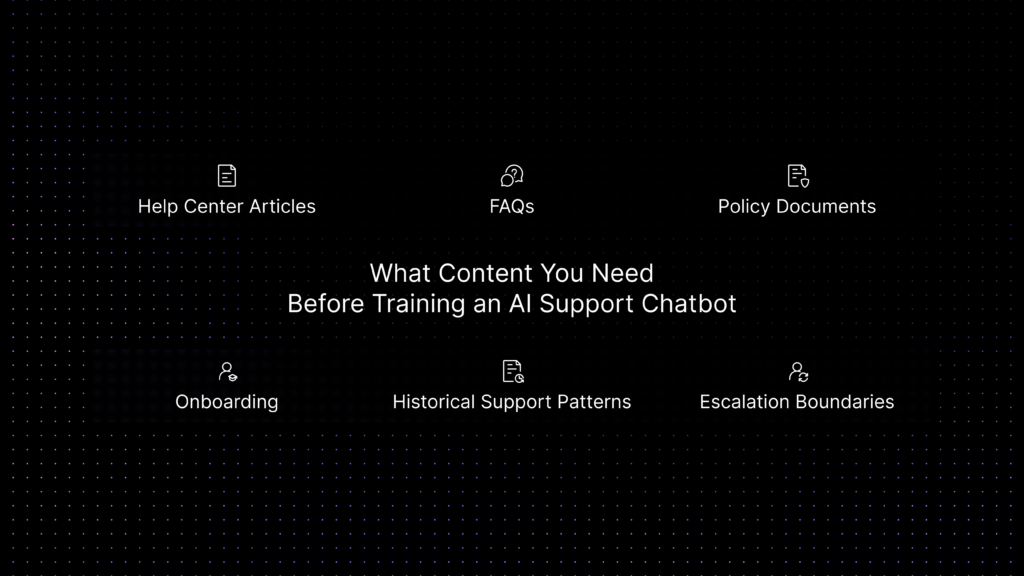
What Content You Need Before Training an AI Support Chatbot
Before you connect any chatbot to your support environment, you need to prepare the content it will rely on. This is one of the most important parts of the rollout because AI does not fix weak documentation. It only exposes weak documentation faster.
At minimum, most SaaS teams should prepare these content types:
-
Help-center articles for common product questions
These usually cover setup steps, permissions, integrations, feature usage, and common troubleshooting flows.
-
FAQ content for recurring support questions
This is especially useful for short, direct questions about billing, account access, plan limits, login issues, and navigation.
-
Policy documents
Refund terms, cancellation rules, SLA terms, data policies, and security guidance should be clear, current, and easy to retrieve.
-
Onboarding and implementation guides
These help the chatbot support trial users, new customers, and admins configuring the product for the first time.
-
Historical support patterns
Resolved tickets, macros, and saved replies can reveal which questions appear most often and where customers still get confused.
-
Escalation boundaries
Not everything should be answered by AI. Document which issues require human review, such as security incidents, billing disputes, bug investigations, or account-specific contract questions.
This preparation stage is also where teams should clean up duplicated articles, remove outdated instructions, standardize product naming, and separate public knowledge from internal-only support guidance.
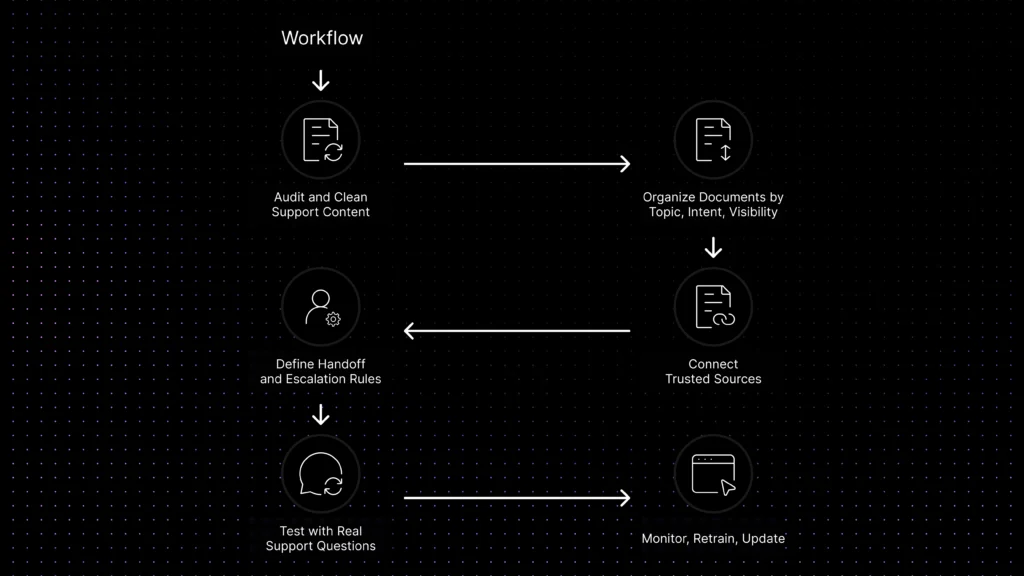
How to Train an AI Chatbot on Your Knowledge Base
Training an AI chatbot on your knowledge base usually means building a controlled retrieval workflow rather than teaching the model from scratch. The goal is to make sure the chatbot pulls from the right documents, answers in the right way, and escalates at the right time.
Step 1: Audit and clean your support content
Review your highest-volume ticket categories and map them to existing content. Remove outdated articles, merge duplicates, fix broken steps, and update policy language. If your documentation is unclear, the chatbot will inherit that problem.
Step 2: Organize documents by topic, intent, and visibility
A support chatbot works better when billing content, onboarding docs, troubleshooting articles, role-permission guidance, and feature education are clearly separated into controlled groups. That makes it easier to decide what the assistant should retrieve for each type of question instead of searching everything equally.
Step 3: Connect the chatbot to trusted sources
This is where many teams think they are “training” the bot. In reality, they are deciding what the bot can retrieve from and what it should never use. A good setup may include help-center articles, FAQs, troubleshooting guides, public documents, selected internal support notes, and approved macros. The objective is not to give the chatbot more content. It is to give it the right content, with the right visibility and the right controls. For many SaaS teams, that also means ensuring the platform does not use connected documents to train third-party AI models outside the support workflow.
Step 4: Define handoff and escalation rules
Set clear rules for when automation should stop. Account-specific billing disputes, bug reports requiring reproduction, sensitive security questions, angry customers, and VIP requests should not stay in an automated loop. The system should gather context and then escalate.
Step 5: Test with real support questions
Do not test the bot with idealized prompts only. Use the exact wording customers use in real tickets. Ask vague questions, incomplete questions, and multi-part questions. See where the chatbot selects the wrong article, over-explains, or fails to ask a clarifying question.
Step 6: Monitor, retrain, and update
Support documentation changes constantly. New features ship. Pricing changes. Workflows evolve. Training a knowledge base chatbot is an ongoing content operation. Review failed conversations, content gaps, and escalation patterns regularly so the bot improves with the product.
The most accurate support chatbots are not the ones with the largest model claims. They are the ones with the cleanest knowledge base, the clearest boundaries, and the most disciplined review process.
What Should a Knowledge Base AI Chatbot Not Answer?
The best knowledge base AI chatbot is not the one that answers everything. It is the one that knows when to answer, when to ask a clarifying question, and when to hand the conversation to a human agent.
Knowledge Base AI Chatbot vs Generic AI Chatbot
This comparison helps buyers separate grounded support automation from a general-purpose conversational bot.
Knowledge base AI chatbot vs AI live chat software
A knowledge base AI chatbot is one part of a broader AI support system. It focuses on answering questions from approved help content. AI live chat software goes further by connecting those answers to live conversations, routing, handoff, ticketing, agent assist, and support workflows.
For early-stage teams, a knowledge base chatbot may be enough if the goal is simple self-service. But SaaS teams usually need more once customer conversations involve billing, onboarding, feature questions, technical issues, and account-specific support. At that point, the chatbot needs to work inside a larger customer support platform.
If you are comparing broader support tools, start with our guide to AI live chat software, review the customer support software pricing guide, or compare platforms in our best customer support software guide.
Best Practices to Improve Accuracy and Reduce Hallucinations
The simplest way to reduce hallucinations is to reduce ambiguity. The chatbot should answer from defined sources, not from whatever it can infer conversationally.
Keep your source set narrow and trusted. It is better to use a smaller group of approved articles than a large content pile full of outdated material.
Write support content for retrieval, not only for browsing. Long articles with vague headings are harder for a chatbot to use well. Clear section titles, direct steps, and concise answers improve retrieval quality.
Separate public knowledge from internal guidance. Customers do not need every internal diagnostic note, and agents do not need the bot exposing unfinished procedures.
Add escalation rules early. The bot should know when to stop and route to a human rather than forcing a weak answer.
Review failed conversations every week. Look for cases where the system chose the wrong document, answered too broadly, or missed the user’s intent entirely. Those failures usually reveal either a content problem or a rules problem.
Treat FAQ generation as a maintenance workflow, not a one-time project. When new questions appear repeatedly, they should become documented knowledge so the chatbot improves over time.
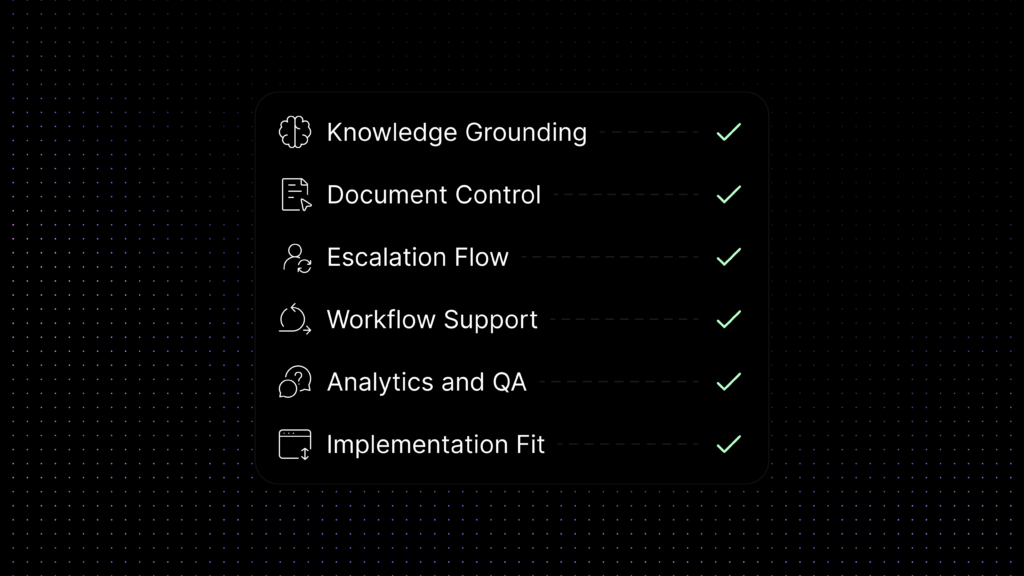
What to Look for in a Knowledge Base Chatbot Platform
For a buyer, the most important question is not whether a platform offers AI. It is whether the platform can turn your documentation into a reliable support workflow.
Start with knowledge control.
The platform should sync the right documents, separate public and internal knowledge, organize content by groups or labels, and update sources when documentation changes.
Then look at operational fit.
A strong platform should hand conversations to humans cleanly, support labels and routing logic, preserve ticket context, and work with the inboxes and channels your team already uses.
Accuracy and testing also matter.
Teams should be able to test responses before rollout, review which sources were used, and identify failed intents, content gaps, and repeated escalations.
Privacy and governance matter too.
If the platform connects to support documentation, internal notes, FAQs, or synced documents, buyers should understand exactly how that content is handled. Can the team control which documents are available to the bot? Can it separate internal and public knowledge? Can it limit retrieval by group, label, or assistant scope? And can it ensure that proprietary support content is not used to train third-party AI models?
Finally, consider maintainability.
A support chatbot should not become another disconnected tool that your team avoids updating. The strongest platforms make it easier to manage documents, generate or refine FAQ content, review performance, and improve the system continuously.
At this stage, buyers often realize that brand familiarity matters less than operational fit. The right platform is the one that gives the team reliable document control, grounded answers, clean escalation, and a support workflow that stays manageable as knowledge changes over time.
Evaluation Checklist for Buyers
Where Inquirly Fits
Inquirly is built for SaaS teams that want a knowledge base AI chatbot connected to real support operations, not just a generic chat widget.
With Inquirly, teams can organize platform documents, create document groups, generate FAQs from approved content, connect assistants to specific document keys, apply conversation labels, and support routing workflows when a human should take over.
Aily, Inquirly’s private AI knowledge agent, helps teams answer from approved support content while keeping tighter control over document scope, retrieval behavior, and escalation. This makes it easier to use AI for repetitive support questions without exposing proprietary knowledge or losing control over the customer experience.
For SaaS teams, the real question is not only “Can this chatbot answer from our docs?” The better question is: “Can this platform help us manage knowledge, control AI answers, support human handoff, and improve support operations as our product changes?”
Conclusion
A knowledge base AI chatbot is not just another AI feature for support teams. For small businesses, it is a way to turn help content, product documentation, and support workflows into a faster and more scalable customer experience.
The most effective teams do not start by asking which chatbot sounds the smartest. They start by asking which content is trustworthy, which ticket categories are repetitive, which questions should be automated first, and where human agents still need to lead. That is what makes a chatbot operationally useful instead of superficially impressive.
If your team is evaluating how to train an AI chatbot on your docs, FAQs, and support content, focus on grounding, handoff design, testing, and workflow fit. And if you want a platform that helps you organize documents, generate FAQ content, personalize support experiences, and manage conversations with more structure, Inquirly is well positioned to support that evaluation path.