| What is customer context in support? | Customer context in support is the set of account, conversation, ticket, billing, and product signals an agent needs to respond accurately and efficiently without making the customer repeat themselves. It enables faster handoffs, fewer repeated questions, and more reliable AI-assisted support. |
|---|
A practical guide for SaaS teams that want faster handoffs, better answers, and fewer repeat questions without turning support into a bigger data project.
Most support teams do not lose customer context in one dramatic failure. They lose it gradually.
It starts with a perfectly reasonable decision. The team adds live chat because email alone feels too slow. Then a ticketing tool gets layered in because chat is too informal for follow-up. Then product usage data sits in another dashboard. Billing state lives in a finance tool. Help-center views are tracked somewhere else. Before long, the team has more information than ever and less usable context than it thinks.
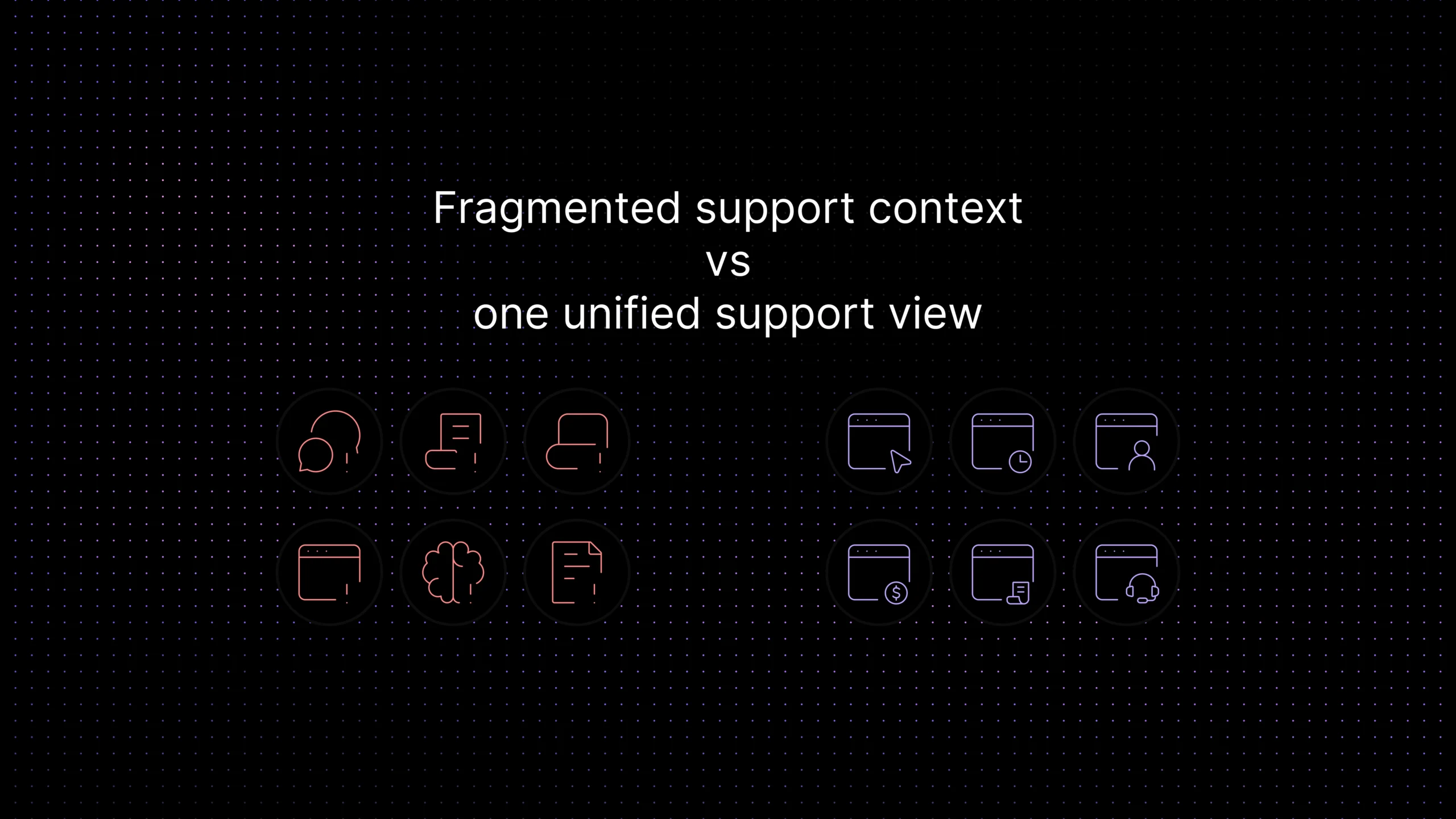
That is the hidden problem behind support data silos. The data exists, but the agent who needs it in the moment does not see it in one practical view. Customers feel the result immediately. They repeat themselves after handoffs. Agents ask questions that were already answered in a previous conversation. “Can you send that again?” becomes part of the support workflow.
This article is about fixing that layer before you overbuild it. It explains what customer context means in support, why it breaks across tools, and which data a SaaS team should centralize first. The goal is not to design a giant customer-data project. The goal is to give support teams the minimum context they need to answer well, route correctly, escalate cleanly, and keep AI support from guessing when the customer story is already available. Deloitte’s 2026 service research found that teams with unified support data and AI-assisted routing saw higher agent productivity and lower time per contact. Deloitte Future of Service research
What customer context means in support
Customer context is not every possible fact you could store about a customer. In support, it means the small set of information that changes the quality of the next response.
That usually includes who the customer is, what account they belong to, what has already happened, what the team has already tried, and what is changing around the issue right now. Good customer context gives an agent enough orientation to stop restarting the case. It is the difference between “Can you explain the issue again?” and “I can see you already tried the SSO setup and hit the same provisioning error after upgrading to the Pro plan.”
This is why customer context, support context, and single customer view overlap but do not mean exactly the same thing. Customer context is the practical support lens. Support context is the same idea viewed through the workflow itself: who owns the issue, what happened before, what content the customer saw, and what needs to happen next. A single customer view is the broader structural goal of bringing that information together in one usable profile or timeline.
For a SaaS team, the best test is simple: when a customer moves from chat to ticket, or from self-service to human support, does the next person see the story, or do they see only the latest message? If they see only the latest message, the team still has context gaps even if the data technically exists somewhere.
Why support data silos quietly damage support quality
Support data silos rarely show up on a dashboard called “context loss.” They show up as operational drag.
They show up when the agent has to open three tabs just to understand who the customer is. They show up when a billing issue is treated like a generic troubleshooting case because the support tool cannot see account status. They show up when a handoff to technical support drops the chat history and the customer starts the story again from scratch. They show up when one teammate replies without realizing another teammate already handled the issue in a different channel.
The hidden cost here is not just time. It is answer quality. Context-poor support tends to become generic support. The team asks safer questions, gives more cautious replies, escalates more often than necessary, and burns more trust with each repeated clarification.
For founders and support leads, this is also where the cost of added tools becomes misleading. A team can feel “better equipped” because it has more systems, while the actual experience gets worse because no one has one reliable support view. More software does not automatically create more context. In many cases, it creates more places to lose it.
That is why a unified customer context layer matters even before a company thinks in enterprise architecture terms. It is a support-quality problem first, not a data-warehouse problem first.
Fragmentation also creates a control problem. When conversation history, billing status, account records, and support notes live across several systems, teams lose more than efficiency. They lose clarity over where support-relevant customer data sits, who can access it, and how it is handled. For SaaS teams, especially in more sensitive categories, a better context layer is not just easier to use. It is easier to govern.
The minimum customer context layer every SaaS team should build
You do not need to centralize everything on day one. In fact, trying to centralize everything is usually how teams turn a useful support project into a slow internal platform project.
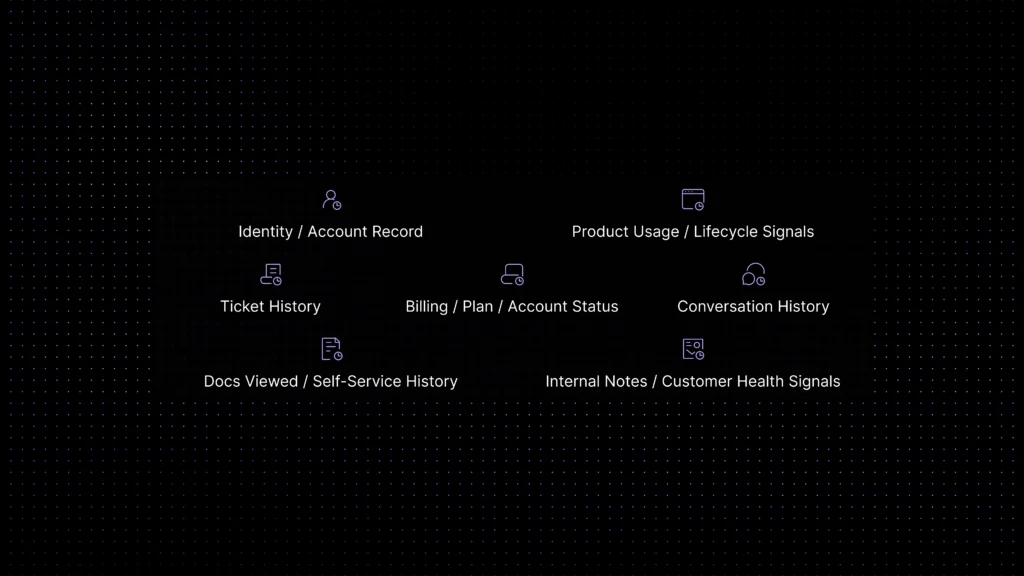
The better move is to build the minimum context layer that helps the next reply, the next handoff, and the next escalation.A good minimum context layer answers five practical questions before the first reply is sent:
Who is this customer and what account do they belong to? Identity is the foundation — without it, every other piece of context is unstable.
What have they already said, and where? Conversation history across channels prevents agents from asking questions that were already answered in a previous session.
What has the team already tried or resolved before? Prior resolutions, escalation notes, and linked bugs change whether the next step is a repeat or a genuine next action.
Is there anything about plan, billing, or account status that changes the answer? A correct answer in general may be wrong for a customer whose account is in trial, paused, or limited by their current plan.
What recent product or self-service signals help explain the current issue? Recent activity, help-center views, and feature usage tell agents whether the customer is onboarding, stuck at a known friction point, or returning after a gap.
Once those five questions are visible in one working view, support quality improves quickly. The same layer also makes AI support more reliable, because context is what keeps an assistant from improvising when the account history, billing state, or prior support path already explains the right next move. The team becomes less repetitive, handoffs become shorter, and the customer feels continuity instead of fragmentation.
What data to centralize first
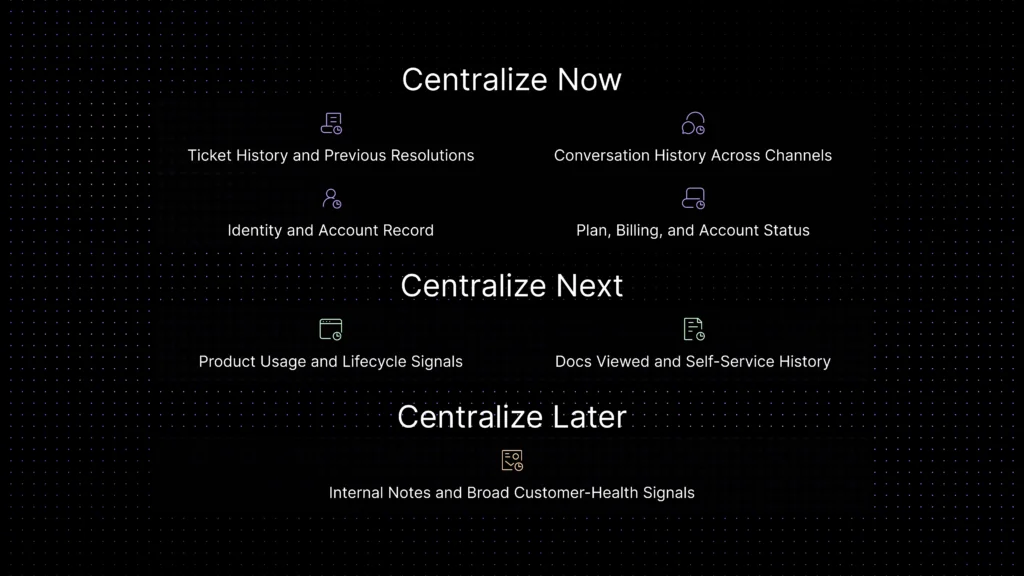
If you want a practical order, centralize the data that changes the next support decision first. That usually means identity, history, and status before broader analytics or marketing attributes.
| Centralize first | Why it matters in support | Where it usually lives | Priority |
|---|---|---|---|
| Identity and account record | Lets agents confirm who the customer is, which workspace or company they belong to, and whether the issue affects the right account. | CRM, auth system, account database | Now |
| Conversation history across channels | Prevents repeat questions and makes handoffs feel continuous instead of fragmented. | Chat, email, messaging, shared inbox | Now |
| Ticket history and previous resolutions | Shows what was already tried, what failed before, and whether the issue is actually recurring. | Ticketing system | Now |
| Plan, billing, and account status | Changes the right answer for limits, provisioning, renewals, and account-access problems. | Billing tool, subscription system | Now |
| Product usage and lifecycle signals | Adds useful context for onboarding friction, feature confusion, adoption problems, and churn risk. | Product analytics, customer success tools | Next |
| Docs viewed and self-service history | Helps agents avoid repeating article links and understand what the customer already attempted alone. | Help center, docs, support widget | Next |
| Internal notes and broad customer-health signals | Helpful later, but only after the core support layer is already reliable. | CS, notes, BI tools | Later |
Table 1. Recommended order for building a support-ready customer context layer.
One caution matters here: centralizing identity, billing state, and support history is only useful when the team can govern that context safely. For many SaaS teams, especially those in more sensitive industries, the question is not just what data to centralize first. It is whether the support platform handling that context keeps it inside a controlled environment instead of exposing it to third-party AI training outside the support workflow.
Identity and account record
This is the first layer because support falls apart fastest when identity is unclear. If the agent cannot confidently answer “Which account is this?” the rest of the context becomes unstable.
In practice, this layer should give an agent the account or workspace name, contact identity, relevant role if available, and a reliable link to the customer record. It should also reduce duplicate profiles and edge cases where the same customer looks like three different contacts across tools. Without that, every handoff becomes fragile.
Conversation history across channels
Support teams often underestimate how much quality is lost when conversation history is split by channel. A customer who starts in chat, follows up by email, and later reopens the issue from a support portal should not look brand new each time.
This is where customer context starts to feel real to the customer. When the next reply acknowledges what already happened, support feels competent. When the next reply ignores it, support feels careless even if the team is working hard behind the scenes.
If you have to choose between more metadata and better conversation continuity, choose continuity first. It changes the experience immediately.
Ticket history, previous resolutions, and account status
A lot of repeated work in support does not happen because agents are unskilled. It happens because prior resolutions are invisible at the moment they need them.
Ticket history matters because many “new” issues are actually recurring issues with a slightly different surface symptom. Previous resolutions, escalation notes, linked bugs, and known workarounds often matter more than broad account demographics. The same is true for billing and subscription status. If an agent cannot see that the account is in trial, paused, overdue, or limited by plan, the support answer can be correct in theory and wrong in practice.
Product usage, lifecycle signals, and docs viewed
This layer usually comes next, not first. It becomes valuable when the team already has reliable identity and history.
Recent product usage can tell an agent whether the customer is onboarding, stuck at activation, using a feature heavily, or returning after a gap. Help-center views and docs used can show whether the customer already tried the recommended setup steps. Together, these signals make support less repetitive and more situational. They are especially useful when teams want to connect customer self-service for SaaS with live support instead of treating self-service as a separate track.
This is also where context starts to support smarter routing. A conversation that comes from a high-value account, after repeated failed doc views, during onboarding week, should probably be handled differently from a simple one-off feature question.
Signs your team is losing customer context
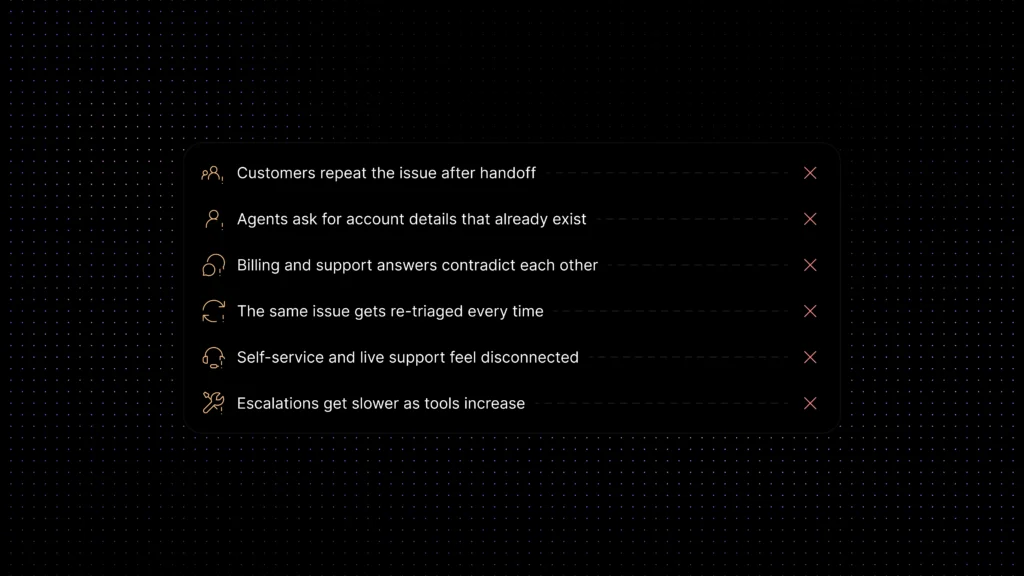
You do not need a maturity model to diagnose this. If several of these are already happening, the support team is paying a context tax every day.
| Warning sign | What it usually means |
|---|---|
| Customers repeat the issue after handoff | Conversation history is not visible where the next teammate works. |
| Agents ask for account details that already exist | Identity and account context are split across systems. |
| Billing and support answers contradict each other | Plan or subscription state is not present in the support workflow. |
| The same issue gets re-triaged every time | Ticket history and prior resolutions are buried in another tool. |
| Self-service and live support feel disconnected | Doc views, article attempts, or widget history are not surfaced to agents. |
| Escalations get slower as tools increase | More systems were added without a single support context layer underneath. |
Checklist. Common symptoms of support data silos.
What unified customer context does not solve on its own
Better context improves support fast, but it does not fix everything by itself.
It does not replace clear routing. A team can have better customer history and still send the issue to the wrong queue. It does not replace workflow automation. Agents still need ownership rules, escalation paths, and consistent follow-up logic. It does not replace trusted answers either. How agents communicate once they have the right context also matters, tone, brand voice, and empathetic response design covers the communication layer that context makes more effective but cannot replace. If your knowledge is outdated, richer context only helps the team recognize the problem faster; it does not make the answer correct.
That is why this article complements, rather than replaces, the rest of your support stack. AI customer support automation, support ticket automation, knowledge base AI chatbot, and omnichannel vs multichannel support all matter more when the support team is not operating with missing context.
How to centralize context without creating a bigger data project than you need
Start with support use cases, not data ambition. Ask what an agent needs to answer better this week, not what the company might want to analyze next year.
In practice, that means centralizing context into one support-facing view first. Make it easy to see identity, account, timeline, ticket history, and status together. Platform choice shapes how realistic that is , the best customer support software for 2026 covers which platforms handle unified customer identity and cross-channel context most effectively for SaaS teams at different scale stages. Then add the next layer only if it changes decisions inside real support work. This keeps the project tied to operator value rather than turning it into an abstract “single customer view” initiative with no short-term win.
A good rule is simple: if a data point does not improve the next reply, the next handoff, or the next routing decision, it probably does not belong in phase one.
Why private context matters for AI support
Unified customer context becomes even more valuable when AI is part of the support workflow. A chatbot, routing layer, or agent-assist system can only be as accurate as the context it can use. If the support system sees only the last message, AI fills the gaps with guesswork. If it can see identity, prior conversations, ticket history, and relevant account state, the next answer becomes much more reliable.
That makes context an accuracy issue, not just a reporting issue. It is one of the main reasons grounded AI performs better than generic AI in support environments.
It also makes governance important. For SaaS teams, especially in regulated or trust-sensitive categories, centralizing support context only helps when the platform keeps that context in a controlled environment rather than turning customer conversations and internal support knowledge into training material for third-party models.
Metrics to track
Do not measure this project only by the number of data sources connected. Measure whether support gets easier and more accurate.
Start with repeated-question rate after handoff. Then watch time to resolution on issues that cross teams. Look at first-contact resolution where the right context should matter most. Monitor CSAT on escalated cases, because escalation quality is where context gaps become obvious. You can also track how often agents reopen prior tickets or search other systems for basic account information. That behavior is a quiet but reliable sign of support-context weakness.
If those metrics improve, the context layer is doing its job. If they do not, the team may have centralized data without surfacing it where the work actually happens.
Where Inquirly fits
For growing SaaS teams, the value of a unified context layer is not just that data is stored somewhere. It is that conversations, tickets, workflow, account status, and trusted knowledge are visible together when support work is actually happening.
That is where Inquirly fits naturally. Instead of keeping chats in one system, tickets in another, and help content in a third place that agents have to search manually, Inquirly helps teams work from one support-facing workspace. That reduces context gaps and makes the next action easier to take.
It also makes AI support more useful. With Aily layered into that environment, teams can respond with better grounding, support cleaner handoffs, and improve routing accuracy when the support system can already see the customer’s history instead of only the latest message.
That distinction matters because the goal is not a giant data project. It is a support system that feels coordinated to the customer and stays easier to govern as support complexity grows.
Conclusion
Support teams do not need perfect customer data to work better. They need the right context in the right place at the right moment.
That is why the smartest move is usually not to centralize everything. It is to centralize the few data layers that change support quality immediately: identity, history, status, and the signals that explain what the customer already tried.
When those pieces live together, the team stops rebuilding the story on every handoff. Customers stop repeating themselves as often. Escalations get cleaner. Answers get more relevant. The support operation starts to feel coordinated instead of reactive.
If you want to see how chats, tickets, workflow automation, and trusted knowledge can work together in one support workspace, explore how Inquirly helps teams build context-aware support without adding more fragmentation.