A shared inbox customer support setup is usually the first serious step away from scattered email support. At first, one inbox feels harmless. Then customers start writing through email, chat, forms, social messages, and personal DMs. Very quickly, the team is not managing support. The team is playing hide-and-seek with customer context, which is a terrible game and somehow never comes with snacks.
The goal of a customer service shared inbox is simple: give the team one place to see, assign, discuss, and resolve customer conversations. That means fewer duplicate replies, fewer missed follow-ups, clearer ownership, and less “wait, who replied to this?” energy in the support channel.
This guide explains how a shared inbox for support works, what it solves well, where it starts to break down, how it compares with help desk software, and when a growing team should move from basic inbox collaboration to a more connected support platform with ticketing, knowledge base, automation, reporting, and AI assistance.
Key Takeaways
- A shared inbox for customer support centralizes conversations. It brings customer emails, chats, forms, and follow-ups into one shared workspace instead of scattering them across personal inboxes and disconnected tools.
- The main value is ownership and context. A good shared inbox shows who owns each conversation, what has already happened, and what needs to happen next.
- A shared inbox is not always a full help desk. It helps with collaboration, but growing teams may still need routing, ticketing, SLAs, reporting, knowledge base workflows, and AI automation.
- The best shared inbox customer service setup depends on support maturity. Small teams need visibility first. Growing teams need workflow structure. Scaling teams need automation and reporting.
Shared inbox for customer support: what it should do
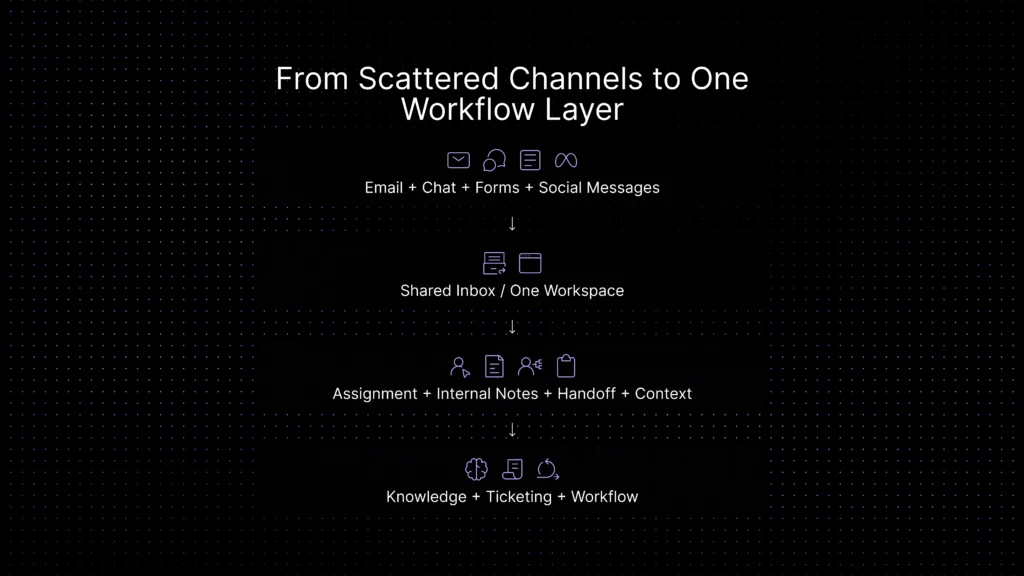
A shared inbox should do more than collect messages in one place. For customer support teams, the value comes from turning scattered conversations into a clearer operating layer. That means agents can see the full conversation, assign ownership, leave internal notes, avoid duplicate replies, and understand what should happen next.
The best shared inbox setup gives support teams three things: visibility, accountability, and context. Visibility means everyone can see the same customer conversation. Accountability means every message has a clear owner. Context means the team can understand the customer history without searching across email, chat, forms, CRM notes, and side channels.
Shared inbox customer support features to look for
The best shared inbox for customer support should do more than collect messages. A shared inbox becomes useful when it turns customer conversations into clear work: owned, prioritized, searchable, and easy to hand off.
What fragmented customer communication actually looks like
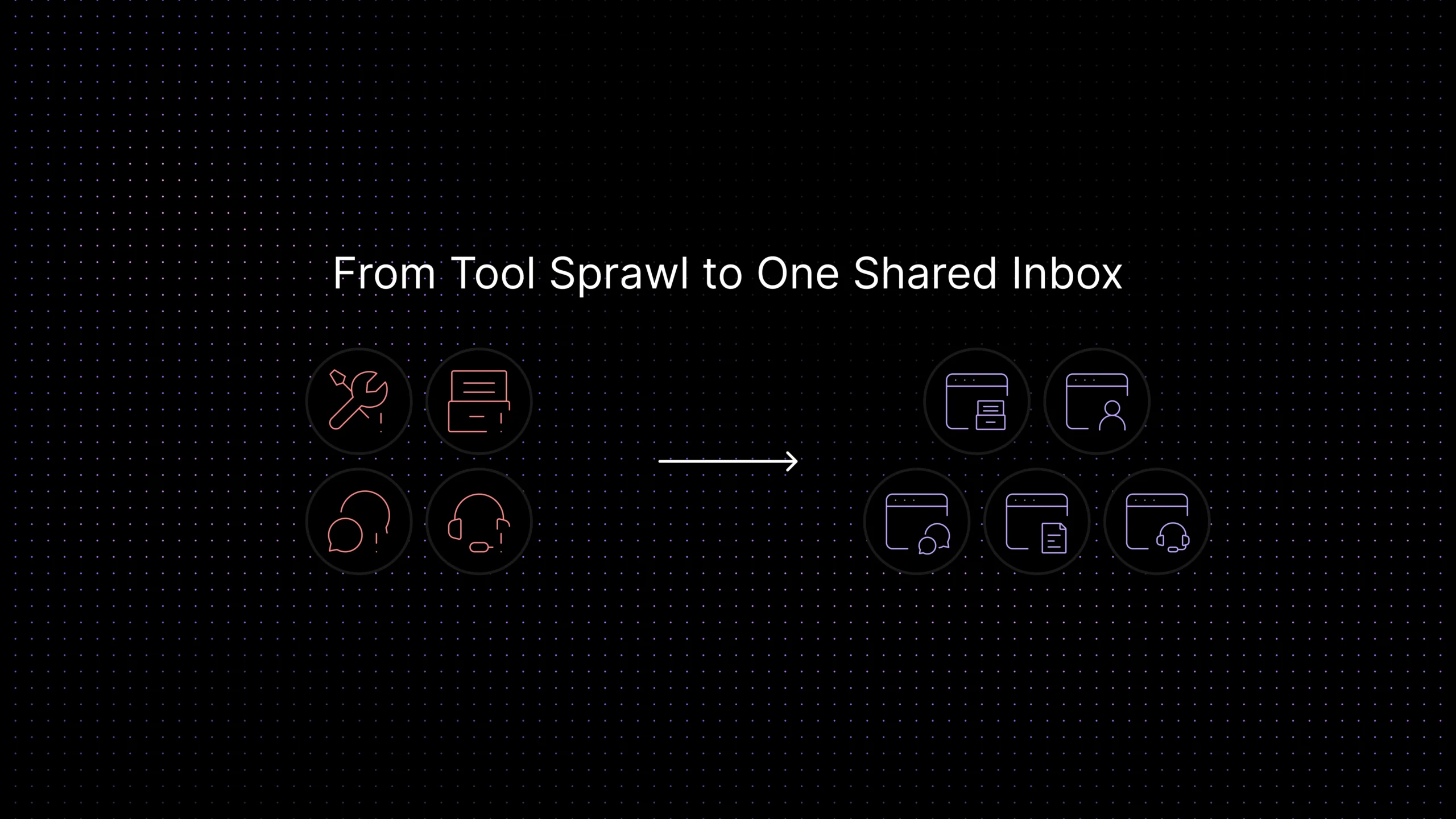
Fragmentation is easy to miss from inside the company because each channel still appears to be working. Customers can send emails. Chat is live. Forms are coming in. Social messages are getting noticed eventually. The issue is not availability. It is continuity.
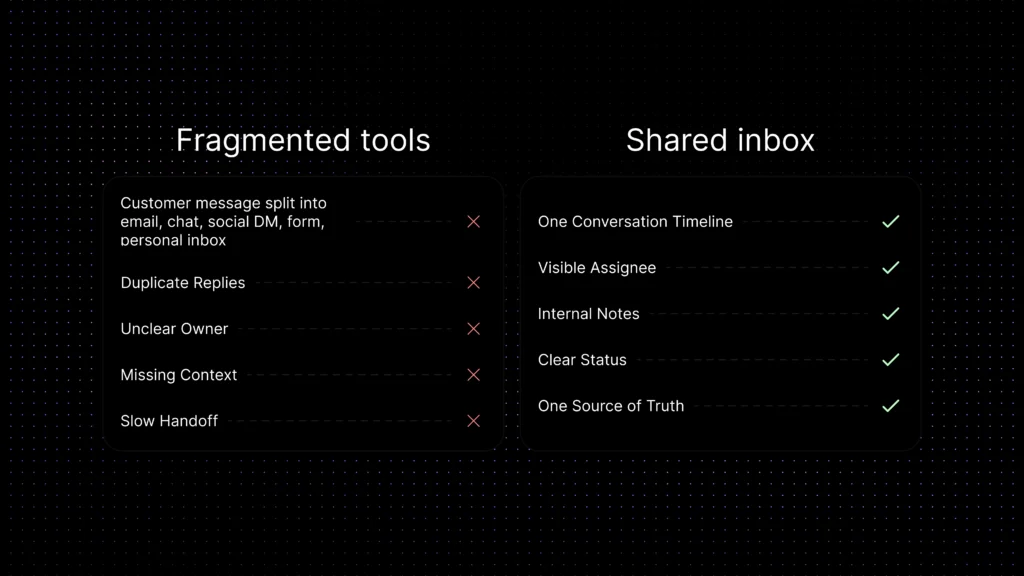
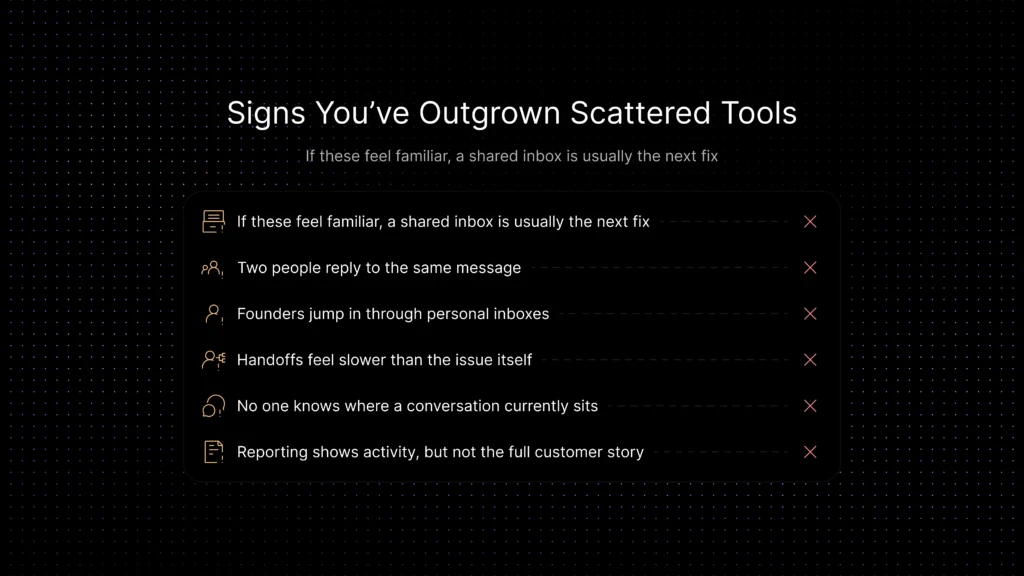
A fragmented setup usually has a few obvious symptoms. One customer conversation gets spread across multiple tools. Two teammates answer the same question because they cannot see each other’s replies. A founder jumps in to “help” from their own inbox and accidentally creates a second thread the team cannot track. A renewal risk appears in support, but sales or success never sees the context at the right moment.
The real cost shows up in small daily failures rather than one dramatic outage. A reply goes out late because the message landed in the wrong place. A handoff takes too long because the next person has no history. A customer repeats the same explanation three times, not because anyone is careless, but because the tools do not share the story.
This is why fragmented customer communication feels expensive even before the metrics make it obvious. It creates drag. It slows decisions down. It makes strong support teams look less coordinated than they really are. The productivity cost of fragmentation shows up in broader workplace research too. Asana’s Anatomy of Work Index found that knowledge workers spend 60% of their time on “work about work,” including searching for information, switching between apps, chasing updates, and managing shifting priorities. The same research reports that 88% of knowledge workers say time-sensitive projects or large initiatives have fallen behind or fallen through the cracks because of task volume. In support, scattered inboxes create the same pattern at a smaller scale: agents spend too much time finding context and too little time resolving the customer’s issue. Asana’s work-about-work research supports the productivity argument behind inbox consolidation.
The hidden cost of tool sprawl in support and customer operations
Tool sprawl usually gets framed as a software problem, but the bigger issue is operational. Too many tools create too many places where ownership becomes fuzzy. This problem is not only theoretical. IBM’s overview of SaaS sprawl reports that only 36% of enterprise technology executives say their cloud, data, AI, and product-engineering investments are managed as integrated portfolios with common architecture. IBM also cites Productiv data showing that 48% of enterprise applications are unmanaged, with no clear owner responsible for monitoring usage, security, licenses, renewals, or risk. For support teams, that is exactly how customer conversations become scattered: tools are added to solve local problems, but no one owns the full operating model. IBM’s SaaS sprawl overview gives a strong external reference for the risk of unmanaged tool growth.
When a team works across personal inboxes, channel-specific tools, chat widgets, form notifications, and separate internal trackers, three things happen almost every time.
First, response quality becomes inconsistent.
Not because the team lacks skill, but because each tool gives a different slice of context. The person answering can only see what is in front of them.
Second, accountability gets weaker.
A message may be visible to several people, but clearly owned by no one. That is one of the fastest ways for follow-up to slip.
Third, managers lose a clean view of the work itself.
They can count tickets in one system or conversations in another, but they still cannot see the full customer journey from first message to final answer.
For founders, this often shows up as a gut feeling before it shows up in reporting.
Things feel slower. Customers seem to repeat themselves more. Internal coordination feels harder than it should. The team is busy, but the work does not feel clean. That is usually the moment when scattered tools stop being a convenience problem and start becoming a growth problem.
The security risk of fragmented customer communication
Tool sprawl does not just create operational friction. It also creates more places where customer information can live without clear control. A support conversation may start in chat, continue by email, move into a form tool, and then get copied into an internal tracker. Each handoff adds another surface where context can be lost or sensitive information can spread.
For SaaS teams, that matters because support conversations often include billing details, account access questions, implementation notes, and other sensitive customer context. When those interactions are scattered across too many systems, the company is not just slower. It is harder to govern.
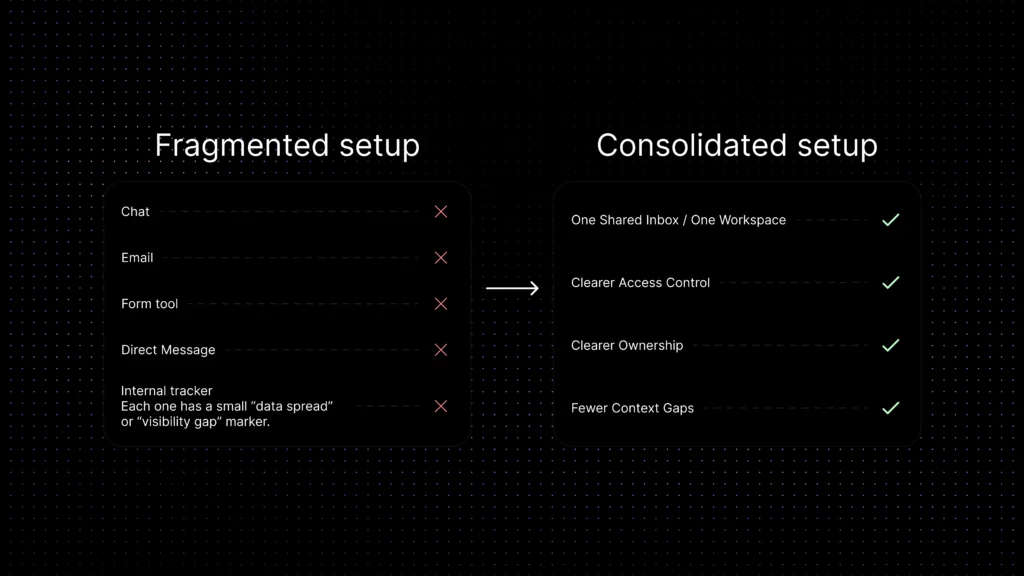
That is one reason consolidation matters. A stronger support setup reduces the number of disconnected tools handling customer communication and makes it easier to manage visibility, ownership, and data handling in one environment.
Why a shared inbox becomes the first real fix
Why visibility comes first
A shared inbox does not eliminate every support challenge, but it addresses the most immediate one: conversations stop living in random places.
That matters because the first operational win is almost always visibility. When the team can see the same thread, assign ownership, leave internal notes, and understand what has already happened, support gets cleaner very quickly. The company does not need perfect automation on day one. It needs fewer blind spots.
This is why the shared inbox customer support category matters so much for growing SaaS teams. It is a practical middle ground between “everyone manages messages their own way” and “we need a giant enterprise support stack tomorrow.” It gives the team a common working surface.
Why a shared inbox becomes a foundation
For many companies, that one change solves several problems at once. Duplicate replies go down. Handoffs become easier. Messages are less likely to disappear inside personal inboxes. Leaders get a better view of what is happening across support channels. And because the team is working from one place, it becomes easier to connect the next layers later, such as knowledge base AI chatbot, support ticket automation, and ticket deflection with AI.
It also creates the first real layer of usable context for automation. Once conversations live in one place, AI assistance becomes more useful because it can work from a fuller support history instead of isolated fragments. That is where the value of a shared inbox starts to expand beyond collaboration and into workflow, knowledge, and AI-assisted support.
Shared inbox vs unified inbox vs help desk software
Shared inbox, unified inbox, and help desk software often overlap, which is very kind of the software industry and not confusing at all. The difference is the level of workflow structure your team needs.
What a shared inbox solves well
A shared inbox helps most with problems that come from scattered ownership. It gives the team a common working space. That alone makes it easier to see who replied, what the customer already said, and what should happen next.
A shared inbox is especially useful when the main pain is coordination rather than deep workflow complexity. If the team mostly needs one place for email, chat, and basic customer follow-up, it can remove a surprising amount of friction.
It also creates a cleaner foundation for knowledge, routing, reporting, and self-service design. Once conversations are visible in one place, the rest of the support operation becomes easier to connect.
AI support becomes more useful too. When conversations, ownership, and support history live in one place, an assistant like Aily can work from better context, help teams respond more consistently, and reduce the risk of answers being generated from disconnected fragments.
What a shared inbox does not solve on its own
A shared inbox is not the same thing as a full support system. It improves collaboration, but it does not automatically create strong routing logic, structured ticket workflows, a usable knowledge base, or reporting that tells you why issues keep repeating.
That matters because some teams outgrow inbox consolidation faster than they expect. Once support volume rises, or multiple teams need structured handoffs, the company usually needs more than a cleaner place to read messages. It needs workflows, tags, routing, and support context that move with the work.
This is the part many founders miss. A shared inbox is often the first fix, not the final architecture. It is the right next step when the problem is fragmentation. It is not the full answer when the problem has already become operational complexity.
Common shared inbox problems in customer support
A shared inbox becomes messy when teams do not define ownership, status rules, escalation paths, and response expectations. The most common problems are duplicate replies, missed conversations, unclear accountability, slow handoffs, and customer context split across too many tools.
- No clear owner: everyone sees the message, but nobody owns the reply.
- Duplicate responses: two agents answer the same customer with different information.
- Lost context: customer history lives across email, chat, CRM, and help desk tools.
- Weak prioritization: urgent customers wait behind simple or low-risk questions.
- No reporting: managers cannot easily see workload, response time, or bottlenecks.
Signs your team has outgrown scattered tools
The easiest way to spot the problem is to look for repeated operational pain, not just software annoyance.
What to look for before choosing a shared inbox for customer support
The right question is not just, “Can multiple people use this inbox?” It is, “Will this reduce the coordination problems we actually have?” That changes what you evaluate.
At a minimum, a shared inbox should make ownership obvious, preserve conversation history, support internal collaboration, and reduce the need for teammates to check separate tools just to understand one issue. After that, the next layer matters. Can the inbox connect to workflows? Can the team route or escalate cleanly? Can self-service content and knowledge links support the live conversation instead of sitting somewhere else entirely? Can the company reduce how many separate tools handle customer data instead of simply layering one more tool on top? Those questions matter because a shared inbox becomes far more valuable when it connects to the rest of the support system, not just email. If you are comparing broader platforms, use this article with the best customer support software guide so you can separate basic inbox collaboration from fuller support automation, ticketing, knowledge, and reporting needs.
Pricing also matters here because a shared inbox can look inexpensive at the start but become costly once the team adds automation, AI, reporting, or more support seats. If you are comparing broader platforms, use our customer support software pricing guide to understand how seat-based pricing, AI usage, and add-ons change the real cost.
Where Inquirly fits
For SaaS teams, the real goal is not just inbox consolidation. It is creating one place where conversations, ownership, workflows, and support context can work together. That is why this topic connects naturally to AI customer support automation, knowledge base AI chatbot, support ticket automation, and customer self-service for SaaS.
Inquirly fits this operating model by bringing conversations into one workspace and connecting them more closely to workflow, ticketing, and knowledge-driven support. That matters because teams do not just need fewer inboxes. They need fewer context gaps.
As your support model grows, channel continuity starts mattering more too. That is where the jump from a basic inbox setup to a more connected workflow begins to look a lot like omnichannel vs multichannel support.
Conclusion
The hidden cost of fragmented customer communication is not just extra software. It is slower decisions, weaker ownership, more repeated work, and a support experience that feels less coordinated than the team actually is.
That is why this problem matters so much for growing SaaS companies. Tool sprawl rarely appears as one dramatic failure. It appears as operational drag that quietly gets more expensive every month.
A shared inbox is often the first meaningful fix because it reduces chaos fast. It gives the team one place to work, makes collaboration easier, and creates a cleaner foundation for the next stage of support maturity.
The bigger opportunity, though, is not just fewer tools. It is fewer context gaps. When conversations, ownership, workflow, and AI assistance start to work from one system instead of several disconnected ones, support becomes easier to manage, easier to scale, and easier to trust.