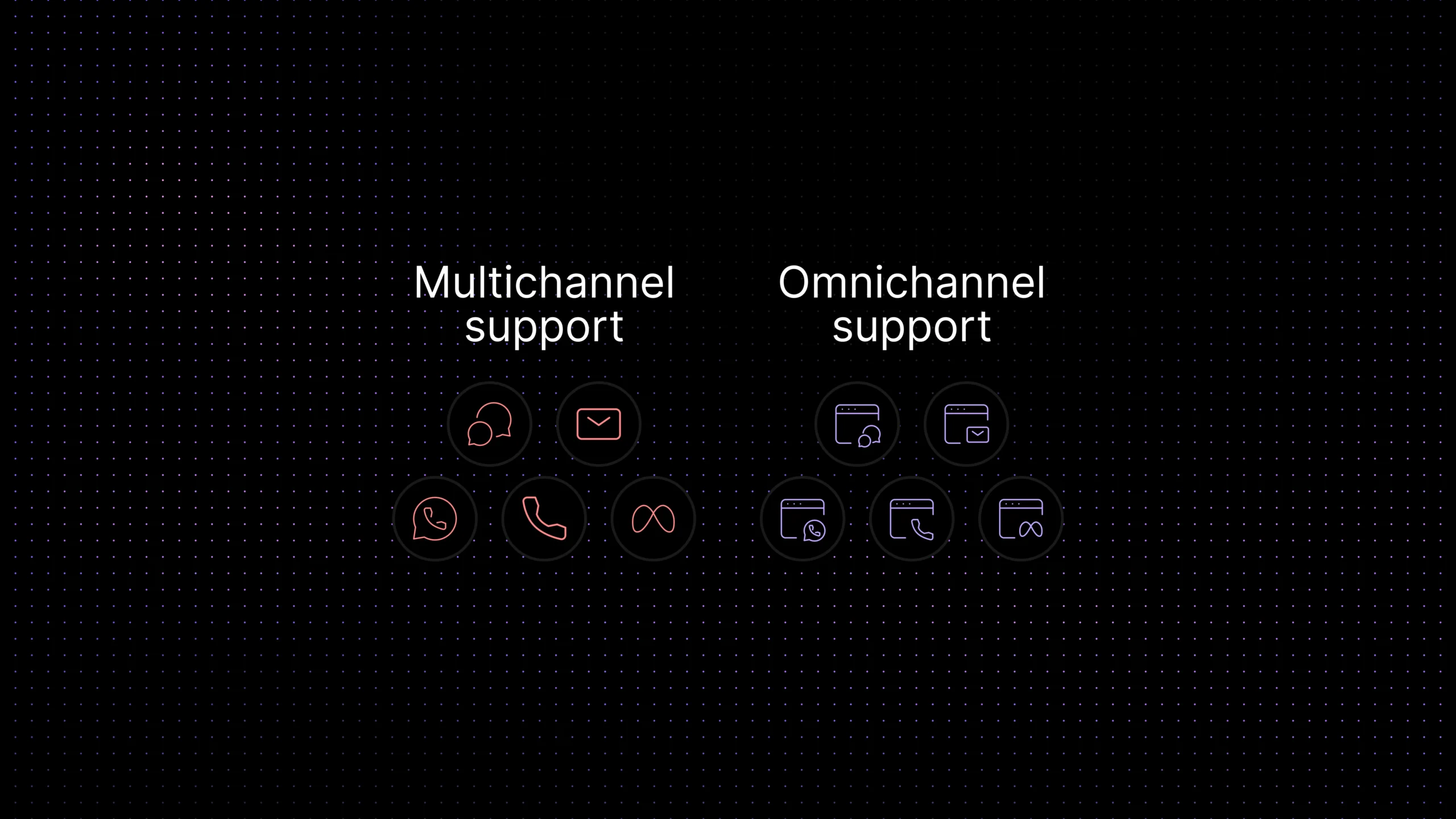
| What is the difference between omnichannel and multichannel support? | Multichannel support gives customers several ways to contact a company, such as email, live chat, phone, social messaging, or a help center. Omnichannel support connects those channels so customer context, conversation history, routing, and support outcomes move with the customer instead of forcing them to start over. |
|---|
Most SaaS companies do not start with an omnichannel support strategy. They start with whatever channel solves the next problem. First it is email. Then live chat goes on the website. Then someone asks for WhatsApp. Then social DMs become harder to ignore. Before long, the team is supporting customers in five places, but the support experience still feels fragmented.
That is usually where the confusion begins. Teams say they have omnichannel support because they are available on multiple channels. In reality, many of them have multichannel support: several customer touchpoints that exist side by side, but do not actually work together.
The distinction matters more in SaaS than it does in a lot of other categories. SaaS support rarely happens in one neat interaction. A customer might start with a chatbot, follow up by email, and then land in live chat after trying a help-center article. If the context disappears every time they move, the support team becomes slower, customers lose patience, and the same issue gets explained over and over.
This difference is also how broader customer-experience research separates the two models. McKinsey describes omnichannel as a customer-centric approach where channels are integrated into one unified and consistent experience, while multichannel support often leaves channels disconnected. For SaaS teams, that means the real goal is not simply adding more channels. It is making sure customers do not lose context when they move between them. McKinsey’s omnichannel explainer supports this distinction.
This guide breaks the difference down in plain language. It explains what omnichannel support actually means, where multichannel support still makes sense, and how SaaS teams can move from a channel-based setup to a context-based one without overcomplicating operations.
What multichannel customer support means
Multichannel customer support means your company offers support across more than one channel. That can include email, live chat, phone, social messaging, a support portal, or a knowledge base. The key idea is availability: customers have more than one way to reach you.
That sounds good, and in many cases it is. The problem is that those channels often run in parallel rather than as one connected system. The support team may use separate inboxes, separate histories, or separate workflows. A customer who starts in chat and then sends an email might look like two unrelated cases. The channel exists, but the continuity does not.
That is why multichannel support is often easier to launch than to scale. It gives customers options, but it does not automatically give them a smoother experience.
What Omnichannel Support Really Means
Omnichannel support starts with the same channels, but it treats them differently. Instead of asking, “How many places can customers contact us?”, it asks, “How do we keep the conversation connected when they move between those places?”
In practice, omnichannel support means customer context travels with the conversation. Previous messages, account details, routing history, notes, and support outcomes stay visible even when the channel changes. A customer can move from a help-center article to chat, or from chat to email, without effectively starting from zero.
For SaaS teams, that continuity matters even more when AI becomes part of the support workflow. If the AI layer cannot see reliable context, it cannot give useful answers or hand off issues cleanly. And if that context includes sensitive customer data, teams also need confidence that their support content and conversations are not being used to train third-party AI models.
That makes omnichannel support less about channel count and more about shared context, safe data handling, and one connected support workflow. IBM defines omnichannel customer experience as the ability for customers to interact seamlessly across multiple channels while receiving a unified and consistent experience. It also notes that omnichannel systems depend on interconnected channels, data synchronization, and shared customer context. For SaaS support, that is why a help center, chat, email, ticketing, and AI assistant should not behave like separate islands. IBM’s omnichannel customer experience guide gives a useful non-competitor reference for this concept.
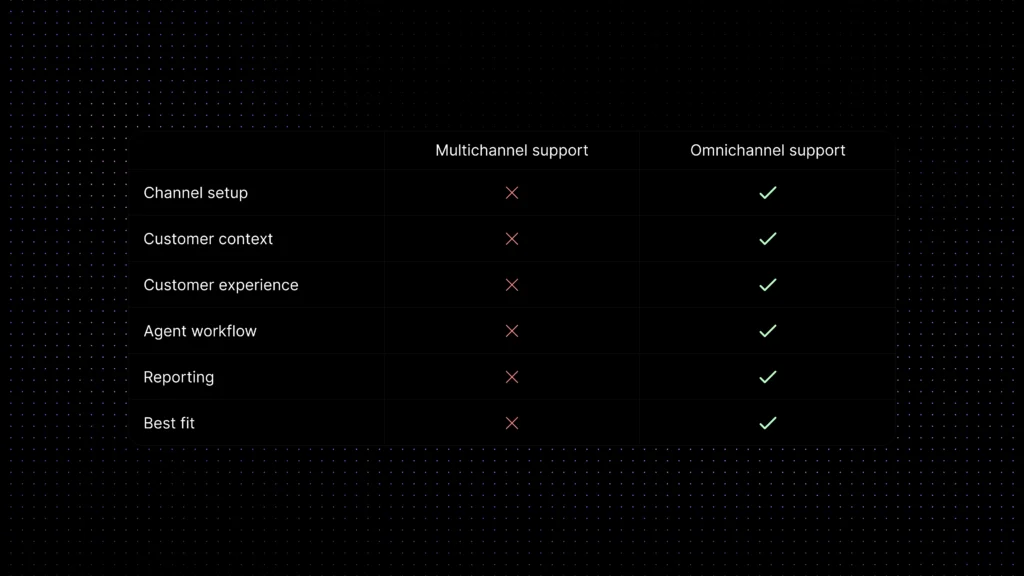
Omnichannel vs multichannel support at a glance
| Area | Multichannel support | Omnichannel support |
|---|---|---|
| Channel setup | Several support channels are available. | Several channels are available and intentionally connected. |
| Customer context | History may stay inside the original channel. | History follows the customer across channels. |
| Agent workflow | Agents may work in separate inboxes or systems. | Agents work from a shared view or coordinated workflow. |
| Customer experience | Customers often repeat details after switching channels. | Customers can continue the same issue without restarting it. |
| Reporting | Channel-level reporting is common, but fragmented. | Cross-channel reporting is easier because interactions are linked. |
| Best fit | Early-stage teams that need coverage quickly. | Teams that need consistency, continuity, and scale. |
A simple SaaS example of the difference
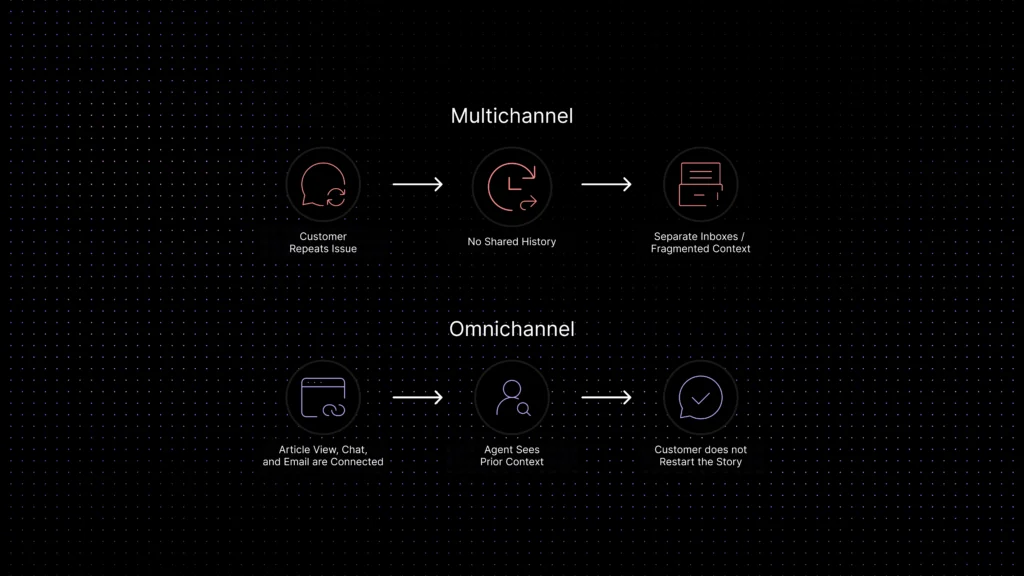
Imagine a customer is trying to connect an integration. They read a help-center article, but the setup fails halfway through. They open chat, explain the issue, and get told to email support with a screenshot. Later, they email the team and have to repeat the same context because the chat history is not visible. That is multichannel support. The company had multiple channels. The experience still felt disconnected.
Now take the same example in an omnichannel setup. The customer reads the article, opens chat, and the agent can already see what article they viewed and what step they reached. If the case moves to email or a technical queue, the context moves with it. The customer does not need to rebuild the story. That is the practical difference.
Now imagine the same workflow with AI involved. If the assistant only sees a single chat window, it will often answer in fragments. But if it has access to the full conversation history, help-center context, and ticket status inside one system, it can guide the customer more accurately and escalate with far less friction. That is where a private AI agent such as Aily becomes more useful: not because it replaces the team, but because it works from connected context without sending support knowledge and customer interactions into third-party AI training loops.
What counts as a support channel in SaaS
When teams talk about channels, they usually mean customer-facing ways to ask for help. In SaaS, that usually includes email, live chat, messaging apps, phone, community spaces, in-product help, and self-service resources such as FAQs or a knowledge base.
That last part matters. Self-service is a real support channel, not just a side project for SEO or documentation. A searchable help center, guided onboarding flow, or support widget changes where conversations begin and how many of them ever become tickets. Teams that have unified their channels often find the next design question is earlier intervention — acting before the customer reaches any channel at all. The guide to proactive customer support covers how omnichannel context enables predictive outreach. If you are building this layer, it should connect naturally to your broader support strategy, including AI customer support automation, knowledge base AI chatbot, ticket deflection with AI, and customer self-service.
How to tell you are not truly omnichannel yet
A lot of teams think they are farther along than they really are. The easiest test is not whether multiple channels exist. It is what happens when a customer changes channels in the middle of a real issue.
If the agent has to ask for the same account details again, if the customer has to re-explain the problem, if previous article views or bot interactions disappear, or if the handoff creates a brand-new ticket with no context, the setup is still closer to multichannel than omnichannel.
Another warning sign is organizational rather than technical. If every channel is owned by a different team, measured differently, and documented differently, customers will feel those seams even if the brand presents a single support promise on the website.
When multichannel support is enough
Multichannel support is not automatically bad. For some SaaS teams, it is the right stage-appropriate choice. A smaller support operation may simply need to be reachable on email and chat before it invests in deeper integration. A company with a low ticket load may not feel enough friction to justify rebuilding its workflow around cross-channel continuity yet.
Multichannel is often enough when three conditions are true: the team is still small, the support workflow is fairly simple, and customers usually finish the interaction in the channel where it started.
The problem appears when the business outgrows those assumptions. As products get more complex, more conversations cross from self-service to live support, from sales to support, or from one team to another. That is where multichannel setups start creating invisible costs: duplicate work, slower first responses, inconsistent answers, and frustrated customers who keep repeating themselves.
How to move from multichannel to omnichannel
The shift does not usually happen by adding one more channel. It happens by cleaning up the support system underneath the channels. In practice, teams make the transition in stages.
| Step | What to change | Why it matters |
|---|---|---|
| 0 | Define how customer data, conversation history, and AI usage will be handled. | Omnichannel support creates more connected context, so teams need clarity on privacy, permissions, and whether support data is exposed to third-party AI training. |
| 1 | Unify customer records and identity across channels. | You cannot create continuity if each channel treats the same customer as a separate case. Platform choice shapes how easy this is — the best customer support software for 2026 compares which platforms handle unified customer identity and cross-channel history most effectively for SaaS teams. |
| 2 | Centralize conversation history in one shared timeline or inbox. | Agents need context at handoff, not after another round of questions. |
| 3 | Standardize macros, policies, and help-center guidance. | Connected channels still feel fragmented when answers and rules are inconsistent. |
| 4 | Set routing and escalation logic across teams. | A channel switch should not mean a workflow reset. |
| 5 | Connect self-service content to the support workflow. | Articles, chatbots, and widgets should feed into live support rather than compete with it. |
| 6 | Track CSAT, first contact resolution, and cross-channel handoff quality. | You need proof that the customer experience is actually improving. |
What to Measure as You Move Toward Omnichannel Support
The best omnichannel projects do not judge success by channel count. They judge whether the customer experience becomes easier, faster, and more consistent when customers move between touchpoints.
Start with metrics that show whether context is actually traveling with the customer:
- Repeat-contact rate: Are customers contacting support again about the same issue after switching channels?
- Context handoff quality: Does the next agent see the previous chat, email, article view, bot interaction, or ticket note?
- Time to resolution after channel switch: Does moving from chat to email, or from self-service to live support, slow the issue down?
- First-contact resolution: Are more issues resolved without customers needing to restart the conversation elsewhere?
- Cross-channel CSAT: Are customers satisfied after handoffs, not only inside one channel?
- Duplicate ticket rate: Are channel switches creating duplicate tickets or disconnected records?
- Self-service to agent handoff quality: Do agents know which article, chatbot answer, or support widget path the customer already tried?
McKinsey argues that effective omnichannel transformation requires designing service journeys, defining live-contact handoffs, and building the IT architecture needed for a seamless experience. That is why measurement should focus on the journey, not just the channel. McKinsey’s customer operations research supports measuring the full service journey instead of isolated touchpoints.
Where Inquirly Fits
For SaaS teams, omnichannel support only works when the foundation is connected: one workspace, shared conversation history, clear routing, reliable knowledge, and customer context that follows the issue across channels.
Inquirly helps teams bring conversations, ticketing, workflows, knowledge, and AI assistance into one support workspace. That makes it easier to support customers across email, chat, self-service, and ticketing without creating new silos behind the scenes.
If a team wants AI to answer accurately, it needs a knowledge base AI chatbot built on reliable support content and shared context. If it wants smoother escalation, it needs support ticket automation and routing that carry the full story forward instead of resetting the workflow every time the channel changes.
With Aily, Inquirly’s private AI agent, teams can use unified context to respond faster and support customers more accurately, without exposing customer conversations to third-party AI training.
Conclusion
The simplest way to remember the difference is this: multichannel support gives customers more ways to reach you, while omnichannel support gives them one connected experience across those ways. Availability matters, but continuity matters more.
For early-stage teams, multichannel may be enough for a while. For growing SaaS teams, the real question is not whether more channels are available. It is whether the customer has to start over every time they move.