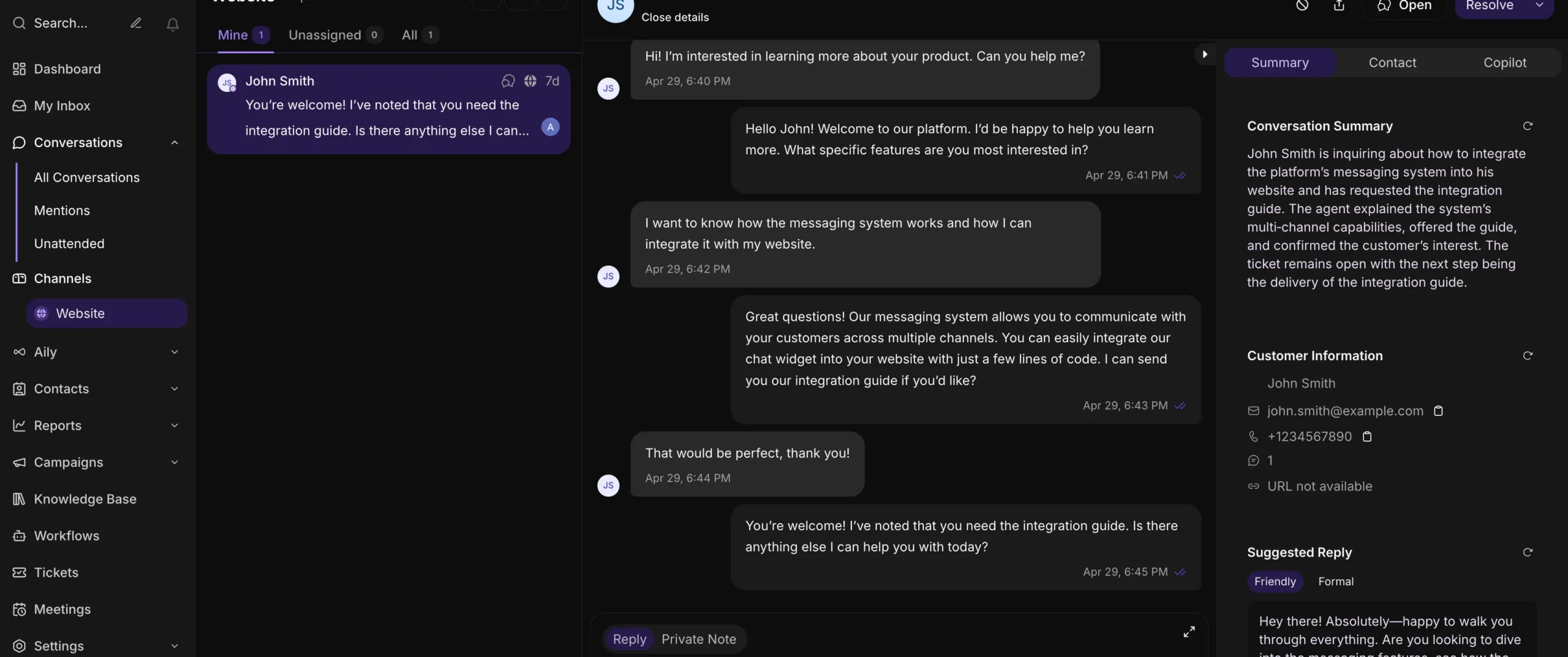


Inquirly is an AI-powered customer support platform that helps businesses automate conversations, resolve FAQs, and manage support tickets — all from a single widget embedded on their website.
It brings together AI chat, knowledge base search, and workflow automation so your team can deliver fast, accurate, and consistent support around the clock — without scaling headcount.
What Inquirly Does
Inquirly handles the full support interaction lifecycle from the moment a customer sends a message. Here’s what happens under the hood:
AI Chat Assistant — Engages customers in natural, conversational exchanges to answer questions or guide them through a process.
Knowledge Base Integration — Pulls instant answers from your company documentation, help guides, or FAQs, without requiring a human agent.
Workflows and Forms — Collects structured inputs like names, email addresses, or file uploads to trigger business actions automatically.
Ticketing System — Converts unresolved chat sessions into support tickets for your team to pick up and resolve.
Human Handoff — Transfers the conversation to a live agent whenever the situation calls for it, without losing context.
Privacy-First by Design
Most AI chat tools route your data through third-party AI providers like external APIs. Inquirly does not.
All AI models run on Inquirly’s own secure infrastructure. That means:
- Your business data stays private and compliant
- No customer information is shared with or stored by external AI providers
- You retain full control over every message, workflow, and file exchanged through the widget
This is a core part of how Inquirly is built, not an add-on or a setting.
Why Businesses Choose Inquirly
- Protects sensitive data with no third-party AI access
- Reduces support workload through intelligent automation
- Delivers instant, reliable answers without agent involvement
- Streamlines ticketing and follow-up workflows
- Creates a consistent, on-brand customer experience across every channel
Setting Up Your First Conversation
Getting started takes two steps:
- Sign up for your free Inquirly trial account.
- Set up a website live chat channel. Other channels can be added later.
How to Set Up Your Website Channel
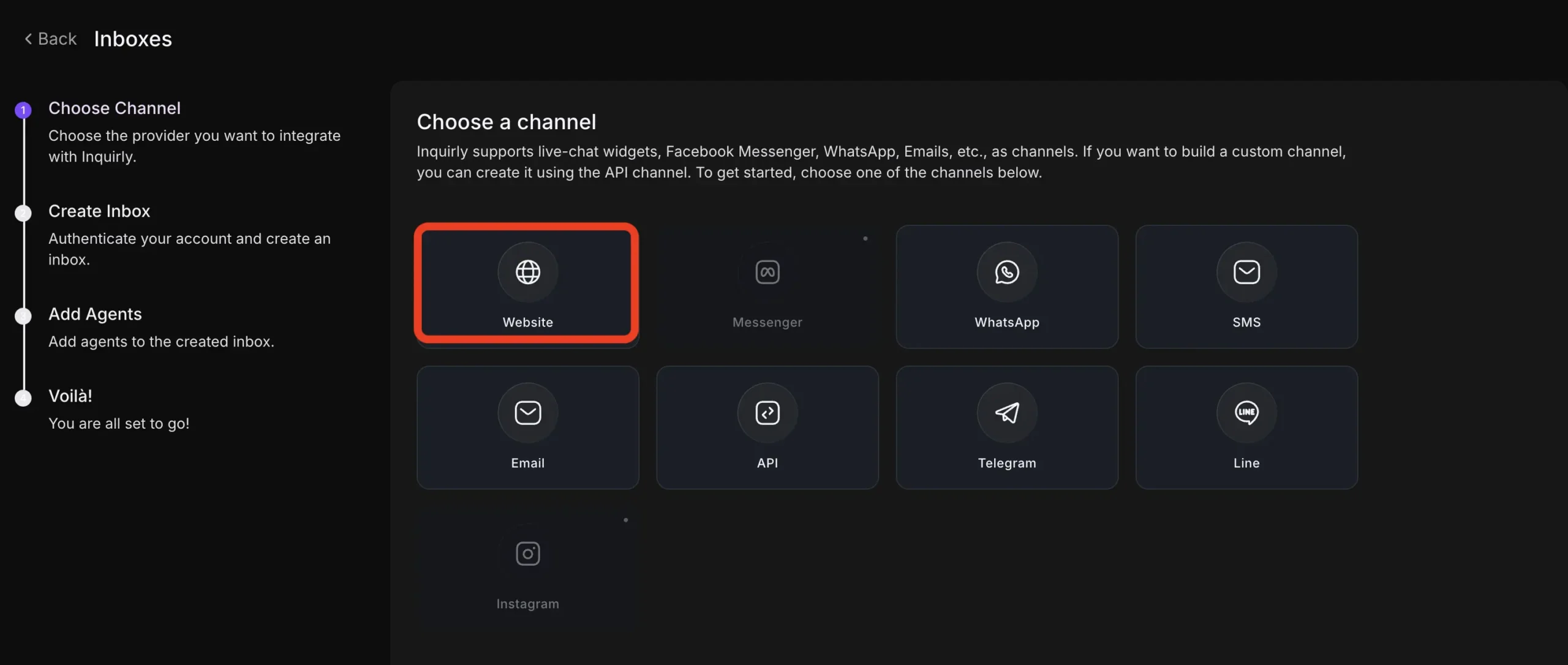
- Go to Settings → Inboxes → Add Inbox.
- Select the Website channel icon.
- Fill in the required fields. For detailed guidance, see the full channel setup guide.
- Visit your website where the live chat widget is active and send a test message.
- Open your Inquirly dashboard to view and reply to the message.
Responding to Customer Messages
Once your channel is live, replying to customers is straightforward:
- Open the conversation from your dashboard.
- Type your reply in the chat box.
- Your response is sent through the same channel the customer used — whether that’s web chat, email, or WhatsApp.