What is the best shared inbox software for customer service?
The best shared inbox software in 2026 depends on your workflow. Inquirly is a strong fit for AI-first SaaS support; Front for collaborative customer communication; Hiver for Gmail-native workflows; Help Scout for simple email-first support; Zendesk and Freshdesk for structured help desk operations; and HubSpot Service Hub for CRM-connected support.
A shared inbox can work well when a small team is answering a few customer emails each day. But as support volume grows across email, live chat, WhatsApp, social messages, and tickets, a basic shared mailbox often becomes hard to manage.
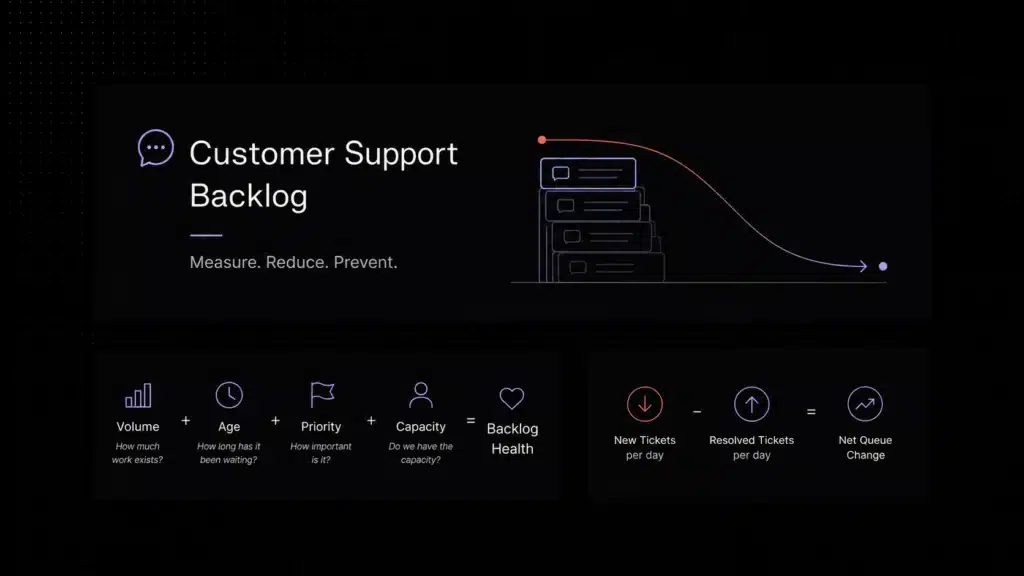
Customer conversations start to sit unassigned. Two agents may reply to the same customer. Managers lose visibility into backlog, response time, and ownership. Repetitive questions keep taking agent time even when the answer already exists in the knowledge base.
That is where shared inbox software becomes more than a shared mailbox. The best shared inbox software gives customer service teams one operational workspace for ownership, collaboration, routing, reporting, automation, and AI-assisted support.
In this guide, we compare the best shared inbox software for customer service teams in 2026, explain how shared inbox tools differ from shared mailboxes and help desks, and show where Inquirly fits for teams that want omnichannel support, ticketing, workflows, knowledge base, and private AI assistance in one workspace.
Quick answer: the best shared inbox software by use case
- Choose Inquirly if you want an AI-first support workspace for omnichannel conversations, tickets, workflows, knowledge base, and private AI assistance.
- Choose Front if your customer-facing teams need polished email-style collaboration across shared addresses.
- Choose Hiver if your team is deeply committed to Gmail and wants shared inbox workflows inside Google Workspace.
- Choose Help Scout if your team wants a simple, human-feeling support inbox with customer history and a knowledge base.
- Choose Missive if your team collaborates heavily on email drafts and internal discussion.
- Choose Zendesk or Freshdesk if you need mature ticketing, enterprise reporting, large-team administration, and heavier help desk structure.
- Choose HubSpot Service Hub if support should live tightly beside CRM, sales, and marketing context.
- Choose Zoho TeamInbox if your team already uses Zoho and wants a simple team inbox in that ecosystem.
- Choose Google Collaborative Inbox if you need a free starting point and can accept limited automation, reporting, and AI functionality.
Best shared inbox software at a glance

Want a shared inbox that combines conversations, ticketing, workflows, knowledge base, and private AI in one workspace?
How we evaluated the tools
We evaluated shared inbox tools based on public product information, official documentation, support workflow fit, channel coverage, collaboration features, automation, AI capabilities, knowledge base connection, reporting, privacy posture, setup effort, and suitability for small or growing customer support teams.
Pricing and feature packaging change frequently, so buyers should verify current plan limits, channel support, AI usage rules, and data-handling details on each vendor’s official site before purchasing.
1. Inquirly – best for AI-first SaaS customer support teams
Inquirly is built for teams that want the shared inbox to be the center of the support workflow, not another isolated mailbox. It brings conversations, ticketing, workflows, knowledge base, and Aily AI assistance into one connected support workspace.
The strongest fit is a SaaS or customer service team that receives customer messages across email, live chat, WhatsApp, and social channels, but does not want agents jumping between tools to answer the same customer. Inquirly gives the team one queue, one ownership model, and one place to connect support content with AI assistance.
Inquirly is also useful when repetitive questions are creating queue pressure. Instead of making every documented question become a human ticket, Aily can help answer from approved knowledge content, route issues by intent, and escalate edge cases with context preserved.
Best for: SaaS and customer support teams that want omnichannel support, ticketing, workflows, knowledge base, and private AI in one workspace.
Watch out for: Inquirly may be more platform than a two-person team needs if the only requirement is free access to one email inbox.
2. Front – best for collaborative customer operations
Front is a strong shared inbox option for teams that want customer communication to feel close to email while adding assignments, internal comments, rules, analytics, and collaboration workflows.
It is especially useful for customer-facing teams that coordinate around shared addresses, need polished internal collaboration, and want more structure than a regular mailbox without immediately adopting a traditional help desk.
Best for: customer-facing teams that need collaborative email workflows and shared accountability.
Watch out for: Front can become more complex or costly as a team adds more support operations, automation, analytics, and advanced workflows.
3. Hiver – best for Gmail-based support teams
Hiver is designed for teams that want shared inbox workflows inside Gmail. It is a strong fit when agents already live in Google Workspace and the organization wants to reduce training time by keeping support close to the Gmail experience.
Teams can manage shared addresses such as support@, sales@, and info@ from Gmail while adding collaboration and help desk features around those conversations.
Best for: Google Workspace teams that want a Gmail-native shared inbox.
Watch out for: Hiver is less ideal if your team wants a neutral support workspace that is not centered on Gmail.
4. Help Scout – best for simple, human support workflows
Help Scout is a good option for email-first support teams that value clarity and a human tone. It provides a shared inbox, customer history, internal notes, and knowledge base functionality without making support feel like a heavy enterprise ticketing system.
It is especially suitable for teams that want to keep support personal while still improving assignment, visibility, and context.
Best for: email-first support teams that want a simple shared inbox and knowledge base.
Watch out for: teams that need deeper AI routing, private AI architecture, or complex omnichannel operations may eventually need a more automation-centered platform.
5. Missive – best for team email collaboration
Missive is built for teams that collaborate heavily on email and internal discussion. It combines team inboxes, shared drafting, comments, chat, and support for multiple channels in one collaborative interface.
It is a strong fit when the main pain is not only customer support, but also internal alignment around replies, drafts, and ownership.
Best for: teams that run on email and want collaboration built directly into the inbox.
Watch out for: teams that require advanced support operations, detailed SLA management, or deeper help desk structure may need additional tooling.
6. Zendesk – best for enterprise service operations
Zendesk is one of the most mature help desk and customer service platforms. It is built for larger support organizations that need ticket lifecycle management, omnichannel routing, reporting, admin controls, and a broad integration ecosystem.
For teams with complex support operations, multiple agent groups, strict routing rules, and enterprise reporting needs, Zendesk may be appropriate. For smaller teams, it can feel heavier than the problem requires.
Best for: larger support organizations with mature ticketing and operational requirements.
Watch out for: setup effort, administrative complexity, and cost can be more than smaller SaaS teams want early on.
7. Freshdesk – best for traditional help desk teams
Freshdesk is a strong traditional help desk option for growing teams that need ticketing, automation, multichannel support, reporting, and AI-powered support capabilities.
It fits organizations that are ready for a more structured support environment and want a familiar help desk model rather than a lightweight shared inbox.
Best for: growing teams that want ticketing and omnichannel support in a traditional help desk structure.
Watch out for: teams that only need a simple inbox upgrade may find the platform broader than necessary.
8. HubSpot Service Hub – best for CRM-connected support
HubSpot Service Hub is a strong fit when customer support should live close to sales, marketing, and CRM data. It helps support teams use customer context from the broader HubSpot platform while managing tickets and service workflows.
This is most valuable for teams already using HubSpot as their customer system of record. If your CRM, marketing automation, and sales workflows already live there, keeping support in the same environment can reduce context switching.
Best for: teams that want customer service connected tightly to CRM data.
Watch out for: HubSpot usually delivers the strongest value when the company is already committed to the HubSpot ecosystem.
9. Zoho TeamInbox – best for Zoho ecosystem users
Zoho TeamInbox is a straightforward shared inbox option for teams that already use Zoho products. It helps teammates manage group email addresses collaboratively and can be a practical choice for teams that want a simple inbox layer within the Zoho ecosystem.
Best for: Zoho users who need shared inbox collaboration without adopting a separate support platform.
Watch out for: it may be less compelling for teams outside Zoho or for support teams that need advanced omnichannel support and AI workflows.
10. Google Collaborative Inbox – best free starting point
Google Collaborative Inbox can be useful for very small Google Workspace teams that need a free or lightweight way to coordinate messages. It is usually enough when volume is low, support is simple, and the team mostly needs visibility rather than automation.
The limitation is that it is not built as a full customer support operating system. As volume grows, teams typically need better ownership, collision detection, reporting, routing, SLA visibility, and AI support.
Best for: very small Google Workspace teams with low support volume and no budget for dedicated software.
Watch out for: limited automation, reporting, AI, and modern support workflow depth.
Shared inbox vs shared mailbox vs collaborative inbox vs help desk
The simple distinction is this: a shared mailbox gives people access. A collaborative inbox adds basic coordination. Shared inbox software adds the operational layer customer service teams need: ownership, workflow, metrics, and accountability. A help desk adds more formal ticket lifecycle, escalation, SLA, and reporting structure.
Features to look for in shared inbox software
Clear ownership
Every conversation should have one owner, one status, and one visible history. Without ownership, shared inboxes quickly become shared responsibility without accountability.
Collision detection
Agents should see when someone else is viewing or replying to a conversation. Duplicate replies are one of the clearest signs that an inbox process is breaking down.
Internal notes and mentions
Support teams should collaborate inside the customer conversation instead of forwarding messages or moving context into private chats.
Omnichannel queue
Email, live chat, WhatsApp, social messages, and forms should use one assignment model and one status system, not five disconnected queues.
Routing and workflow automation
The tool should route by topic, priority, customer type, language, plan, product area, or SLA risk without requiring a human traffic cop.
Knowledge-base-connected AI
AI should answer from approved documentation, surface context, escalate when confidence is low, and pass the full conversation history to an agent.
Reporting
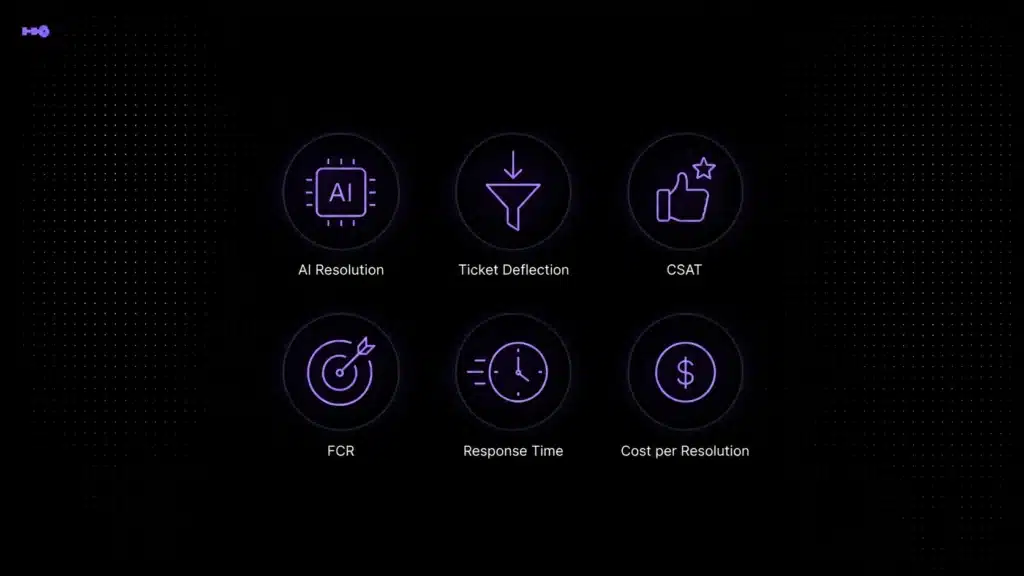
Support leads need first response time, resolution time, backlog, channel volume, workload, unassigned conversations, and AI resolution rate.
Security and privacy controls
A shared inbox contains sensitive customer data. Role-based access, auditability, clear data handling, and AI privacy controls should be evaluated before launch.
When a basic shared inbox is no longer enough
Most teams do not start with a support operations problem. It grows gradually. First, two people check support@. Then someone forwards billing questions to another person. Then labels, stars, and unread status become a process. Eventually customers get two replies, no reply, or a reply from someone who cannot see the full context.
These are the clearest signs that it is time to move beyond a basic shared mailbox:
- Conversations sit unowned because everyone assumes someone else will answer.
- Two agents reply to the same customer because there is no collision detection.
- Managers cannot see backlog, first response time, resolution time, or workload by agent.
- Customers contact the team through email, chat, WhatsApp, and social, but every channel lives in a different tool.
- Repetitive questions consume agent time even though the answers already exist in documentation or a knowledge base.
- Internal context gets scattered across forwards, Slack messages, CRM notes, and private inboxes.
- The team needs ticketing and routing, but does not want a slow enterprise implementation.
Need help understanding how a shared inbox works?
If you’re still deciding whether your team needs shared inbox software, start with our guide to shared customer inboxes for customer support. It explains ownership, channel consolidation, customer context, common inbox problems, and when a shared inbox becomes necessary.
Metrics to track after launching shared inbox software
Is a free shared inbox enough?
Free shared inbox options can be useful at the beginning. Google Collaborative Inbox can work for small Google Workspace teams. A shared mailbox in Outlook can work when the only goal is shared access. Open-source help desk tools can work if you have technical resources and want to maintain the environment yourself.
The trade-off is operational. Free options usually save software cost but add manual work: less automation, weaker reporting, limited SLA visibility, limited AI capability, and more effort to keep the process clean. Once a team handles meaningful customer volume, the cost of missed conversations, duplicate replies, and repetitive manual triage often exceeds the subscription cost of dedicated shared inbox software.
Shared inbox software checklist for buyers
Why Inquirly fits AI-first support teams
Inquirly is a strong fit when the problem is not just email collaboration, but support operations: channels, ownership, AI, tickets, knowledge, routing, reporting, and privacy.
For SaaS teams, the important shift is that the shared inbox should not only organize messages. It should reduce repetitive work, improve routing, help agents answer with context, and turn support knowledge into a reusable layer for both humans and AI.
Inquirly is designed for that second stage. Conversations arrive in one workspace, Aily helps with the repetitive layer, documented answers can be connected to the knowledge base, and complex issues can become tickets routed to the right team.
This does not mean every team needs Inquirly. If two people answer a handful of emails each week, a basic shared mailbox may be enough. But if your team is growing across channels and wants AI-assisted support without losing privacy or control, Inquirly is built for that workflow.

Choose the shared inbox that matches your support maturity
The best shared inbox software is not simply the tool with the longest feature list. It is the tool that fits the way your support team works today — and the way it needs to work six months from now.
If your team only needs free access to one mailbox, a basic shared mailbox or collaborative inbox can work. If your team is growing across channels, dealing with repetitive questions, and needs ownership, routing, reporting, knowledge base, ticketing, and AI support in one workflow, dedicated customer service inbox software is the better category.
Inquirly is built for that second stage: one connected support workspace where conversations arrive, AI handles the repetitive layer, tickets route to the right team, and agents keep customer context without jumping between tools.