



Aily Copilot is a set of AI-powered tools built into the Inquirly conversation view. It gives support agents real-time assistance ,drafting replies, summarizing threads, suggesting labels, and more. without leaving the conversation they are working on.
Copilot is designed to support agents, not replace them. Every suggestion it produces can be reviewed, edited, or discarded before anything reaches the customer.
Where to Find Copilot
Copilot lives in the right-side panel of the conversation view, alongside the Summary and Contact tabs.
How to access Copilot
- Make sure Aily Copilot is enabled for the inbox you are working on
- Open a conversation from your dashboard
- In the right-side panel, click the Copilot tab
The Copilot tab loads immediately with a set of quick-action prompts for the currently selected conversation.
Note: If the Copilot tab is not visible, confirm that an Aily assistant is connected to the inbox for that conversation. See What Is Aily AI? for setup instructions.

What Copilot Can Do
Copilot provides four core capabilities, each accessible directly from the Copilot tab:
Summarize this conversation
Generates a short summary of the full conversation thread. Use this when:
- You are picking up a conversation that another agent started
- The thread is long and you want a fast recap before replying
- You want to confirm your understanding before escalating
Suggest an answer
Generates a draft reply based on the customer’s latest message and the full conversation context. Copilot draws on your connected knowledge base documents and FAQs to make the response accurate and relevant.
How to use it:
- Click Suggest an answer in the Copilot tab
- Review the generated draft
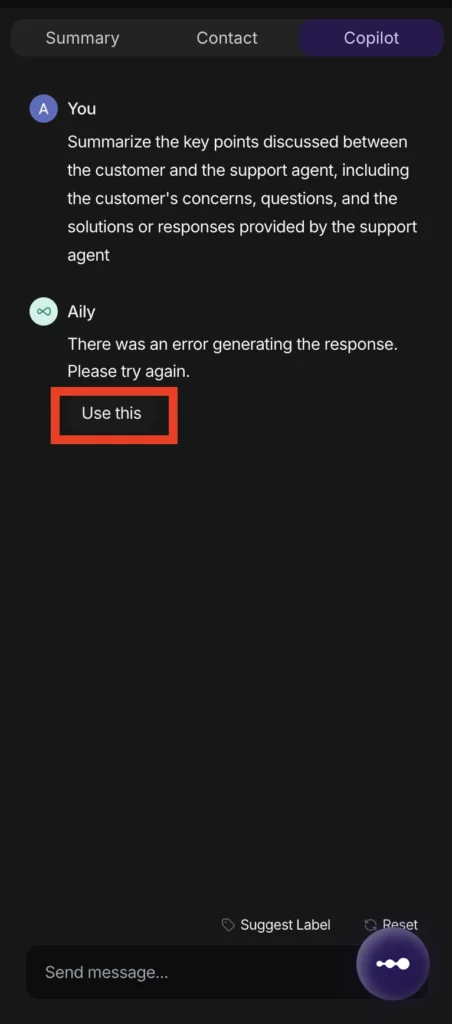
- Click Use this to insert it into the message composer
- Edit as needed, then send
Tips for better results: Write your request in natural language before triggering the suggestion. Instead of “Help with this reply,” be specific: “Write a polite response explaining the delay and offering a new estimated timeline.” Copilot responds better to clear, contextual instructions.
Rate this conversation
Provides a quality evaluation of the conversation as it stands. Use this for:
- Internal QA and review workflows
- Assessing how well a conversation was handled before closing it
- Identifying conversations that need additional follow-up or coaching
Suggest Label
Opens a label suggestion flow that recommends a label for the current conversation based on its content. If the suggested label matches one of your existing labels, you can apply it directly. If the suggestion is Other, Copilot can propose a new label name for you to create and apply.
For a full guide to how auto-labeling works, see Auto-Labeling and Auto-Prioritization.
Additional Copilot Capabilities
Beyond the four quick-action prompts, Copilot also supports:
Translating messages , Converts messages into other languages while preserving tone and context. Useful when handling conversations with customers who write in a language different from the agent’s primary language.
Tone analysis , Reviews the conversation’s tone and highlights areas where the response could be adjusted to better align with your brand voice or de-escalate a tense interaction.
Resource suggestions , Surfaces relevant articles, guides, or documents from your knowledge base that the agent can reference or share with the customer.
Best Practices for Using Copilot
Always review before sending. Copilot suggestions are starting points. Check every draft against your team’s tone guidelines and the specifics of the conversation before inserting it into the composer.
Use specific prompts. The more context you give Copilot, the more accurate its output. Vague requests produce generic responses; specific, situational requests produce usable ones.
Keep your knowledge base current. Copilot draws on your connected documents and FAQs when generating replies. Outdated or sparse knowledge base content will produce less accurate suggestions. Pair Copilot with regular knowledge base maintenance for best results.
Use it to fill gaps, not just speed up. Copilot is effective for handling ambiguous questions, clarifying complex points, or drafting responses in unfamiliar areas , not just for routine conversations where the agent already knows the answer.
