Choosing customer support software sounds simple until every vendor starts using the same words: ticketing, shared inbox, AI, live chat, knowledge base, automation, reporting, integrations. Very helpful. Now every tool looks like every other tool, just wearing a different pricing page.
The better way to choose customer support software is not to start with the biggest feature list. Start with how your support actually works: where customers contact you, who owns each conversation, which questions repeat every week, what needs a human, what can be automated, and what data your agents need before they reply.
This guide gives you a practical buying framework for small businesses and growing support teams. It will help you compare customer support platforms by workflow fit, ticketing, shared inbox collaboration, AI automation, knowledge base quality, integrations, reporting, security, and total cost of ownership.
The goal is simple: choose software that makes support easier to run, not software that becomes another project your team has to babysit.
Key Takeaways
- The best customer support software depends on workflow fit, not feature count. A small business with email and live chat does not need the same setup as a large enterprise contact center.
- AI customer support software is useful only when it is grounded in real support content. Generic AI answers can sound confident while still being wrong.
- Ticketing, shared inbox, knowledge base, and reporting should work together. If agents still need five tabs to answer one customer, the platform is not reducing work.
- Pricing should be evaluated by total cost, not starting price. Seats, AI usage, channels, reporting, integrations, onboarding, and add-ons all change the real number.
What is customer support software?
Customer support software is a platform that helps teams manage customer questions across channels such as email, live chat, in-app messages, social media, and web forms. In a basic setup, it organizes conversations into tickets or threads. In a more complete setup, it also includes assignment rules, internal collaboration, self-service content, AI assistance, SLA tracking, analytics, and customer context.
The terms customer support software, customer service software, help desk software, ticketing system, and customer support platform often overlap. The difference is usually emphasis. Help desk software is often ticket-centered. Customer service software can be broader and include CRM or customer experience workflows. A customer support platform usually combines conversations, tickets, knowledge, automation, and reporting in one workspace.
Why the right choice matters for small businesses and growing teams
Customer support software affects more than the support inbox. It changes first response time, ownership, customer satisfaction, team workload, reporting, product feedback, and how quickly the business can scale without hiring support agents too early.
For small businesses, the biggest problem is usually not a lack of effort. It is scattered work. One customer writes by email. Another starts a live chat. A third sends a form. Someone follows up in Slack. Suddenly the team is doing “customer support” across five places and pretending that memory is a system. It is not. Memory has terrible uptime.
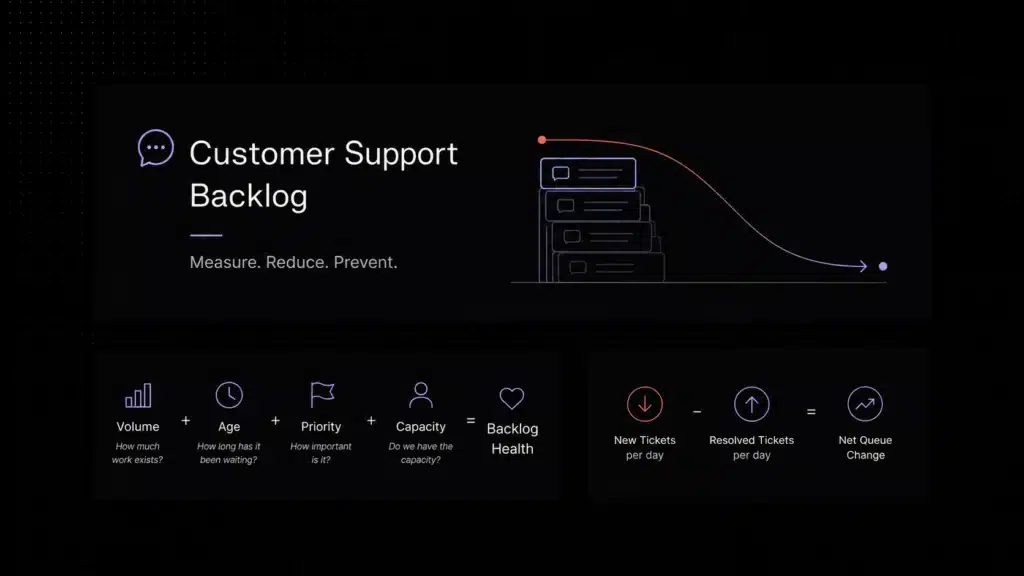
A weak support stack creates hidden costs. Agents switch between tools, duplicate replies, lose context, miss follow-ups, and answer the same question again and again. Managers cannot see backlog clearly. Product teams miss recurring complaints because tickets are not tagged or summarized properly.
A strong customer support platform should reduce that friction. It should make ownership obvious, give agents useful context, automate repetitive work, protect human handoff quality, and show leaders where support demand is coming from.
That is why the right question is not “Which tool has the most features?” The better question is: “Which tool makes our real support workflow easier, faster, and more measurable?”
How to Choose Customer Support Software: Start With Your Support Model
Before you open pricing pages or schedule demos, write down how support actually works today. This step prevents you from buying a platform because it looks impressive rather than because it solves the right problem.
- How many conversations or tickets do you receive each month?
- Which channels matter most: email, live chat, in-app support, social, WhatsApp, phone, or web forms?
- How many agents actively answer customers today, and how many will need access six months from now?
- Which questions are repetitive enough for automation or self-service?
- Which issues require human escalation, product investigation, billing review, or engineering input?
- Which metrics do you need to improve: first response time, resolution time, backlog, CSAT, deflection, or SLA compliance?
- Which systems must connect to support: CRM, billing, product analytics, knowledge base, Slack, data warehouse, or project management tools?
This simple inventory gives you a buying baseline before you choose customer support software. Without it, every demo can look convincing. With it, you can evaluate each platform against your actual support operation.
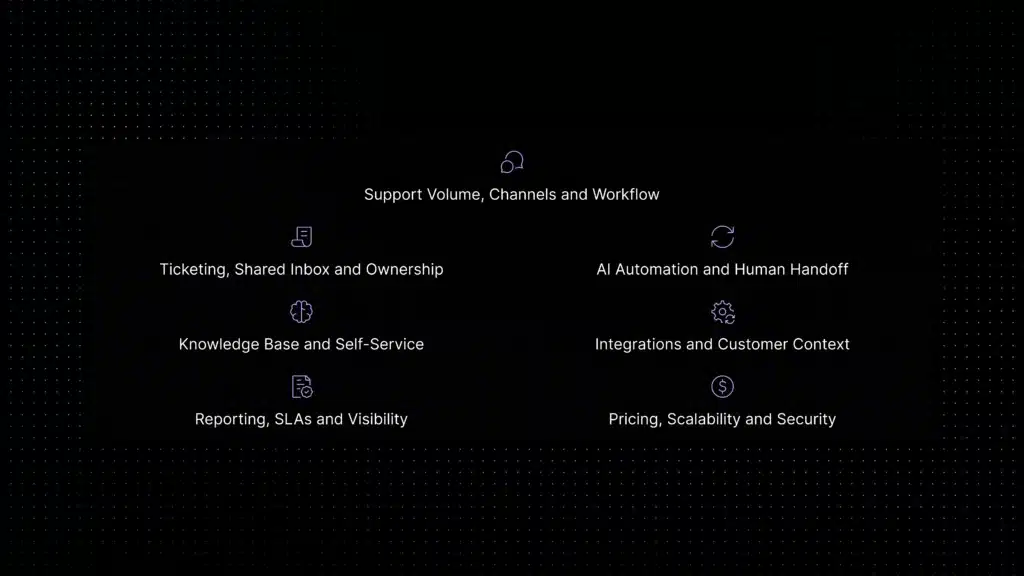
1. Start with support volume, channels, and workflow
The first consideration is not AI, pricing, or even ticketing. It is support volume and channel complexity. A two-person SaaS team handling 150 email conversations per month does not need the same system as a 40-agent support organization handling chat, email, in-app messages, and priority enterprise accounts.
For small teams, the priority is usually clarity: one place to see requests, assign ownership, avoid duplicate replies, and answer faster. For growing teams, the priority shifts toward routing, tagging, escalation, and reporting. For larger teams, permissions, SLAs, quality review, workforce planning, and compliance become more important.
Your channel mix matters too. If most customers write by email, a simple shared inbox plus ticket status may be enough. If your product relies heavily on in-app chat, you need strong conversational support. If you support enterprise accounts, you may need priority queues, account context, and escalation workflows. If you support customers across social, chat, email, and phone, omnichannel support becomes critical.
Buyer question: Can this platform handle our real support volume and channels today, while still working when volume doubles?
2. Check ticketing, shared inbox, and ownership features
Good customer support software should make ownership visible. Every conversation should have a clear status, assignee, priority, and history. If multiple agents can reply to the same customer without seeing who owns the issue, the platform may create the same confusion you were trying to escape.
For SaaS teams, the best setup often combines the usability of a shared inbox with the operational control of ticketing. A shared inbox helps agents collaborate in one workspace. Ticketing adds structure through status, priority, assignment, tagging, escalation, and reporting.
Look for features such as internal notes, collision detection, assignment rules, private mentions, saved replies, customer history, and the ability to convert a conversation into a trackable ticket. These details sound small, but they prevent duplicate replies, missed follow-ups, and unclear accountability.
Buyer question: Can agents instantly understand who owns the customer, what happened before, what the next step is, and when the issue must be resolved?
3. Evaluate AI automation and human handoff quality
AI is now one of the biggest reasons teams replace older support tools. But AI should not be evaluated as a checkbox. A chatbot that answers quickly but gives shallow, generic, or incorrect replies can damage trust. Strong AI customer support software should be grounded in your own help content, support policies, ticket history, workflow rules, and escalation logic.
The strongest AI use cases in SaaS support are repetitive and knowledge-based. Examples include onboarding questions, billing policy questions, feature explanations, troubleshooting steps, status requests, and simple routing.
If live chat is one of your main channels, evaluate whether the platform offers AI live chat software that can answer from your knowledge base, classify intent, route conversations, and hand off unresolved issues to a human with context.
AI can also help agents by summarizing long threads, drafting replies, suggesting knowledge base articles, tagging tickets, and identifying escalation signals.
The human handoff matters as much as the AI answer. If the AI cannot resolve the issue, the customer should not start over. The platform should pass the conversation, customer context, attempted answer, and issue details to a human agent. A clean handoff makes automation feel helpful instead of evasive.
For deeper guidance, compare this section with Inquirly’s dedicated guides to AI customer support automation, ticket deflection, and support ticket automation. Those articles explain the automation layer in more detail, while this guide keeps the focus on software selection.
Buyer question: Does the AI reduce repetitive support while keeping answers accurate, brand-safe, and easy to escalate to a human?
4. Review knowledge base and self-service capabilities
A customer support platform is only as useful as the knowledge it can access. If your help center is outdated, fragmented, or disconnected from support conversations, both agents and AI will struggle to deliver reliable answers.
Look for knowledge base features that make content easy to create, update, search, and connect to customer conversations. The platform should help customers find answers before opening a ticket and help agents reuse approved answers instead of rewriting the same explanation repeatedly.
For AI-enabled support, knowledge base quality becomes even more important. AI should retrieve answers from approved product documentation, FAQs, help articles, and support policies rather than inventing answers from broad model knowledge. The system should also make it clear when an answer was generated, which source it used, and when escalation is needed.
Buyer question: Will this tool make our support knowledge easier to maintain, easier to reuse, and easier for customers to access?
5. Check integrations and customer context
Support agents need context. A customer’s issue often depends on plan type, account status, billing history, product usage, previous tickets, lifecycle stage, or recent product events. If agents need to open five systems before answering, the support platform is not truly reducing work. For a deeper view of this layer, see Inquirly’s guide to unified customer context in support.
At minimum, check whether the tool integrates with your CRM, billing system, product analytics tool, Slack or Microsoft Teams, help center, and project management system. For SaaS teams, product and account context can be especially important because the same question may require a different answer for a free user, a trial user, a paid admin, or an enterprise customer.
Integrations should also work operationally. A vendor logo on the integrations page is not enough. During demos, ask what data actually syncs, whether it syncs both ways, how permissions work, and whether agents can act on that data from inside the support workspace.
Buyer question: Can agents see enough customer context to answer accurately without switching tabs or asking customers to repeat themselves?
6. Compare reporting, SLAs, and performance visibility
You cannot improve support if you cannot see what is happening. Reporting is where many teams discover whether a platform is operationally mature or only good at collecting conversations.
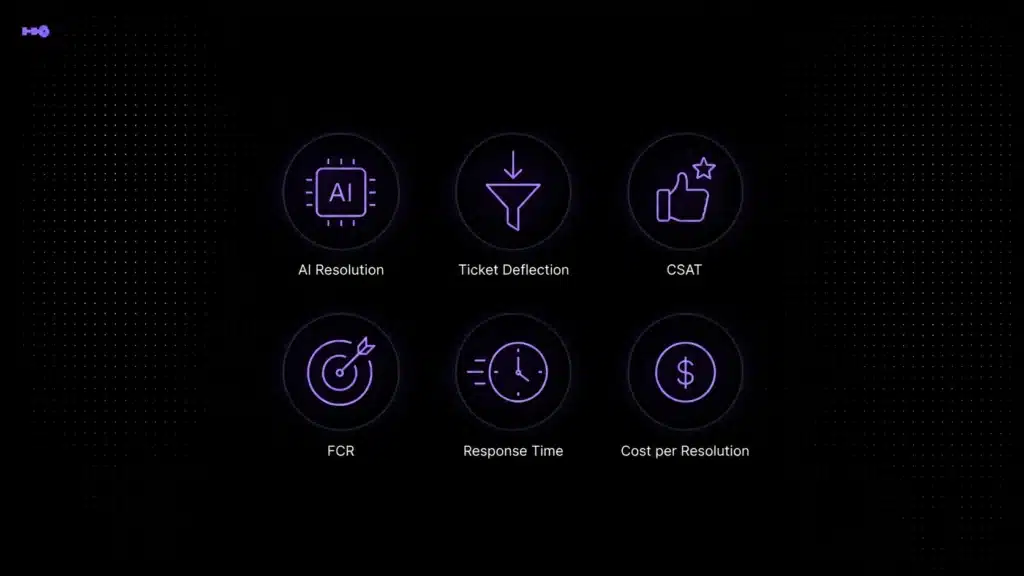
A useful platform should show first response time, resolution time, ticket volume, backlog, channel distribution, agent workload, SLA breaches, customer satisfaction, AI resolution rate, escalation rate, and recurring issue categories. For SaaS teams, tagging and trend analysis are also valuable because support conversations often reveal product friction.
Do not evaluate reporting only by dashboard screenshots. Ask whether you can filter by plan, segment, channel, priority, topic, agent, product area, or customer lifecycle stage. Ask whether reports can be exported or shared with leadership, product, customer success, and operations.
Buyer question: Will this platform help us see what is slowing support down, where demand is coming from, and which workflows need improvement?
7. Understand pricing, scalability, security, and total cost
Starting price is rarely the real price. Customer support software can be priced by agent, seat, conversation volume, ticket volume, AI resolution, add-on, workspace, or enterprise contract. Two tools that appear similar at the entry tier can become very different once you add AI features, more agents, extra channels, reporting, integrations, or security requirements.
Build a simple total cost model before buying. Estimate your active support users, expected ticket volume, channels, AI usage, required integrations, data retention needs, onboarding effort, and support level. Then compare the cost today, six months from now, and one year from now.
Security also belongs in this section. Support conversations can include personal data, billing information, company details, and sensitive product context. Check for role-based access, SSO, two-factor authentication, audit logs, data retention controls, encryption, and compliance requirements relevant to your customers.
Scalability is not only technical. A scalable support tool should let you add agents, teams, queues, permissions, knowledge sources, automation rules, and reports without rebuilding the whole support operation.
Buyer question: Is this platform affordable at today’s size and still manageable when our support volume, team, and security requirements grow?
Pricing should also be evaluated against how the platform changes actual support work. McKinsey notes that AI-driven service tools can already handle simple transactional issues through virtual voice and chat assistants by using internal and external knowledge bases. That makes total cost of ownership more than a seat-price calculation: buyers should compare tool cost against reduced repetitive work, faster response, better agent focus, and support quality. McKinsey’s contact-center analysis is a useful external reference for evaluating AI-enabled support economics.
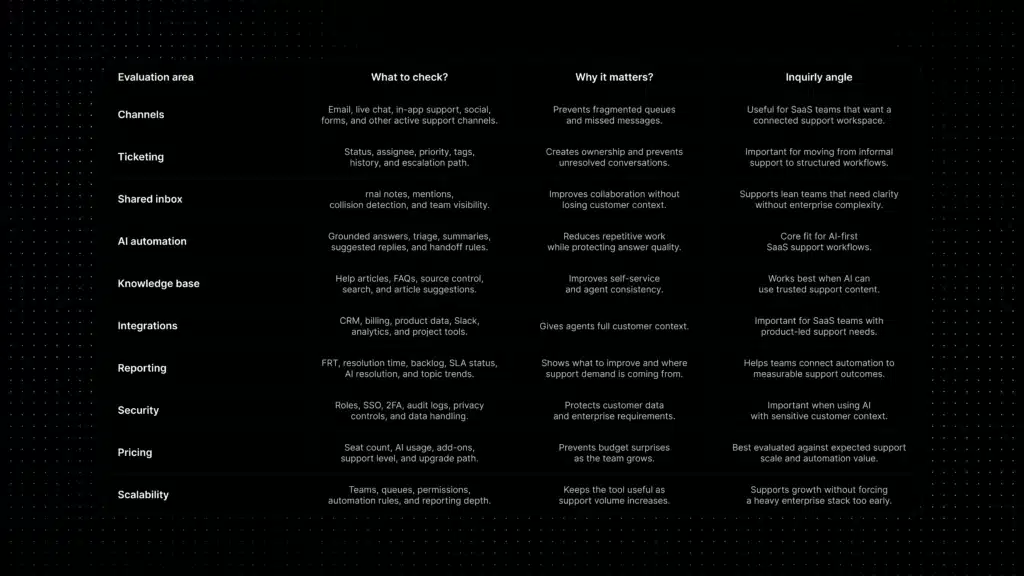
Customer support software evaluation checklist
Use this checklist during demos. Score each area from 1 to 5, then compare tools based on your real support model rather than the longest feature list.
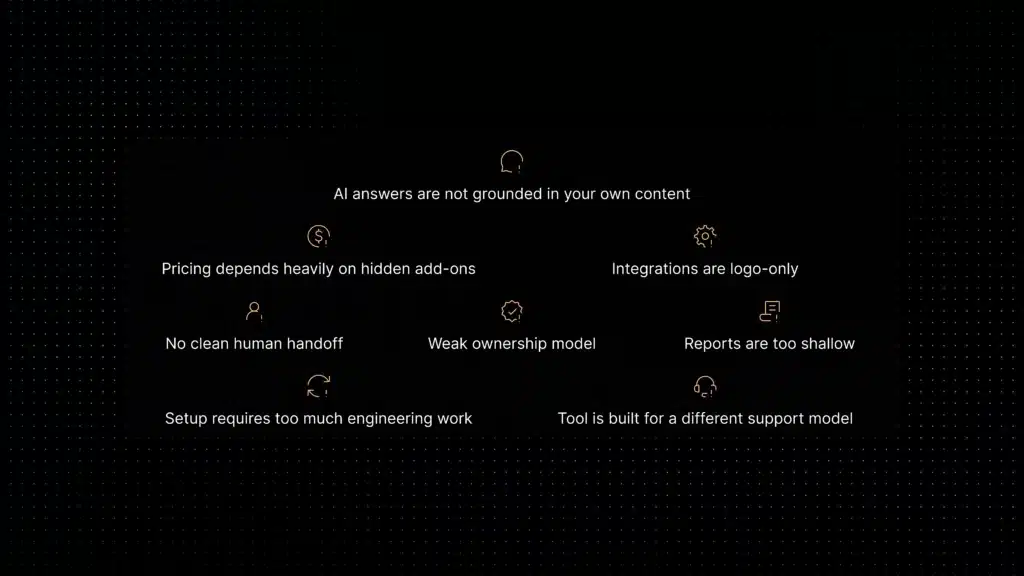
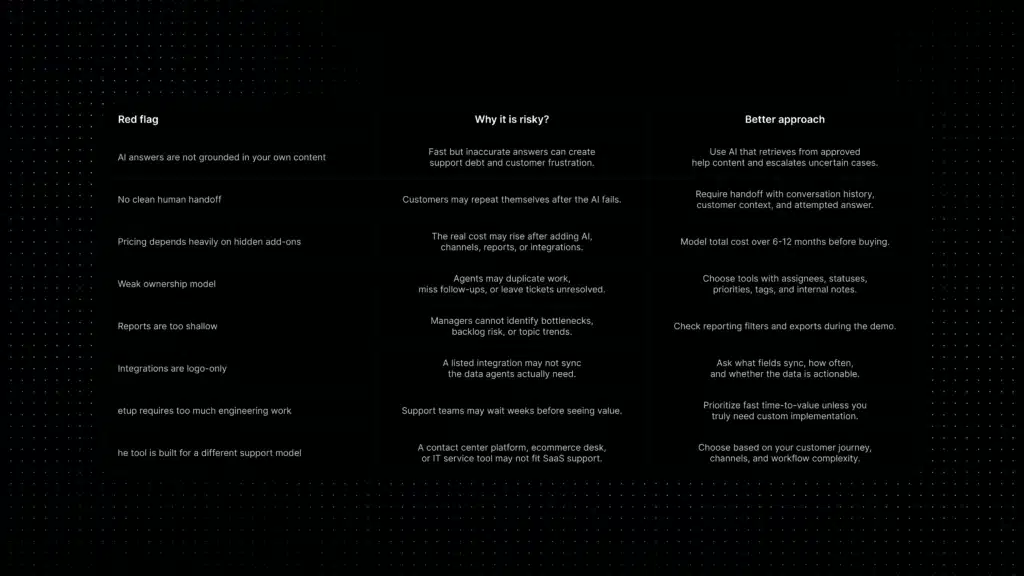
Red flags when choosing customer support software
A platform can look strong in a demo but still create problems after implementation. Watch for these red flags before signing a contract.
Best-fit priorities by company stage
Different stages need different priorities. The right customer support software for an early SaaS team is not always the right choice for a mature enterprise support organization.
Where Inquirly fits
Inquirly is a strong fit for SaaS teams that want customer support software with AI automation, ticketing, shared inbox workflows, knowledge-based answers, and simpler support operations in one connected workspace.
For SaaS teams, the goal is not only to collect tickets. The goal is to reduce repetitive work, improve first response time, give agents useful context, and keep human handoff clean when AI or self-service is not enough.
Inquirly fits teams that want to scale support without building a heavy enterprise stack too early. It brings support conversations, ticketing, workflow automation, knowledge, and AI assistance together so teams can move faster without losing control of the customer experience.
If your team is comparing support tools because tickets are growing, agents are repeating the same answers, or customers are waiting too long for first replies, Inquirly is worth adding to your shortlist. You can review Inquirly pricing or book a demo to see how the workflow fits your support model.
Conclusion
The right customer support software is not the tool with the longest feature list. It is the tool that fits your support model, gives agents better context, makes ownership clear, reduces repetitive work, and helps customers get accurate answers faster.
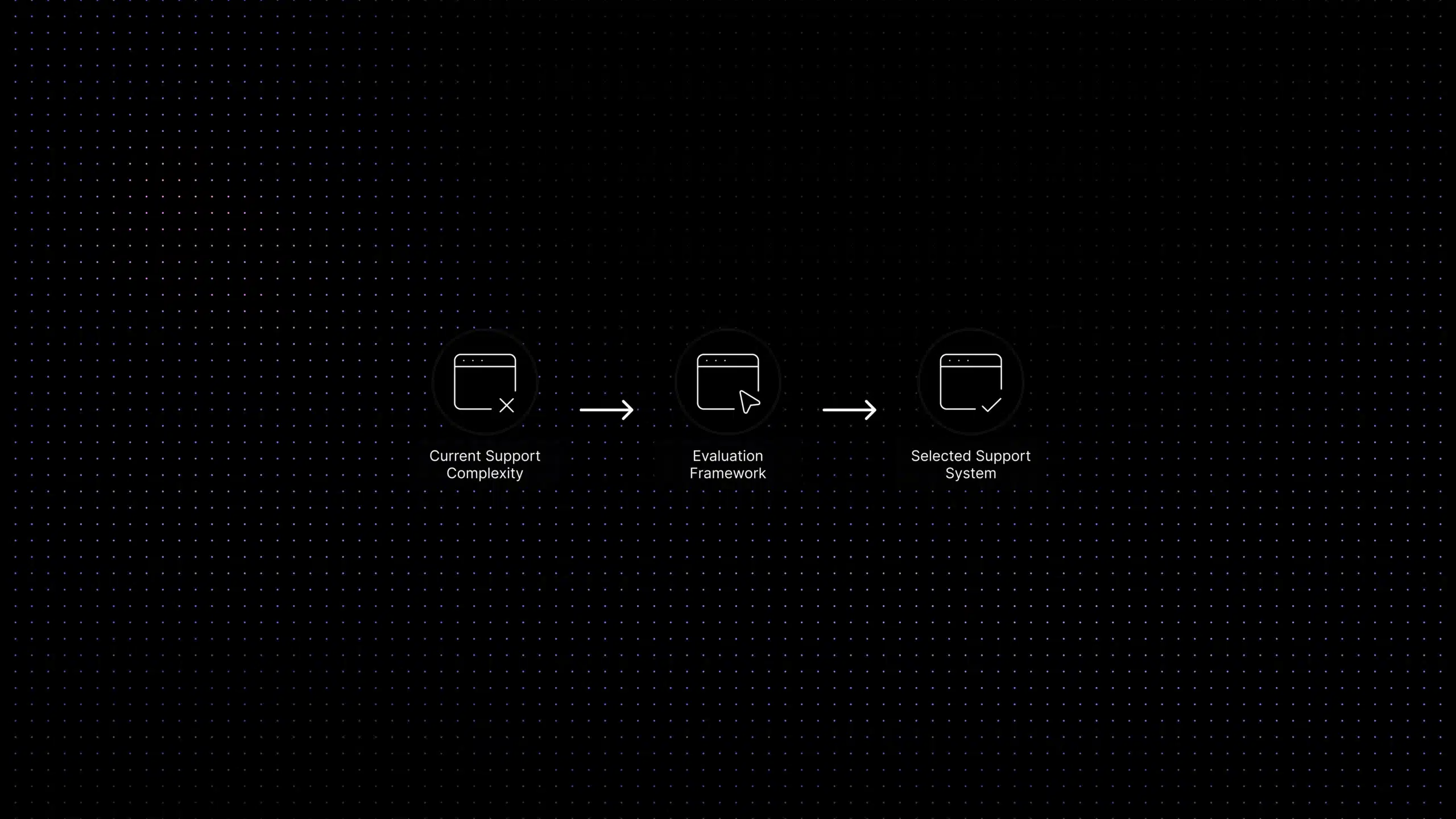
Start with your support volume, channels, workflows, knowledge base, automation needs, integrations, reporting requirements, security standards, and pricing model. Then compare platforms using the same checklist across every vendor so you can choose customer support software based on workflow fit, not demo polish.
For SaaS teams, the strongest choice is often the platform that helps the team scale support without building a heavy support operation too early. Inquirly fits that need for teams looking for AI-first customer support software that keeps automation, ticketing, knowledge, and human handoff connected.