Answer repetitive customer questions, organize conversations across channels, and bring in a human when the issue needs judgment, without building a large support operation.
Give customers useful answers before the queue grows.
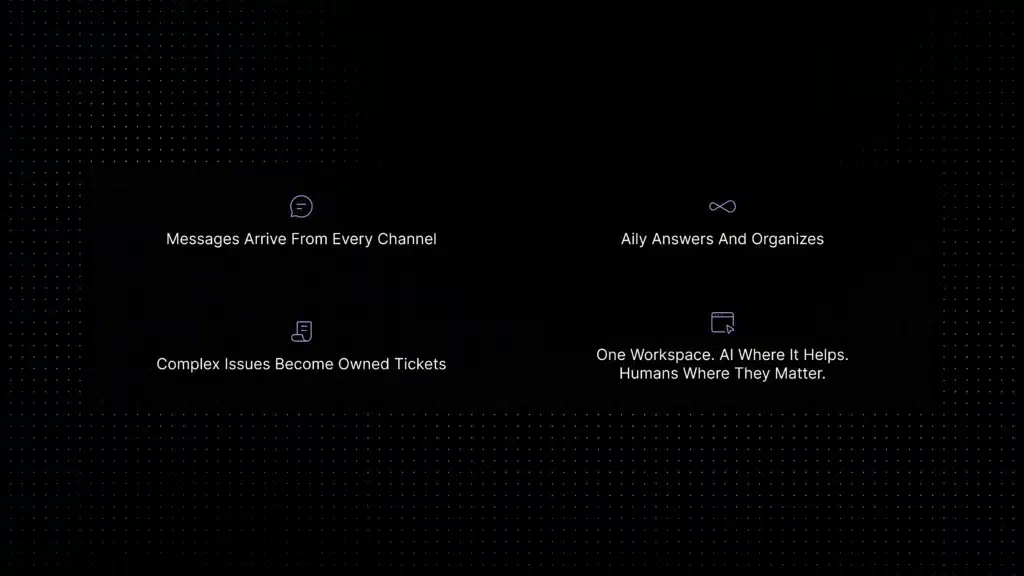
Aily uses your approved support knowledge, helps manage conversations across channels, and turns unresolved requests into trackable tickets with context attached.
An AI chatbot can help a small business answer routine customer questions around the clock, collect useful context, and pass complex requests to a person. It works best when it answers from current company information—not generic model knowledge—and when billing disputes, security issues, refunds, and account-specific decisions remain with a human.
Adoption is already mainstream. According to the U.S. Chamber of Commerce’s 2025 small-business technology report, 58% of surveyed U.S. small businesses said they use generative AI, up from 40% in 2024. Customer expectations are rising too: Zendesk’s CX Trends 2026 survey reports that 74% of consumers expect customer service to be available 24/7 because of AI, while 88% expect faster responses than they did a year earlier.
Those figures demonstrate demand, not guaranteed ROI. Whether a chatbot pays off depends on how many questions repeat, how accurate your support content is, and how reliably the chatbot hands uncertain requests to a human.
Here is a practical test: if your team answers the same five questions every day, you probably have a sensible chatbot pilot. If almost every conversation requires judgment or private account access, improve the support workflow first and automate cautiously.
AI chatbot for small business: quick answer
| Question | Practical answer |
|---|---|
| What is it best for? | Frequent, well-documented and low-risk questions such as opening hours, setup steps, plan information and basic troubleshooting. |
| What should remain human? | Billing disputes, refunds requiring judgment, security incidents, legal or contract questions and account-specific decisions. |
| Does it replace support staff? | No. Its most useful role is resolving routine requests and collecting context before a clean handoff. |
| How much does it cost? | Some platforms offer free support tools, but AI access may require a paid plan or usage credits. Compare seats, AI resolutions, channels and workflow limits. |
| How should a business start? | Begin with three to five repetitive topics, test real customer wording and expand only after reviewing incorrect answers and escalations. |
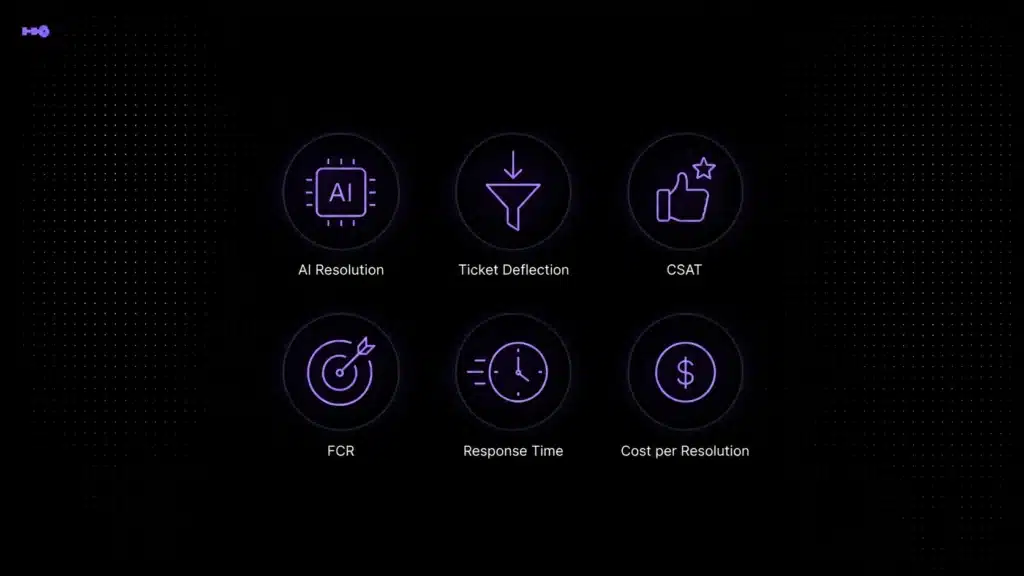
| How is success measured? | Track resolution rate, first-response time, escalation quality, customer satisfaction and hours of manual work avoided. |
Is an AI chatbot worth it for a small business?
A chatbot is worth testing when a meaningful share of customer questions repeat and the correct answers already exist in your FAQs, policies or product documentation. It is less useful when message volume is very low or most requests require a person to inspect an account, negotiate an exception or exercise professional judgment.
| Your situation | Recommended approach |
|---|---|
| The same questions appear every day | Start a limited chatbot pilot |
| Support information is current and documented | Connect the approved content and test retrieval |
| Customers contact you through several channels | Use a chatbot connected to a shared inbox and ticketing |
| Most requests are sensitive or account-specific | Use AI for intake and summaries, not final decisions |
| You receive only a few predictable messages each week | A simple FAQ widget or shared inbox may be sufficient |
| Policies and documentation are outdated | Fix the source content before adding AI |
What is an AI chatbot for small business?
An AI chatbot for small business is customer service software that understands natural-language questions and responds using information from the business, such as help-center articles, FAQs, onboarding guides, product documentation, policies, and approved internal knowledge.
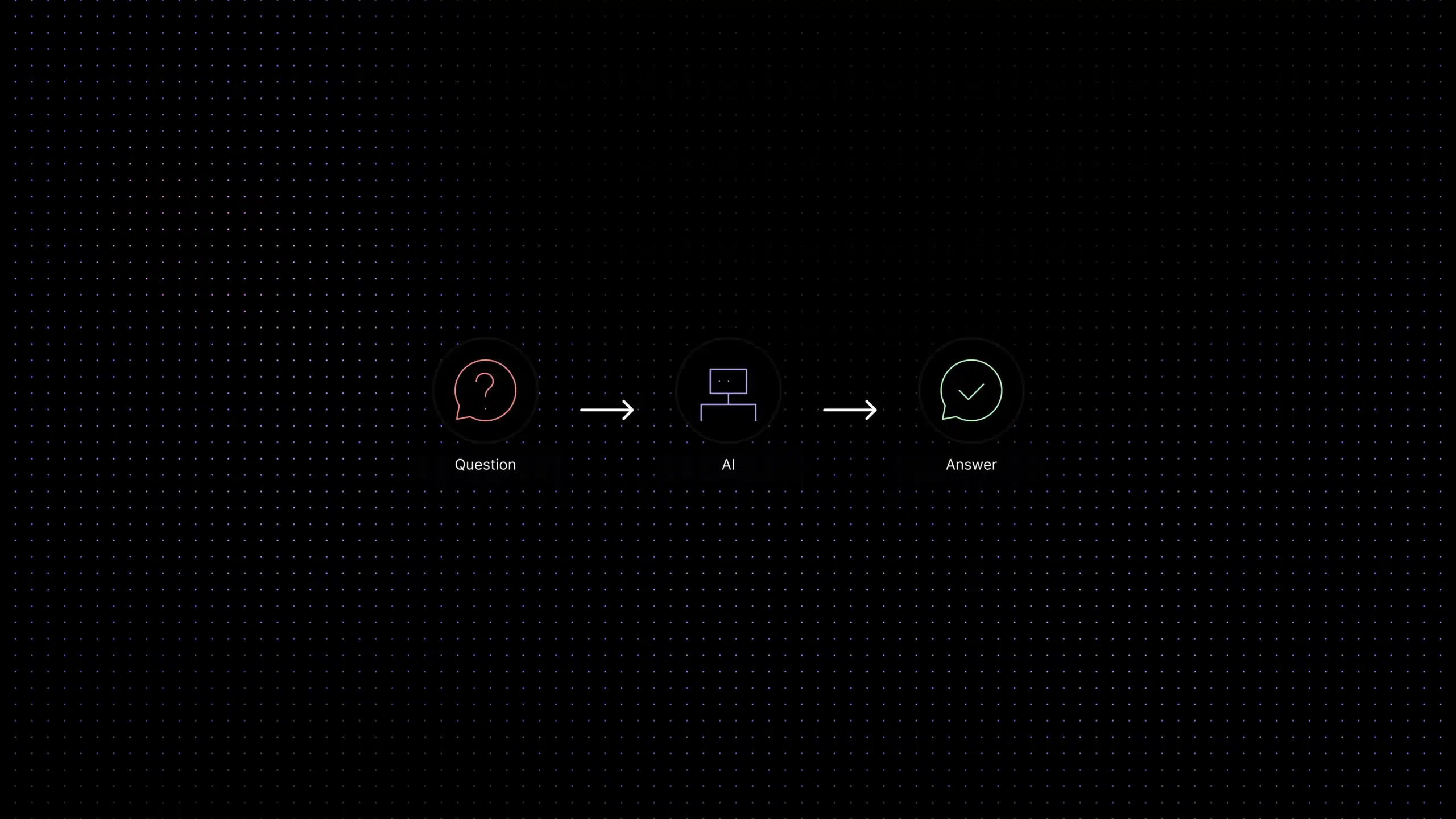
Unlike a rule-based chatbot, it does not depend entirely on exact keywords or a fixed button sequence. A customer can ask the same question in different words, and the chatbot can identify the intent and retrieve a relevant answer. A reliable support chatbot should also know its limits. When a request is sensitive, account-specific, technical, or unclear, it should escalate instead of improvising.
Teams that want a deeper explanation of document-grounded answers can read Inquirly’s knowledge base AI chatbot guide. For a broader technical definition, IBM describes a chatbot as software that simulates conversation with users and may use natural language processing to understand questions.
Why a basic chatbot widget eventually stops being enough
A simple website widget can work when message volume is low and nearly every question is predictable. The problem appears when customers also contact the business through email, WhatsApp, SMS, or social messaging, or when a question needs follow-up beyond the first answer.
At that stage, the team does not only need a chatbot. It needs a support workflow that connects the conversation to customer context, ownership, tickets, knowledge, and human handoff. Without that connection, automation may answer a few FAQs while the team still manages the real work manually.
AI chatbot use cases for different small businesses
| Business type | Good first use cases | Keep human-led |
|---|---|---|
| Ecommerce | Product details, shipping policies, basic order status and return instructions | Fraud, unusual refunds, damaged-order disputes |
| SaaS | Onboarding, feature guidance, plan questions and documented troubleshooting | Security incidents, technical bugs, billing disputes |
| Local services | Opening hours, service area, appointment intake and common preparation questions | Complex quotations, urgent or safety-related requests |
| Professional services | Consultation booking, document collection and general process information | Legal, financial, medical or contract-specific advice |
| Hospitality | Amenities, check-in instructions, location details and standard policies | Accessibility exceptions, complaints and unusual cancellations |
How Aily supports customer service
1. Answers from approved support content
Aily uses the knowledge connected to Inquirly to help answer product, setup, billing, onboarding, policy, and troubleshooting questions. Grounding answers in approved content gives the team more control than relying on generic model knowledge alone.
2. Brings customer conversations into one inbox
Inquirly supports website live chat, email, WhatsApp, SMS, and social messaging. Conversations can be managed in one shared workspace, helping agents see the customer history and avoid duplicate or inconsistent replies.
For a broader look at channel management, see the guide to shared inbox software.
3. Turns unresolved conversations into trackable work
When a question cannot be resolved automatically, the conversation should not disappear into a separate tool. Inquirly can turn requests into tickets, route them, and preserve the conversation context so the assigned agent can continue without asking the customer to repeat everything.
4. Keeps human agents involved where they add value
AI is most useful for repetitive and low-risk requests. Human agents remain essential for disputes, security concerns, account-specific decisions, technical bugs, frustrated customers, and conversations that require empathy or judgment. Aily is designed to support the team rather than remove the human layer.
5. Supports no-code workflows
Small teams should not need a developer for every support change. Inquirly includes workflow tools for automated responses, ticket routing, and conversation handling, allowing the support process to evolve without a custom software project.
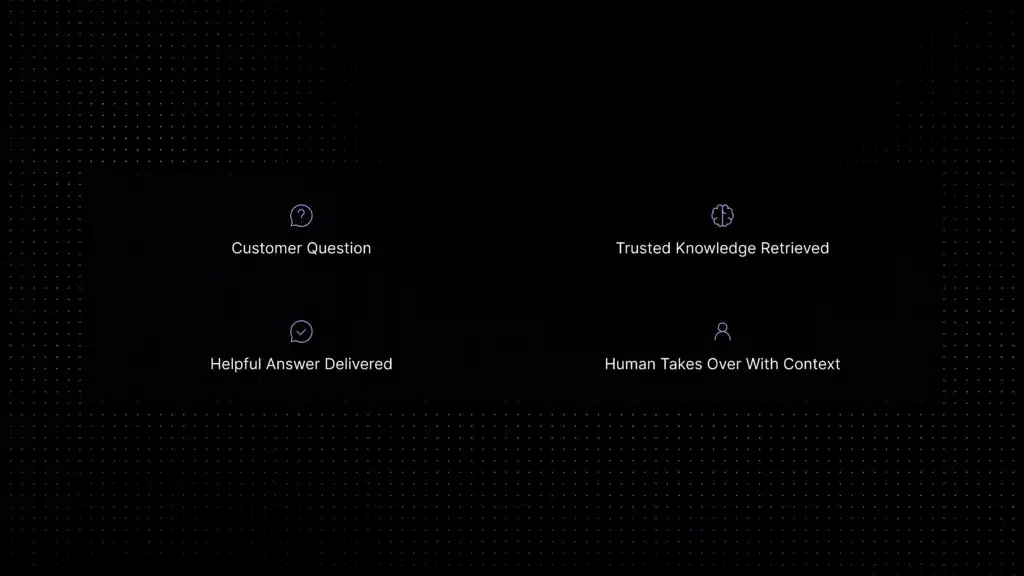
Support Question
What should a small business automate first?
Start with questions that are frequent, well documented, and low risk. These are the requests where automation can improve response speed without creating unnecessary customer or operational risk.
- Opening hours, service availability, and basic contact information
- Product setup and onboarding steps
- Feature and plan questions that are clearly documented
- Order, request, or ticket status when the relevant workflow is connected
- Account-access guidance that does not require identity-sensitive actions
- Common troubleshooting steps
- Article recommendations and links to help-center content
- Initial information collection before a human handoff
Avoid fully automating billing disputes, security incidents, contract-specific questions, deletion requests, and other cases where identity verification or human judgment is required.
Features to look for in a small-business customer service chatbot
- Natural-language understanding: Customers should be able to ask questions in their own words rather than match a fixed script.
- Knowledge grounding: The chatbot should answer from current company content and avoid unsupported guesses.
- Confidence and escalation controls: When the system is unsure, it should ask for clarification or hand the issue to a person.
- Omnichannel conversation management: The team should be able to manage the channels customers actually use from one workspace.
- Ticket creation and routing: Unresolved requests should become trackable work with clear ownership.
- No-code configuration: Support managers should be able to update workflows and knowledge without engineering support for every change.
- Agent assistance: Summaries, suggested replies, labels, and customer context should help human agents respond faster.
- Reporting and quality review: The team should be able to see what the AI resolves, where it escalates, and which content gaps keep appearing.
- Privacy and access controls: The vendor should explain where conversation data goes, how access is managed, and how support knowledge is protected.
A practical way to choose what to automate
Before choosing software, review one week of customer conversations. Label each conversation as:
- Repetitive and answerable from existing content.
- Answerable only after retrieving customer or order data.
- Requiring human judgment, empathy or approval.
Rank the repeated questions by volume. Choose only three to five well-documented, low-risk topics for the first launch. This produces a safer and more measurable pilot than switching on automation across the entire website.
Where Inquirly fits
| Choose Inquirly when… | Consider a simpler tool when… |
|---|---|
| Conversations arrive through several channels | You only need a basic website FAQ popup |
| Unresolved chats need ticket ownership and routing | You receive very few messages |
| AI answers must connect to a knowledge base | Nearly every question has one fixed answer |
| Human agents need the full conversation context | You do not need reporting, routing or collaboration |
| Privacy and data controls are part of the decision | You are testing a temporary marketing chatbot |
Inquirly’s privacy policy states that Customer Data is not used to train general-purpose or shared AI models. Teams evaluating sensitive workflows should still review the privacy policy, relevant contractual terms, retention settings and enabled integrations.
Need a market comparison rather than a product page?
Review Inquirly’s dedicated comparison guide for the strengths, fit, and trade-offs of leading customer support chatbots.
How to set up an AI chatbot for a small business
- List the channels customers already use. Start with the website and support email, then connect WhatsApp, SMS, or social messaging where needed.
- Audit your support content. Remove outdated instructions, clarify policies, and identify gaps before using the content for AI answers.
- Connect trusted knowledge sources. Add FAQs, help articles, onboarding guides, product documentation, and approved policies.
- Choose the first questions to automate. Prioritize high-volume, low-risk topics with clear answers.
- Define escalation rules. Specify which topics require a human and what information the AI should collect before handoff.
- Test real customer phrasing. Use misspellings, incomplete questions, follow-ups, and the language customers actually use.
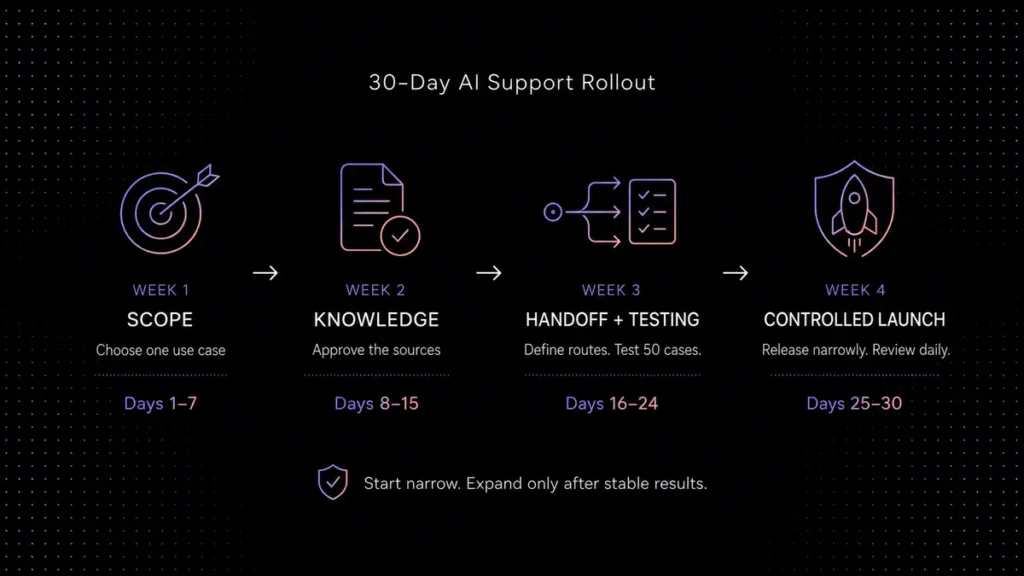
- Launch in a controlled scope. Start with one channel or a limited set of topics, review the results, and expand only after the answers are reliable.
- Review performance regularly. Use conversation samples and escalation reasons to improve the knowledge base and workflows.
How to measure whether the chatbot is helping
AI chatbot pricing for a small business
AI chatbot pricing should be evaluated by total operating cost, not only the advertised monthly fee. Check the number of included agents, AI conversations or resolutions, connected channels, knowledge sources, workflow limits, integrations and overage charges.
As of August 2, 2026, Inquirly’s Lite plan is free and includes core support capabilities such as an omnichannel inbox, ticket management and workflow automation. However, Lite does not include Aily or knowledge-base management. Aily is included from the Elite plan, currently listed at $25 per month when billed monthly before temporary promotions. Check the current Inquirly pricing page because plans and promotional prices can change.
A free support plan and a free AI chatbot are not necessarily the same thing. Buyers should confirm exactly which AI functions are included before comparing vendors.
Build support that can grow with the business
The right AI chatbot for a small business should make customer support easier to operate, not create another disconnected channel. It should answer from trusted information, keep conversations organized, escalate with context, and give the team visibility into what customers need.
Inquirly connects those pieces in one platform. Aily handles routine support, the shared inbox keeps channels together, and ticketing and workflows help the team take over when a conversation needs a person.
Start with the questions your team answers every day.
Connect a channel, organize your support knowledge, and see where Aily can reduce repetitive work while keeping human agents in control.
About the author
Adam Smith works with the Inquirly team on AI customer support automation, knowledge-base workflows, and Aily, Inquirly’s AI support assistant. This page reflects practical experience designing documentation-grounded support systems for small businesses and growing support teams.