Key takeaways
- Helpdesk software keeps customer conversations organized.
Instead of losing requests across inboxes, chats, Slack messages, and spreadsheets, support teams get one place to manage every conversation. - The best helpdesk software is more than a ticketing system.
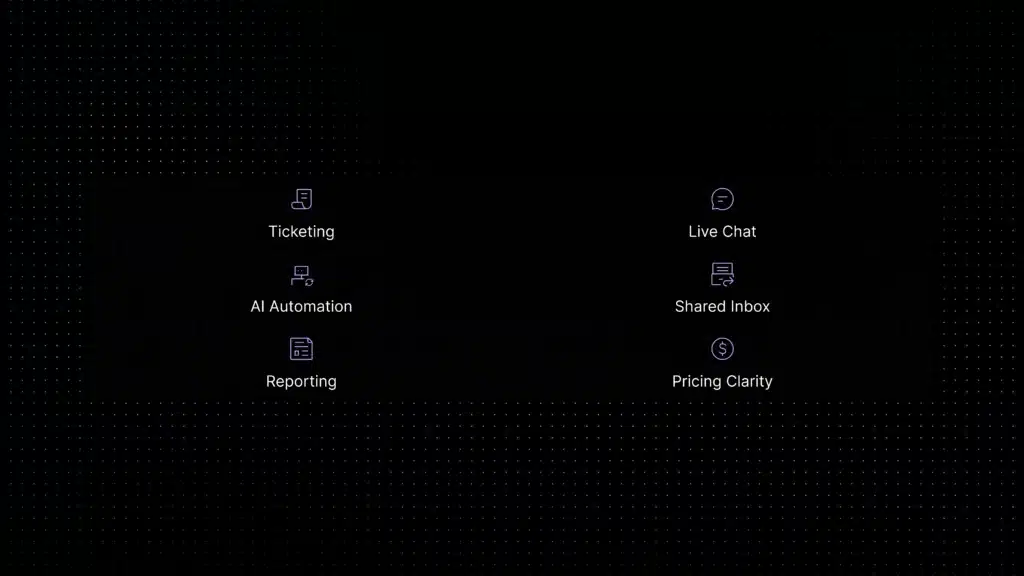
Modern tools combine ticket management, live chat, shared inboxes, automation, reporting, knowledge base workflows, and AI support features. - AI should be useful, not just shiny.
A good AI helpdesk should answer repetitive questions, suggest replies, summarize conversations, route tickets, and know when to hand off to a human. - Pricing can get tricky fast.
Some tools charge per agent, some charge by ticket volume, and some add extra costs for AI, automation, reporting, or integrations. - The right tool depends on your support workflow.
A small SaaS team may need simple live chat and AI automation, while a larger team may need advanced routing, SLAs, analytics, and multi-channel workflows. - For customer support teams in 2026, speed is not enough.
The best helpdesk software helps teams reply faster while keeping context, quality, and customer experience under control.
Helpdesk software vs customer support software: what is the difference?
The terms overlap, but they are not always identical. Helpdesk software usually focuses on ticket management: receive issue, assign issue, solve issue, close issue. Customer support software is often broader, it may include live chat, AI automation, shared inboxes, knowledge bases, customer context, workflows, feedback, and analytics.
This guide focuses specifically on ticket-centric tools: platforms built around structured queues, ownership, and resolution tracking. If your team needs a broader customer engagement platform rather than a dedicated ticketing system, see our comparison of the best customer support software instead.
Why helpdesk software matters more in 2026
Customer support teams are not just dealing with “more tickets.” They are dealing with more channels, faster customer expectations, and repetitive requests that quietly eat the day one small question at a time.
The data backs this up. Gartner predicts that by 2029, agentic AI will autonomously resolve 80% of common customer service issues without human intervention, contributing to a 30% reduction in operational costs. Salesforce also reports that service teams using AI agents expect their service costs and case resolution times to decrease by an average of 20%.
That does not mean humans disappear from support. Actually, the opposite is more realistic. McKinsey found that 57% of customer care leaders expect call volumes to increase over the next one to two years. So the real goal is not “replace the team with bots.” The goal is to stop wasting skilled agents on repetitive, low-context work while giving customers faster answers when the question is simple.
Quick comparison: the best helpdesk software in 2026
Here is the short version before we get into the details. Use this table as a screening tool, not a tattoo. Pricing and features change often, so always confirm the current plan details before you buy.
How we chose these helpdesk tools
A lot of “best software” pages are basically software speed dating: ten tools walk in, everyone says they are scalable, and nobody asks who will actually clean up the inbox after launch. For this guide, the focus is practical customer support fit.
We evaluated each platform using six questions:
- Can it centralize customer conversations without making the team slower?
- Does it handle ticketing, ownership, internal notes, routing, and handoff cleanly?
- Can it support live chat, email, knowledge base content, and automation in one workflow?
- Does AI actually help resolve repetitive questions, or is it mostly a shiny button?
- Can a growing team understand the pricing before the invoice arrives?
- Is it built for the type of support team it claims to serve?
The best helpdesk software is not always the tool with the longest feature list. Sometimes the best tool is the one your team will actually use without creating six private workarounds and a secret Google Sheet named final_support_process_v3.
1. Inquirly, best for AI-first SaaS customer support workflows
Inquirly is built for SaaS teams that want support conversations, AI assistance, ticketing, routing, live chat, knowledge base content, and workflow visibility to work together instead of living in separate corners of the internet, waving politely at each other.
The strongest fit is for teams where repetitive questions are eating agent time: onboarding questions, account setup, billing guidance, product usage, integrations, plan limits, troubleshooting, and “where is that setting?” messages. Inquirly helps by connecting AI support to actual support knowledge, then routing unresolved conversations to humans with context attached.
That matters because AI support only works when it is grounded. A chatbot that guesses is not automation; it is a confident intern with no onboarding. Inquirly’s value is in keeping the customer conversation connected to the support workflow, so AI, ticketing, and human handoff do not feel like three different products glued together during a very long Friday.
Best for: SaaS teams, support teams scaling without hiring too fast, AI-first customer support, teams that want live chat plus ticketing plus knowledge workflows.
Not best for: companies looking mainly for IT asset management, device inventory, change management, or formal ITSM-heavy workflows.
2. Zendesk, best for mature teams that need a big support suite
Zendesk is one of the most recognized names in help desk software, and for good reason. It has strong ticketing, omnichannel support, routing, reporting, knowledge base features, integrations, and enterprise controls. If your team already has complex support operations, multiple brands, global agents, and layered permissions, Zendesk can handle a lot.
The trade-off is complexity. Zendesk can be excellent, but it is not always light. Smaller teams may find themselves paying for structure before they actually need that much structure. It is a bit like buying an airport because your team needs a bicycle lane.
Best for: larger support teams, enterprise customer service, teams needing mature omnichannel coverage, reporting, and integrations.
Watch out for: per-agent costs, suite upgrades, AI resolution pricing, implementation effort, and the time needed to configure it properly.
3. Freshdesk, best traditional helpdesk software for growing SMB teams
Freshdesk is a strong choice for teams that want recognizable helpdesk software without immediately jumping into enterprise complexity. It gives teams ticketing, email support, knowledge base tools, automation rules, reporting, collaboration features, and paid paths into more advanced capabilities.
Freshdesk works especially well when your support process is ticket-centric. A customer writes in, the message becomes a ticket, the ticket is assigned, worked, escalated, and resolved. Nothing too philosophical. Just support work moving through a queue with enough structure to avoid chaos.
Best for: SMBs, traditional ticketing teams, companies already using Freshworks products, teams that want a familiar helpdesk setup.
Watch out for: advanced automation, omnichannel support, AI, and analytics may require higher plans or add-ons. The entry price is not always the final price.
4. Help Scout, better fit if you want less ticketing structure
Help Scout leans toward a calm shared inbox rather than a formal ticket queue, which makes it a stronger match for broader customer support needs than strict helpdesk workflows. See the full breakdown in our comparison of the best customer support software.
5. Intercom, better fit if messaging matters more than ticketing
Intercom centers on conversations and proactive messaging rather than formal ticket queues, so it fits product-led support more than dedicated helpdesk operations. See our Intercom alternative comparison or the broader customer support software guide for the full picture.
6. Zoho Desk, best value helpdesk software for budget-conscious teams
Zoho Desk is a practical choice for teams that want a capable helpdesk without starting with a huge monthly commitment. It offers ticketing, automation, knowledge base tools, customization, and a broader Zoho ecosystem that can be useful if your company already uses Zoho CRM or other Zoho apps.
The biggest advantage is value. Zoho Desk gives smaller teams a way to start with structured support and grow into more functionality over time. It may not feel as polished as some newer AI-first tools, but it can be a very sensible option when budget is tight and the support process is still developing.
Best for: small businesses, Zoho users, budget-conscious support teams, basic ticketing and workflow needs.
Watch out for: interface complexity, configuration time, and making sure the right plan includes the channels and automation features you need.
7. Front, better fit if your team thinks in shared inboxes, not tickets
Front is explicitly not a ticketing-first tool, its strength is shared inbox collaboration across email, chat, and social. If that’s your model rather than formal ticket queues, see our best shared inbox software comparison for a deeper look.
8. Gorgias, the ecommerce-specific option
Gorgias is purpose-built for Shopify and ecommerce support (orders, shipping, returns), which makes it a poor fit for SaaS teams but a strong one for retail. If ecommerce is your use case, Gorgias belongs on your shortlist; otherwise the tools above are a better match.
9. Crisp, lightweight chat and inbox, not full ticketing
Crisp suits early-stage teams that want live chat and a shared inbox without a heavyweight ticketing system. It’s a reasonable starting point before you need the structure the tools above provide.
10. FreeScout, best open-source helpdesk software for self-hosted teams
FreeScout is a strong option for technical teams that want a free, open-source, self-hosted helpdesk alternative to tools like Zendesk or Help Scout. It can work well if your team has engineering resources, wants control over hosting, and prefers owning infrastructure over paying a SaaS vendor forever.
The trade-off is responsibility. Self-hosted software is only “free” if you do not count setup, updates, security, backups, deliverability, integrations, monitoring, and the person who gets pinged when something breaks at 11:47 PM.
Best for: technical teams, open-source buyers, self-hosted environments, teams with infrastructure ownership.
Watch out for: maintenance burden, security responsibility, module costs, and lack of managed SaaS convenience.
For broader market comparison, you can also check independent helpdesk software reviews from PCMag, The CX Lead, and The CTO Club.
What features should the best helpdesk software include?
Good helpdesk software should give your team more control, not more admin work. At minimum, look for these capabilities:
- Ticketing: Convert customer requests into trackable conversations with ownership, status, priority, and history.
- Shared inbox: Keep email, chat, and forms visible to the right people without duplicate replies.
- Live chat: Let customers contact you from your website or product when they need fast help.
- Knowledge base integration: Connect support answers to approved documentation instead of agent memory.
- AI support: Use AI to answer repetitive questions, summarize threads, classify intent, and assist agents.
- Routing and assignment: Send the right issue to the right person or queue without manual triage.
- Internal collaboration: Add private notes, mention teammates, and avoid solving the same ticket twice.
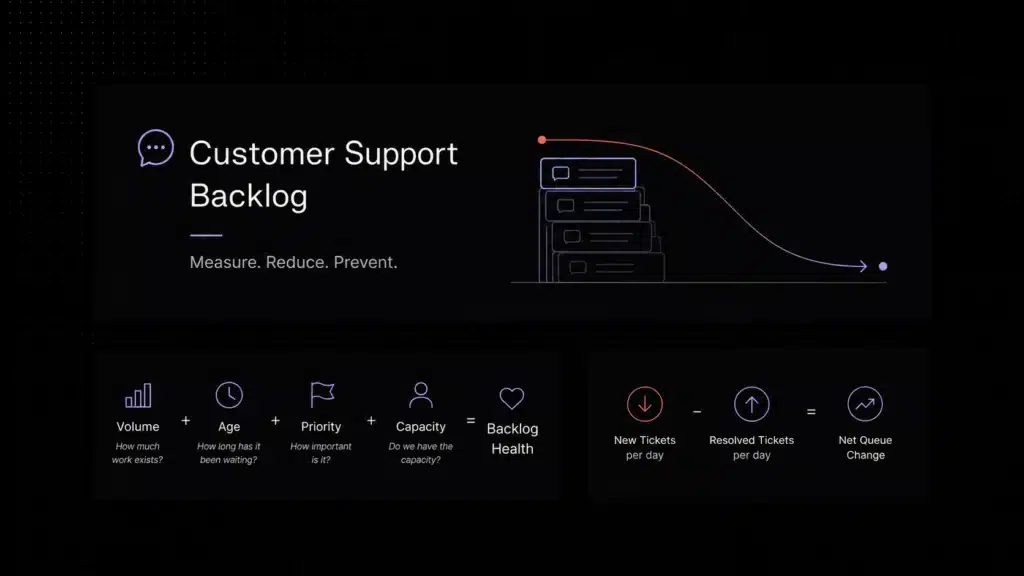
- Reporting: Track first response time, resolution time, ticket volume, deflection, CSAT, backlog, and escalation patterns. Reporting should make it easy to monitor operational metrics such as customer support first response time, resolution time, SLA performance, ticket backlog, and escalation trends.
- Security and permissions: Control who can access customer data, conversations, admin settings, and reporting.
- Scalable pricing: Understand what happens when you add agents, channels, AI resolutions, or more tickets.
How to choose helpdesk software without falling into demo theater
Demo theater is when every product looks perfect because a salesperson clicks through the cleanest possible workflow with a fake customer named Sarah who never asks anything complicated. Real customers are not Sarah. Real customers reply from different emails, forget attachments, ask billing questions inside technical tickets, and somehow turn “quick question” into a six-message investigation.
Before choosing a helpdesk tool, test it against your real support mess:
- Import or recreate your top 20 most common support questions.
- Test how the tool handles email, live chat, and escalation from one conversation.
- Check whether AI answers from your documentation or from vague internet confidence.
- Ask what happens when a customer needs a human after the AI responds.
- Create a sample ticket with billing, technical, and product context mixed together.
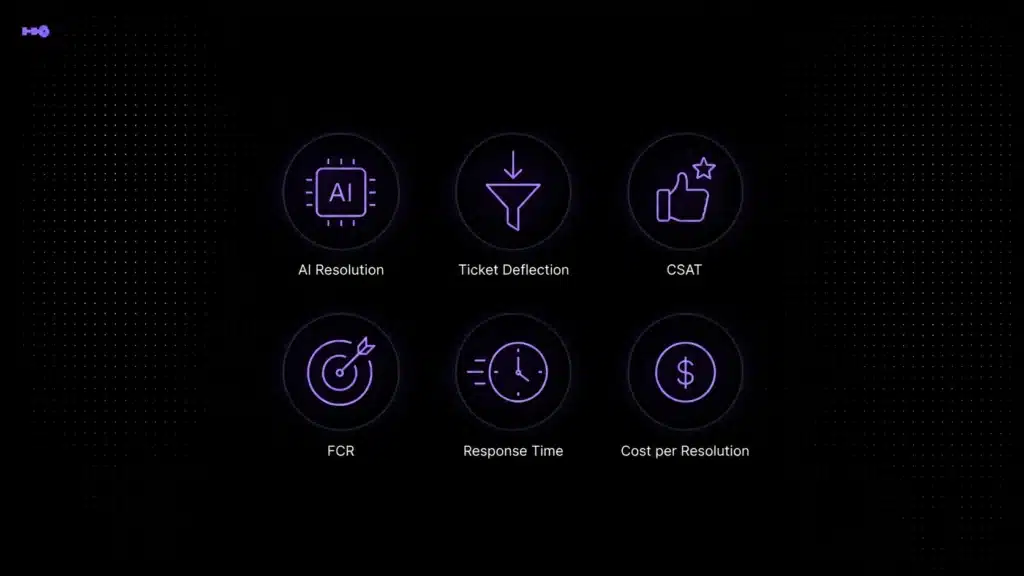
- Check reporting for the metrics your manager actually cares about. Before setting targets, review our support performance benchmarks to understand how metrics such as CSAT, FCR, response time, AI resolution, and escalation should be interpreted.
- Model pricing at your current volume, 2x volume, and bad-month volume. Bad-month volume is where truth lives.
The pricing traps to check before buying
Helpdesk software pricing can look simple on the landing page and become a puzzle once you add real usage. Before signing, check these common traps:
1. Per-seat pricing
Per-seat pricing is predictable until everyone needs access. If only agents use the tool, it can work fine. If product managers, engineers, founders, customer success, and sales occasionally need visibility, per-seat pricing can punish collaboration.
2. AI resolution pricing
AI resolution pricing can be fair when the AI genuinely resolves issues. It can also become expensive if every small automated answer counts as a billable event. Ask how the vendor defines a resolution. If the customer still needs a human, that should not feel like a victory lap.
3. Channel paywalls
Some tools include email but charge more for live chat, social, WhatsApp, voice, or in-app messaging. Make sure the plan includes the channels your customers actually use, not the channels you wish they used because they are cheaper.
4. Automation gates
Basic automation may be included, while advanced routing, SLA rules, custom workflows, or AI classification sit behind higher tiers. This matters because routing and automation are often the reason you wanted helpdesk software in the first place.
5. Reporting limitations
Support reporting is not decorative. If you cannot measure response time, resolution time, backlog, deflection, and escalation quality, you will end up managing support by vibes. Vibes are not a dashboard.
Which helpdesk software should you choose?
The best choice depends on your support shape. Here is a practical shortcut:
Why AI changes the helpdesk software category
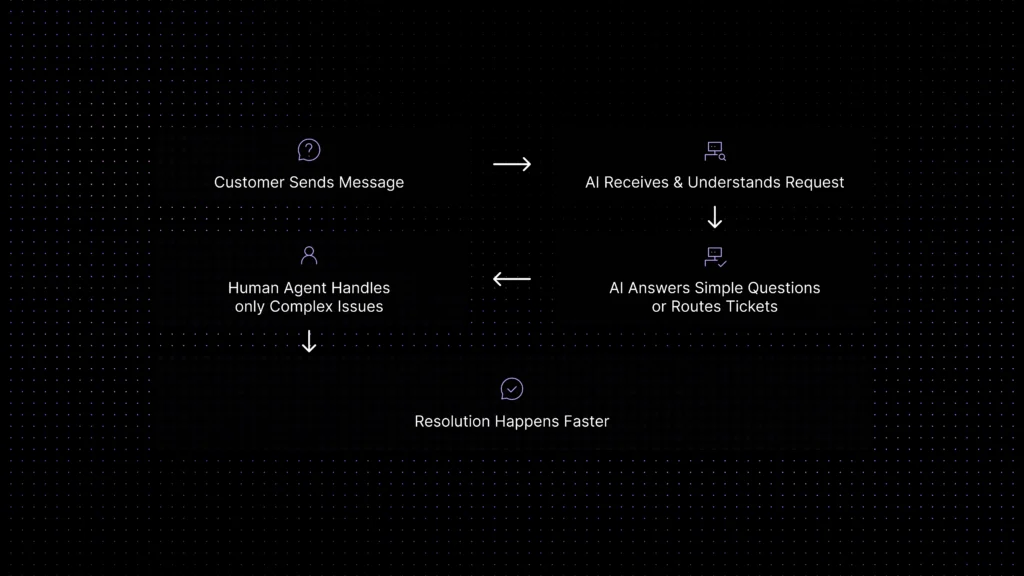
Old helpdesk software mostly organized work after the customer asked for help. Modern AI helpdesk software can help before the ticket becomes another item in the queue. It can retrieve an answer from the knowledge base, classify the issue, ask a clarifying question, summarize the thread, suggest a reply, route the case, or escalate to a human with context.
That does not mean AI should replace your support team. It means your support team should stop spending expensive human energy on the same password-reset-adjacent questions 300 times a month. AI is best used as a pressure valve for repetitive work, not as a wall between customers and humans.
The strongest AI helpdesk software will usually have four traits:
- Grounded answers from approved company content.
- Clear fallback when AI cannot answer confidently.
- Human handoff with full conversation history.
- Reporting that separates deflection, containment, escalation, and customer satisfaction.
In other words, do not buy AI because it can talk. Buy AI because it can resolve the right issues safely, and get out of the way when it cannot.
Final verdict: the best helpdesk software is the one that matches your support reality
If your team is choosing helpdesk software in 2026, do not start with the biggest brand. Start with your support reality. Where do customers contact you? What questions repeat every week? Which tickets need humans? Which ones should never reach a human in the first place? How much context do agents need? What happens when the team doubles? What happens when ticket volume doubles but the team does not?
For SaaS customer support teams, the winning setup is usually not just ticketing. It is ticketing plus live chat, AI assistance, knowledge base context, clean routing, human handoff, and reporting that shows whether support is actually getting better.
That is where Inquirly fits: a modern, AI-first customer support platform for teams that want to move faster without turning support into a maze. Because customers do not care how many tools are in your stack. They care whether they got the right answer before they opened a second tab and started comparing competitors.
Ready to bring AI, ticketing, live chat, knowledge, and customer conversations into one workflow?
Ready to try an AI-first helpdesk for your SaaS team?
Inquirly brings ticketing, live chat, knowledge-based AI answers, routing, and agent assist into one workspace, without usage-based AI billing or a six-month implementation.