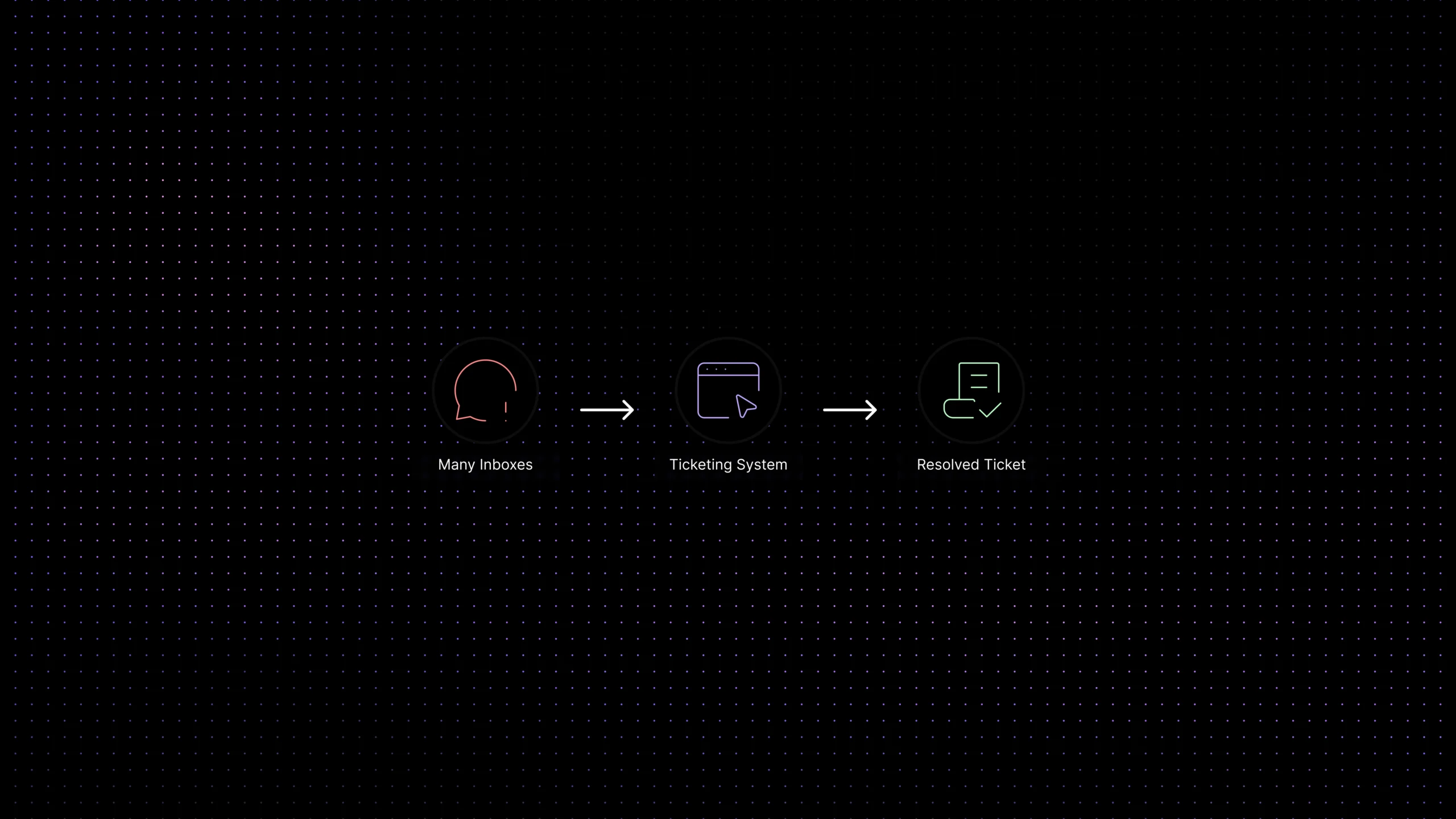
Choosing a ticketing system in 2026 sounds simple until every vendor claims to be AI-powered, omnichannel, automated, scalable, enterprise-ready, and somehow also “easy to use.” Naturally, the support team is still answering billing questions in email while the IT team lives in Jira and someone has made a spreadsheet called urgent_tickets_FINAL_v4. Civilization was a mistake, but at least we can organize the queue.
The right ticketing system should help your team collect requests, assign ownership, prioritize urgent issues, track SLAs, automate repetitive work, and understand what customers or employees keep asking about. The wrong one becomes another inbox with nicer branding.
This guide compares the best ticketing systems for 2026, including helpdesk ticketing systems for customer support, IT ticketing systems for internal service desks, AI-first support platforms for SaaS teams, and ecommerce-focused tools for order-heavy workflows.
Quick comparison: the best ticketing systems in 2026
Here is the short version before we get into the detailed reviews. Use this as a screening table, not a sacred tablet. Pricing and AI packaging change often, because apparently software buyers needed more tiny traps.
How we chose these ticketing systems
A lot of “best ticketing system” pages read like a parade of logos where every product is somehow best for everyone. Helpful, if your purchase process is based on vibes and fear. This guide evaluates tools by support reality, not vendor adjectives.
We compared each platform using seven questions:
- Can it centralize requests from the channels teams actually use?
- Does it create clear ownership, status, priority, notes, and resolution history?
- Can it support a helpdesk ticketing system workflow without slowing agents down?
- Does it work as an IT ticketing system when incidents, approvals, and internal service requests matter?
- Does AI actually help resolve or route tickets, or is it just a shiny button with a monthly fee?
- Can managers see response time, resolution time, backlog, SLA risk, and repeated issues?
- Can the team understand pricing before the first invoice arrives and ruins the mood?
The best ticketing system is not the one with the longest feature list. It is the one that matches how your support team receives, routes, resolves, measures, and improves requests.
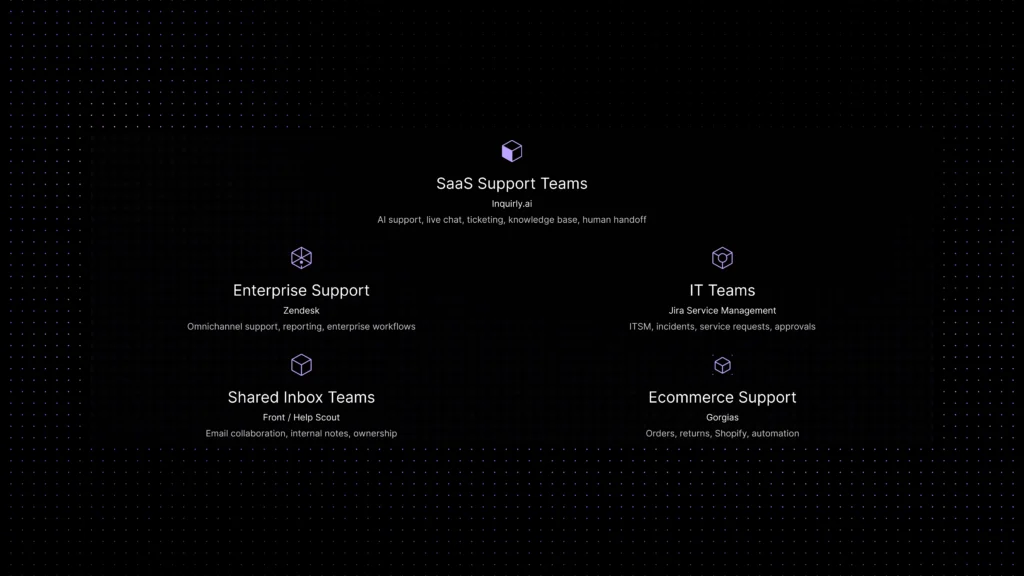
1. Inquirly, best for AI-first SaaS customer support ticketing
Inquirly is built for SaaS teams that want customer conversations, AI assistance, ticketing, live chat, knowledge base content, routing, and workflow visibility to work together instead of sitting in separate tools pretending to be a “stack.”
The strongest fit is for teams where repetitive tickets eat agent time: onboarding questions, billing guidance, account setup, plan limits, integrations, troubleshooting, product usage, and “where is this setting?” messages. Inquirly helps by grounding AI answers in support knowledge, then handing unresolved conversations to humans with context attached. See how the full AI workflow connects in the
AI customer support automation guide.
That matters because AI support only works when it is grounded. A chatbot that guesses is not automation; it is a confident intern with admin access. Inquirly’s value is in connecting AI, ticketing, live chat, and human handoff inside one support workflow.
Best for: SaaS companies, AI-first support teams, growing customer support departments, and teams that want ticketing plus live chat plus knowledge-based answers.
Watch out for: Not the right fit if your main need is IT asset management, change management, device inventory, or formal enterprise ITSM operations.
Verdict: Choose Inquirly if you want a modern customer support ticketing system with AI automation and fewer legacy helpdesk complications.
2. Zendesk, best for mature enterprise support operations
Zendesk remains one of the most recognized names in helpdesk ticketing system software. It is built for teams that need ticketing, routing, omnichannel support, knowledge base tools, reporting, AI capabilities, integrations, and enterprise controls.
For large support organizations, Zendesk’s maturity is useful. It can support global teams, multiple brands, layered permissions, advanced reporting, app marketplace integrations, and complex support operations.
The trade-off is complexity and cost. Zendesk can be excellent, but smaller teams may end up paying for structure before they actually need that much structure. It is a bit like buying an airport because your team needed a bicycle lane.
Best for: Larger support teams, enterprise customer service departments, global teams, and organizations with mature omnichannel support needs.
Watch out for: Per-agent costs, suite upgrades, AI packaging, add-ons, implementation effort, and admin complexity.
Verdict: Choose Zendesk if you need a mature enterprise-grade support suite and have the resources to configure it properly.
See how it stacks up: Zendesk Alternative
3. Freshdesk, best traditional helpdesk ticketing system for SMBs
Freshdesk is a strong option for small and mid-sized teams that want familiar ticketing software without jumping straight into enterprise complexity.
It gives teams email ticketing, assignment, collaboration, SLA management, knowledge base tools, automation rules, reporting, and paid paths into more advanced omnichannel and AI capabilities.
Freshdesk works especially well when your support motion is ticket-centric: a customer writes in, the request becomes a ticket, the ticket gets assigned, escalated if needed, resolved, and reported on. Simple. Practical. Not trying to reinvent oxygen.
Best for: SMBs, traditional support teams, companies already using Freshworks products, and teams that want a recognizable helpdesk workflow.
Watch out for: Advanced AI, omnichannel support, analytics, and automation may require higher tiers or separate packages.
Verdict: Choose Freshdesk if you want a practical ticket system with a manageable learning curve and room to grow.
4. Jira Service Management, best IT ticketing system for technical teams
Jira Service Management is one of the strongest options for IT teams, DevOps, engineering-connected support, and internal service desk workflows.
It is built around request management, incidents, changes, approvals, service portals, automation, SLAs, and connections with the Atlassian ecosystem. If your company already uses Jira Software, Jira Service Management can make escalation between support, IT, and engineering much cleaner.
Atlassian’s own documentation on Jira Service Management
confirms that it is designed specifically for ITSM workflows including request management, incidents, changes, approvals, and service level agreements, which explains why it fits IT teams better than customer-facing support teams whose work rarely follows ITSM structure.
The important distinction is fit. Jira can work as a ticketing system, but not every support team wants a Jira-style workflow. Customer-facing agents who mostly handle billing, onboarding, and product questions may find it heavier than necessary.
Best for: IT service desks, DevOps teams, internal support, engineering workflows, incident response, and teams already using Atlassian tools.
Watch out for: Can feel process-heavy for customer support teams that need fast conversation handling rather than technical service management.
Verdict: Choose Jira Service Management if your main need is an IT ticketing system, not a lightweight customer support inbox.
5. DevRev, best for teams whose tickets have to reach engineering
DevRev is an AI-native platform that puts support, product and engineering on one system, and the reason it belongs on a ticketing shortlist is where the ticket ends up rather than how fast it is answered.
In its Support App, DevRev automatically maps tickets to the right product parts, classifies them as bugs or feature requests, and adds data from external systems such as Salesforce and Jira. Its Build App unites product, design and engineering teams, and DevRev says the analytics, workflows and Agent Studio capabilities there work even if DevRev is not your product system of record yet. Both apps are listed as exclusive to its Pro and Max plans.
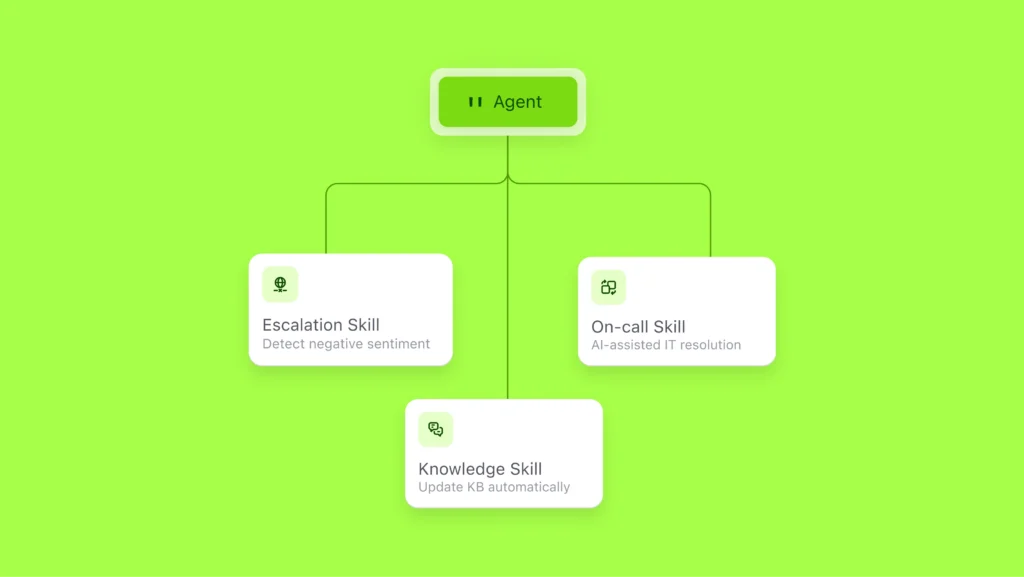
On the support side, DevRev answers questions whether they arrive by email, Slack or elsewhere, finds similar tickets, checks for ongoing incidents and suggests next steps, with instant summaries for context. When an issue needs expert attention, it escalates to the right person or team, considering critical context such as SLAs, customer sentiment and business impact.
On the IT side, the argument is that the best ticket is the one nobody has to open. On DevRev’s IT self-service page, an employee can ask for a software license in Slack or another surface, and the platform checks their identity and the company’s policy, provisions the license, updates the system of record and records the change.
It can take action in the tools IT already runs, creating tickets in ServiceNow, updating HRIS records and approving access in Okta.
Those automations are built in DevRev’s Agent Studio, which it lists from the Pro plan upward: no-code templates for common tasks like password resets and software access, low-code options for custom logic, and high-code tools where engineers want them.
Agents are tested in a sandbox before they go live, automatic versioning tracks every change so teams can roll back, and high-stakes actions can be set to require human approval.
Best for: SaaS and enterprise teams where support tickets regularly become engineering work, and IT teams automating access and provisioning requests.
Watch out for: DevRev is an AI-native platform rather than a classic service desk. Its published ITIL-process detail sits in Agent Studio workflows, which DevRev says can cover access provisioning, device requests, incident updates, onboarding and offboarding, account unlocks, standard changes and approval flows.
Where change, problem and service records already live in another system, DevRev’s marketplace publishes connectors into them: the ServiceNow connector makes incidents, problems, changes and service requests available in DevRev and lets it create, update and comment on ServiceNow records, while the Jira Service Management connector syncs service requests, incidents and problems with their approval statuses and histories.
Asset data arrives the same way, through the SysAid connector for asset inventory and CMDB definitions and the Intune and JAMF connectors for managed devices. If a specific ITIL process has to be modeled natively in the tool, put that question to DevRev directly. Note too that DevRev lists the Support and Build apps as exclusive to Pro and Max, and Agent Studio from Pro upward.
Verdict: Choose DevRev if the gap in your current ticketing is not the inbox but the handoff, and you want support, product and engineering on one platform, with IT requests handled by the same agent.
6. Intercom, best for messenger-first support and AI conversations
Intercom is built around customer conversations, especially in-app and website messaging. It combines messenger, inbox, help center, AI agent, customer communication, routing, and proactive engagement.
For product-led SaaS companies, Intercom can feel very natural because support, onboarding, engagement, and sales conversations often start inside the product experience.
Its Fin AI Agent is a serious part of the platform’s positioning. That makes Intercom attractive for teams that want AI-assisted support, but teams should model AI outcome pricing carefully before celebrating every deflected conversation as if finance will not notice. For a side-by-side pricing comparison including how Intercom’s Fin AI billing model works, see the
customer support software pricing guide.
Best for: Product-led SaaS companies, messenger-first support teams, in-app customer communication, and AI customer conversations.
Watch out for: Usage-based AI outcome pricing and channel usage can make monthly costs harder to predict at scale.
Verdict: Choose Intercom if customer conversations happen inside your product and you want a polished messenger-first experience.
7. Front, best for shared inbox collaboration with ticketing-like workflows
Front is not a classic ticketing-first helpdesk in the same way as Zendesk or Freshdesk. Its strength is collaborative customer operations.
Teams can manage shared inboxes, assignments, comments, rules, analytics, knowledge base workflows, and ticketing-like ownership without turning every customer message into a cold case number.
This is useful for B2B teams where support overlaps with customer success, account management, operations, or sales. Everyone can collaborate around the same customer conversation instead of forwarding emails into oblivion.
Best for: B2B support, shared inbox teams, customer success collaboration, operations teams, and email-heavy workflows.
Watch out for: May not satisfy teams that need strict traditional helpdesk workflows, deep ITSM, or highly structured ticket queues.
Verdict: Choose Front if your team thinks in collaborative conversations more than rigid ticket pipelines.
8. Help Scout, best for simple email-first support
Help Scout is popular because it feels less like a machine for processing tickets and more like a calm shared inbox with support features. This is a real advantage for teams that want customer support to feel personal rather than bureaucratic.
It offers shared inboxes, Docs, workflows, live chat, customer profiles, reporting, and AI Answers as an add-on. For small and mid-sized teams that value simplicity, that combination can be enough.
Help Scout is especially strong when support is mostly email-based and documentation-driven. It is less ideal when the operation needs complex routing, formal IT workflows, or heavy omnichannel control.
Best for: Small support teams, email-first workflows, documentation-driven support, and companies that value a clean agent experience.
Watch out for: Less suited for complex enterprise routing, ITSM, or advanced omnichannel operations.
Verdict: Choose Help Scout if you want a simple, human-friendly support experience without too much operational machinery.
9. Zoho Desk, best value ticketing system for budget-conscious teams
Zoho Desk is a practical option for teams that want capable ticketing system software without a large monthly commitment.
It includes email ticketing, automation, knowledge base tools, SLA management, customer context, reporting, customization, and integration with the broader Zoho ecosystem.
The biggest advantage is value. It may not always feel as polished as newer AI-first tools, but it gives smaller teams a sensible path from basic support to more structured helpdesk operations.
Best for: Small businesses, budget-conscious teams, Zoho users, and companies that need affordable ticketing and workflow basics.
Watch out for: Interface complexity, configuration time, and making sure the plan includes the channels and automation features you need.
Verdict: Choose Zoho Desk if cost control and Zoho ecosystem fit matter more than having the slickest interface.
10. HubSpot Service Hub, best CRM-connected ticketing system
HubSpot Service Hub is a strong choice for companies already using HubSpot CRM. Its biggest advantage is context: support tickets can connect to contacts, companies, deals, lifecycle stages, and customer history.
That makes it useful when sales, marketing, success, and support all need to understand the customer relationship. A ticket is not just an isolated issue; it is part of the account story.
The downside is that HubSpot’s value is strongest when your company is already invested in the ecosystem. If you only need ticketing, you may find more focused tools easier or more affordable.
Best for: Teams already using HubSpot CRM, customer success teams, B2B companies, and businesses that want support connected to sales and marketing data.
Watch out for: Can become expensive as advanced service, automation, and reporting needs grow.
Verdict: Choose HubSpot Service Hub if support needs to live close to CRM data and customer lifecycle context.
11. Gorgias, best ticketing system for ecommerce support
Gorgias is built for ecommerce teams, especially brands handling high volumes of questions about orders, shipping, returns, refunds, discounts, and product availability.
Its strength is commerce context. Agents can see customer and order information, use ecommerce-specific macros, automate common workflows, and connect support to revenue-impacting actions.
For ecommerce brands, that is powerful. For SaaS or IT teams, it is probably the wrong shape. A SaaS support team cares about subscriptions, permissions, integrations, and onboarding. An ecommerce support team cares whether the blue hoodie arrived before someone’s vacation.
Best for: Shopify brands, ecommerce support teams, retailers, and companies with order-heavy customer service workflows.
Watch out for: Less natural for SaaS support, IT support, or technical product workflows.
Verdict: Choose Gorgias if your support operation is tightly connected to ecommerce orders, shipping, returns, and Shopify workflows.
Ticketing system vs helpdesk ticketing system vs IT ticketing system
These terms overlap, but they are not identical. The distinction matters because buying the wrong type of ticketing system is how teams end up with “powerful” software nobody wants to open.
What features should the best ticketing system software include?
A good ticketing system should create structure without adding unnecessary admin work. At minimum, look for these capabilities:
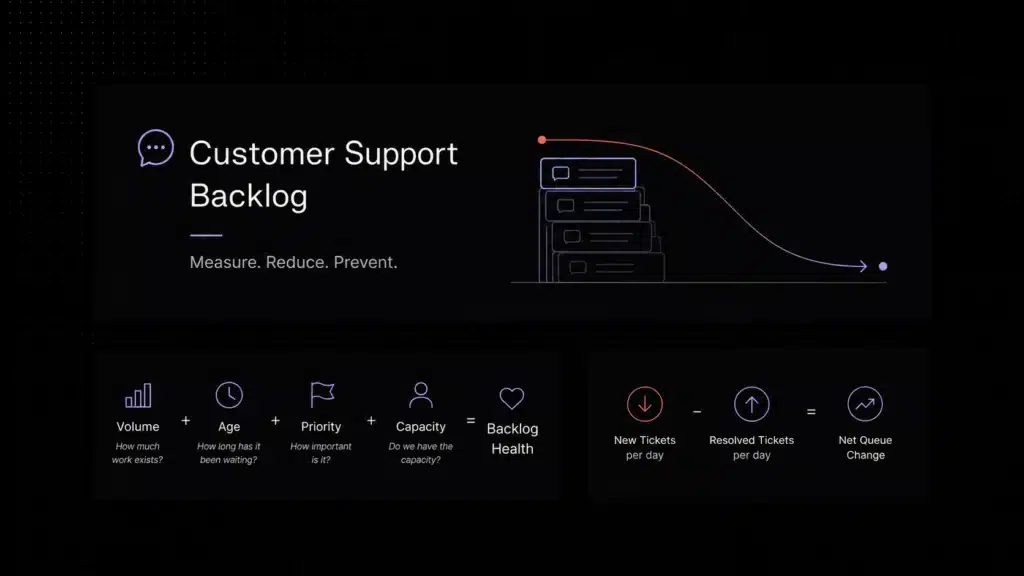
Ticket creation and tracking: Convert every email, chat, form, or internal request into a trackable ticket with status, priority, owner, and history. Ticket reporting should show more than total volume. Track first response time,resolution time, backlog, SLA risk, and escalation patterns so you can see where requests are actually slowing down.
Unified inbox: Bring email, chat, forms, and other channels into one workspace so agents do not hunt for context across tools.
Routing and assignment: Send each ticket to the right person, team, or queue based on topic, urgency, customer type, or SLA.
Automation: Use rules or AI to tag tickets, ask clarifying questions, escalate urgent issues, and reduce repetitive manual triage.
SLA management: Track first response time, resolution commitments, overdue tickets, and priority-based service rules.
Knowledge base integration: Connect tickets to approved support content so agents and AI can answer consistently.
Internal collaboration: Let teammates use private notes, mentions, assignments, and escalation paths without losing the customer thread.
Reporting: Measure ticket volume, response time, resolution time, backlog, SLA breaches, deflection, CSAT, and escalation patterns. For a broader measurement framework, compare these metrics with our customer support benchmarks for 2026,covering response time, resolution quality, AI automation, deflection, CSAT, and cost.
AI assistance: Summarize conversations, classify intent, suggest replies, route tickets, and answer repetitive questions from approved content.
Scalable pricing: Understand what happens when you add agents, channels, AI resolutions, automations, or ticket volume.
How to choose a ticketing system without falling into demo theater
Demo theater is when every product looks perfect because the salesperson clicks through a clean workflow with a fake customer named Sarah who asks one polite question and then disappears forever. Real customers are not Sarah. Real customers reply from different emails, forget attachments, ask billing questions inside technical tickets, and somehow turn “quick question” into a full investigation.
Before choosing ticketing system software, test it against your real support mess:
- Recreate your top 20 most common support requests.
- Test how the tool handles email, live chat, and form submissions.
- Create a mixed ticket with billing, product, and technical context.
- Check whether AI answers from your actual knowledge base or improvises like a dangerous theater student.
- Test human handoff from AI to agent with full context attached.
- Create SLA rules and see whether agents can understand them without opening documentation.
- Check reporting for the metrics your manager actually cares about.
- Model pricing at current volume, 2x volume, and bad-month volume. Bad-month volume is where truth lives.
If tool sprawl is the underlying problem, conversations split across email, Slack, chat, and three other tools nobody remembers signing up for, the shared inbox and tool sprawl guide is worth reading before choosing any platform.

Pricing traps to check before buying a ticket system
1. Per-agent pricing
Per-agent pricing is predictable until everyone needs visibility. If product managers, engineers, success managers, founders, or contractors need access, per-seat pricing can punish collaboration.
2. AI resolution pricing
AI resolution pricing can be fair when AI genuinely resolves issues. It can also become expensive when every small automated answer counts as a billable outcome. Ask exactly how the vendor defines a resolution.
3. Channel paywalls
Some tools include email but charge more for live chat, social, WhatsApp, voice, or in-app messaging. Make sure the plan includes the channels your customers actually use, not the channels you wish they used because they are cheaper.
4. Automation limits
Many platforms include basic rules but lock advanced routing, SLA rules, AI classification, approval flows, or custom workflows behind higher plans.
5. Reporting limitations
Support reporting is not decorative. If you cannot measure first response time, resolution time, backlog, SLA risk, deflection, and escalation quality, you will manage support by vibes. Vibes are not a dashboard.
6. Implementation cost
Enterprise tools can require admin time, consultants, migrations, training, and workflow cleanup. That does not make them bad. It means the real cost is not only the subscription line item.
Which ticketing system should you choose?
Why AI changes the ticketing system category
Old ticketing systems mostly organized work after the customer or employee asked for help. The best AI ticketing systems in 2026 help before the ticket becomes another item in the queue.
AI can classify intent, suggest replies, retrieve answers from your knowledge base, ask clarifying questions, summarize long threads, route issues, detect escalation risk, and hand conversations to humans with context already attached. That does not mean AI should replace support agents. It means agents should stop spending their energy answering the same onboarding and billing questions 300 times a month.
According to Gartner, agentic AI is expected to autonomously resolve 80% of common customer service issues without human intervention by 2029, leading to a 30% reduction in operational costs. That makes automation a capacity decision, not a luxury.
The best AI ticketing systems have four specific traits that separate them from AI as a marketing claim:
1. Grounded answers
The AI retrieves from your approved documentation before generating a response. Not from a general language model making its best guess. Grounded AI answers correctly for your product. Ungrounded AI answers confidently and incorrectly.
2. Clear fallback
When the AI cannot answer with confidence, it says so and escalates — with context attached. A chatbot that loops back to the main menu when it fails is not automation. It is delay.
3. Human handoff with full history
When a ticket reaches a human agent, the agent sees what the customer asked, what the AI tried, what the account status is, and what was resolved before. No starting from scratch. No asking the customer to repeat themselves.
4. Reporting on AI quality, not just AI volume
Deflection rate tells you how many tickets AI handled. Containment rate tells you how many it actually resolved without the customer following up. Those are different numbers. If your AI vendor only shows you deflection, ask why.
In other words: do not buy AI because it can talk. Buy AI because it can safely resolve the right issues, route the rest, and get out of the way when a human should take over.
Final verdict: the best ticketing system is the one that matches your support reality
If your team is choosing a ticketing system in 2026, do not start with the biggest brand. Start with your actual workflow. Where do requests come from? Which questions repeat every week? Which tickets need humans? Which tickets should never reach a human in the first place? How much context do agents need? What happens when ticket volume doubles but headcount does not?
For SaaS customer support teams, the winning setup is usually not just ticketing. It is ticketing plus live chat, AI assistance, knowledge base context, clean routing, human handoff, and reporting that shows whether support is actually getting better.
That is where Inquirly fits: a modern, AI-first customer support platform for teams that want to move faster without turning support into a maze. Customers do not care how many tools are in your stack. They care whether they got the right answer before opening a second tab and comparing competitors.
Ready to try an AI-first ticketing system for your SaaS support team?
Inquirly brings ticketing, live chat, AI answers from your knowledge base, routing, and agent assist into one workspace, without usage-based AI billing or a six-month implementation timeline.