



A message signature is a personalized sign-off that appears at the end of every message you send. In Inquirly, signatures work across all connected inboxes , not just email , so every customer interaction carries a consistent, professional identity regardless of the channel.
Every agent sets their own signature individually. Signatures are not shared or set at the workspace level.
Creating Your Signature
Steps to set up your signature
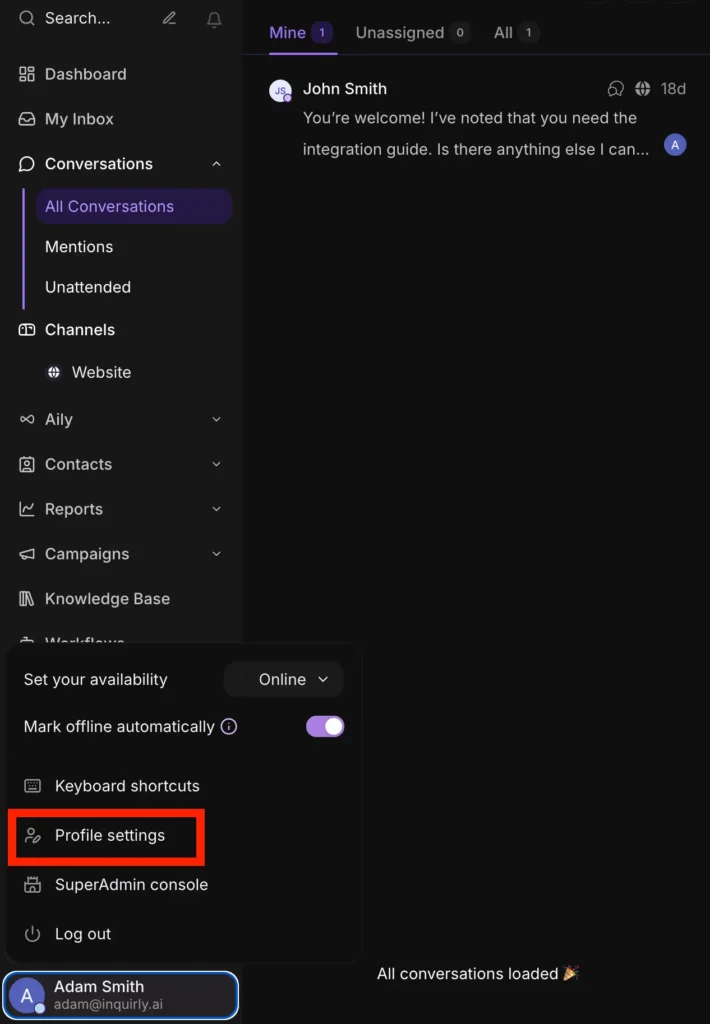
- Click your profile icon in the bottom-left corner of the dashboard
- Select Profile Settings from the menu
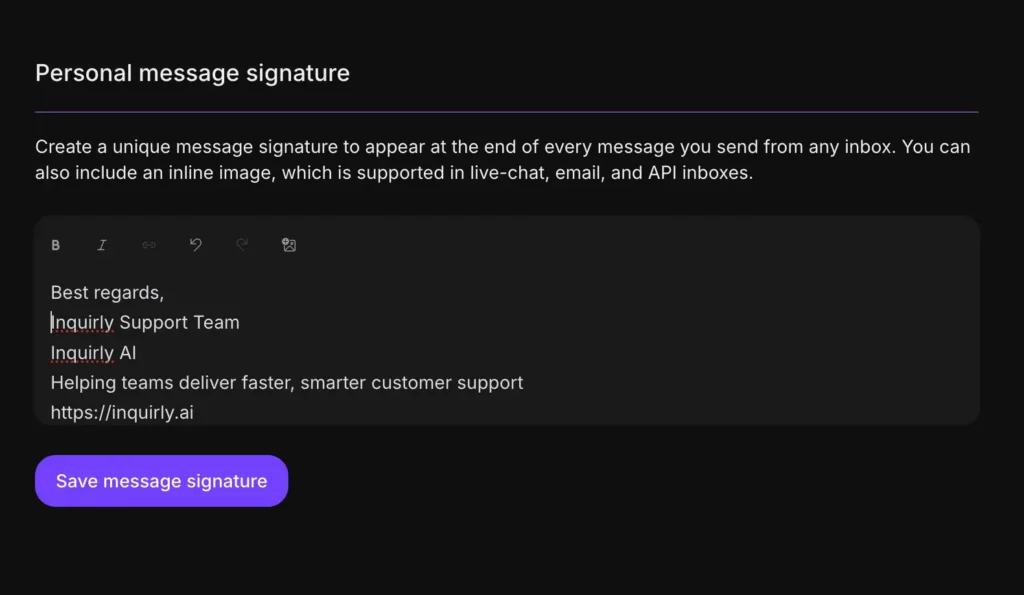
- Scroll to the Personal Message Signature section
- Use the rich text editor to write your signature. You can format text, add emojis, and upload an inline image
- Click Save message signature
Your signature is now active and will appear automatically at the end of every message you send from any inbox.
Note: Inline images in signatures are supported in live chat, email, and API inboxes. Other channel types will display the text portion of your signature only. See channel compatibility below.
Using Your Signature in Conversations
By default, your signature is active whenever you compose a reply. You have three options each time you send a message:
Send with your signature — do nothing. Your signature appears automatically at the end of the message.
Edit the signature before sending — if you need to adjust or temporarily remove the signature for a specific message, edit it directly in the message composer before hitting send. This change only affects that one message — your saved signature remains unchanged.
Disable the signature — you can turn off the signature for a specific message without editing your saved settings. Use this when a particular reply does not warrant a formal sign-off.
Inbox-Specific Signature Behavior
Signatures render differently depending on the channel. Use this as a reference when deciding whether to include images in your signature:
| Inbox type | Text signature | Inline images |
| Supported | Supported | |
| Website Live Chat | Supported | Supported |
| API inboxes | Supported | Supported |
| All other channel types | Supported | Not supported — text only |
If your team uses channels beyond email, live chat, and API (for example, WhatsApp or Instagram), design your signature so it reads well as text alone. Avoid relying on an image to convey essential information like your name or contact details.
