



Inquirly supports 30+ languages natively, allowing you to run both your dashboard and live chat widget in the language that works best for your team and your customers.
Full List of Supported Languages
All languages below are supported based on ISO 639 language codes.
| Language | Code |
|---|---|
| العربية (Arabic) | ar |
| Català (Catalan) | ca |
| čeština (Czech) | cs |
| dansk (Danish) | da |
| Deutsch (German) | de |
| ελληνικά (Greek) | el |
| English | en |
| Español (Spanish) | es |
| فارسی (Persian) | fa |
| suomi (Finnish) | fi |
| Français (French) | fr |
| magyar nyelv (Hungarian) | hu |
| Bahasa Indonesia | id |
| Italiano (Italian) | it |
| 日本語 (Japanese) | ja |
| 한국어 (Korean) | ko |
| latviešu valoda (Latvian) | lv |
| മലയാളം (Malayalam) | ml |
| Nederlands (Dutch) | nl |
| norsk (Norwegian) | no |
| język polski (Polish) | pl |
| Português (Portuguese) | pt |
| Português Brasileiro (Brazilian Portuguese) | pt-BR |
| Română (Romanian) | ro |
| русский (Russian) | ru |
| slovenčina (Slovak) | sk |
| Svenska (Swedish) | sv |
| தமிழ் (Tamil) | ta |
| ภาษาไทย (Thai) | th |
| Türkçe (Turkish) | tr |
| українська мова (Ukrainian) | uk |
| Tiếng Việt (Vietnamese) | vi |
| 中文 (Chinese Simplified) | zh-CN |
| 中文 台灣 (Chinese Traditional) | zh-TW |
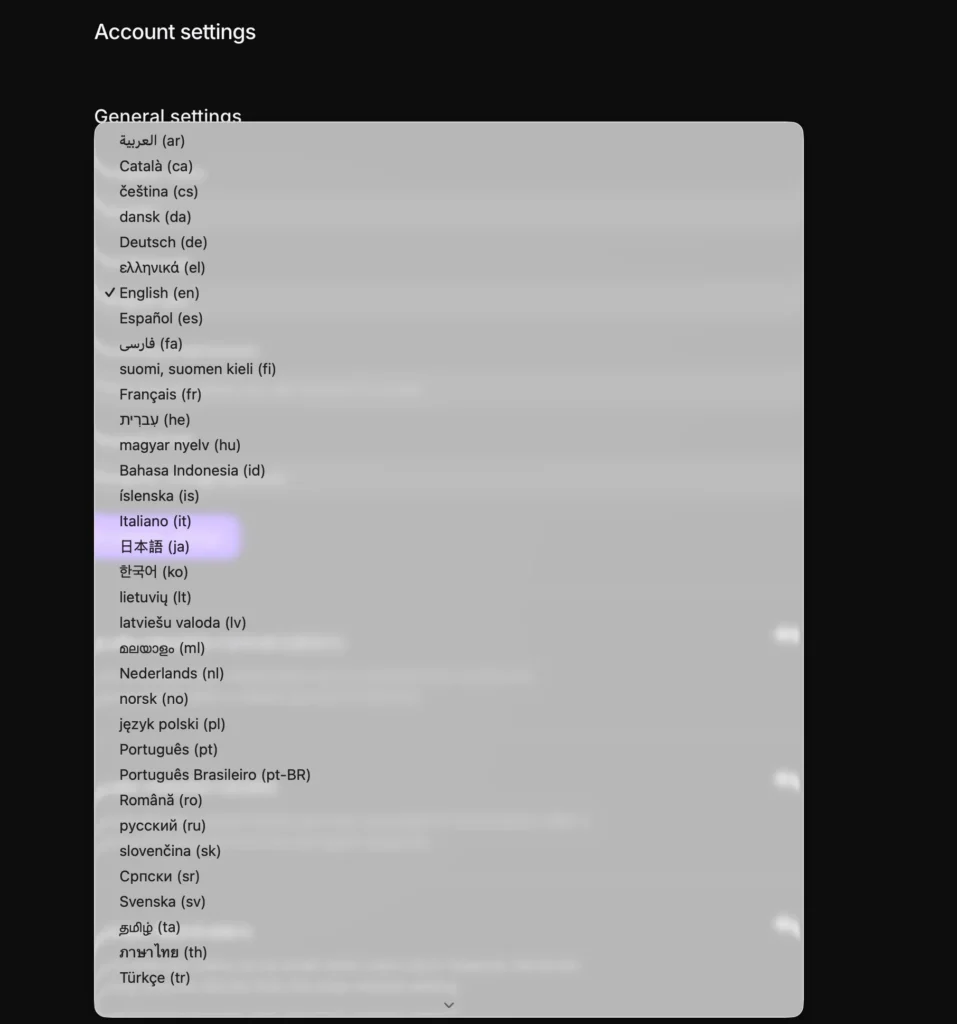
How to Change the Dashboard Language
Only administrators can change the dashboard language. The language you set applies system-wide to all agents and administrators — individual agents cannot set their own language preference.
Steps to update the dashboard language
- Go to Settings → Account Settings
- Locate the Site Language option
- Select your preferred language from the dropdown menu
- Click Update Settings in the top-right corner
Note: The dashboard language you select also serves as the fallback language for the live chat widget. If no locale is explicitly set in the widget configuration, it will default to whatever language is set here.
How to Change the Live Chat Widget Language
If you are configuring the live chat widget via the SDK, you can set the widget language independently from the dashboard. There are two ways to do this.
Option 1: Pass the locale through inquirlySettings
Set the locale value when initializing the widget:
window.inquirlySettings = {
locale: ‘pt_BR’,
// … other settings
}
Option 2: Use the setLocale method
Update the locale dynamically after initialization:
window.$inquirly.setLocale(‘pt_BR’)
Both methods ensure the widget appears in the language you specify. Use pt_BR as shown above, or replace it with any shortcode from the language table above.
