Quick Answer
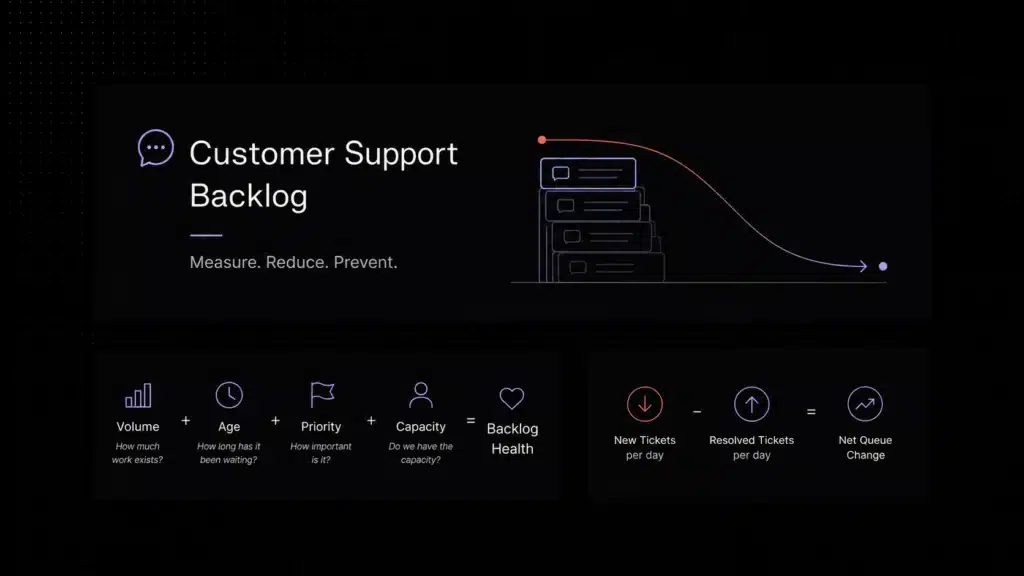
A customer support backlog is the collection of unresolved customer requests waiting for action or resolution. A healthy backlog is not necessarily zero tickets; it is a queue whose volume, age, priority, and required capacity are understood and under control. Backlog grows when incoming support demand consistently exceeds resolution capacity.
A support backlog rarely becomes a problem overnight.
It usually starts with a busy Monday, a product release, an unexpected outage, or a few agents being unavailable. Tickets begin arriving faster than the team can resolve them. Some wait until tomorrow. Tomorrow becomes next week.
Then the symptoms appear: first response times increase, customers follow up before agents can reply, high-priority issues become harder to spot, and support teams spend more time managing queues than solving problems.
A small backlog can be normal. A growing, aging, poorly prioritized backlog is different: it can become a silent killer of customer satisfaction, agent morale, and operational efficiency.
The mistake is measuring backlog as one number. Knowing that you have 700 open tickets tells you very little without knowing how old they are, how important they are, and whether your team has enough capacity to resolve them.
This is a diagnostic framework, not a mathematical equation. Each dimension should be measured separately and interpreted together.
This guide explains how to use that framework to measure backlog correctly, find the cause of queue growth, reduce existing work, and prevent the same problem from returning. Written by Adam Smith
What Is a Customer Support Backlog?
A customer support backlog is the set of customer requests that have entered your support operation but have not yet been fully resolved.
Depending on your workflow, the backlog may include:
- New tickets waiting for their first response
- Open conversations waiting for an agent
- Tickets waiting for customer information
- Escalated issues waiting for another team
- Technical problems waiting for engineering
- Requests that have received a response but are still unresolved
- Reopened customer conversations
The important distinction is that backlog does not necessarily mean failure. Every support team will have some unresolved work at any given moment. A complex technical ticket may legitimately remain open for several days while a simple account-access question should not.
The problem begins when unresolved work grows faster than the team can process it. Zendesk makes the same operational point in its help desk metrics guidance: when more requests arrive than the team can handle over the period, backlog builds.
Source: Zendesk help desk metrics
A healthy queue is controlled and understood. An unhealthy backlog tends to show one or more of these patterns:
- Open ticket volume rises week after week
- Old tickets remain untouched
- Customers send repeated follow-ups
- First response time deteriorates
- SLA breaches increase
- Agents cherry-pick easy tickets
- Urgent problems become buried in the queue
- Resolution time increases
- Team overtime becomes normal
- Managers cannot explain why the backlog is growing
That is why backlog should be treated as an operational health metric rather than simply a ticket count.
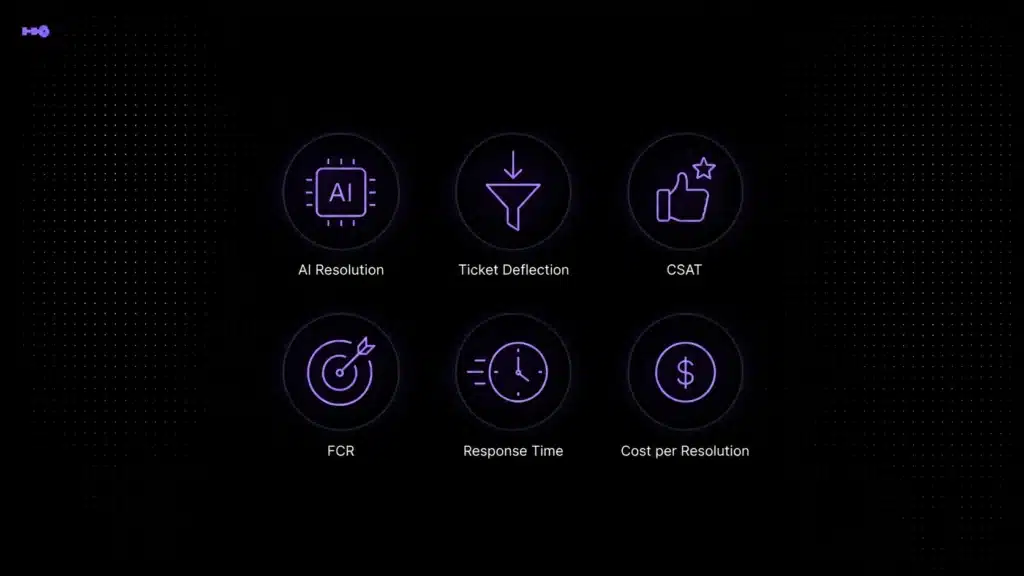
For broader context on response time, resolution, CSAT, deflection, and automation, compare your customer support backlog with the wider support benchmark framework.
The Backlog Health Framework: Volume + Age + Priority + Capacity
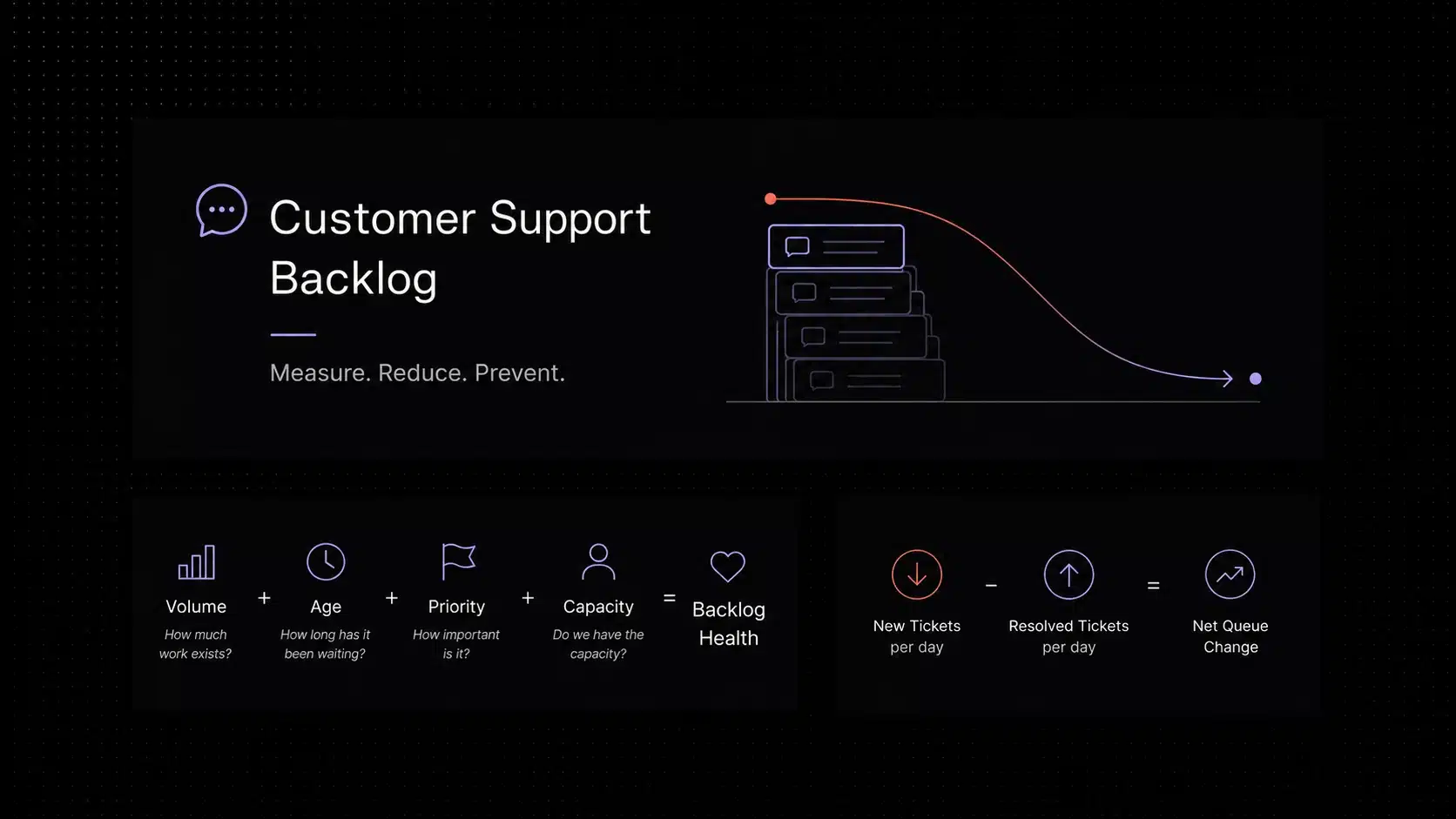
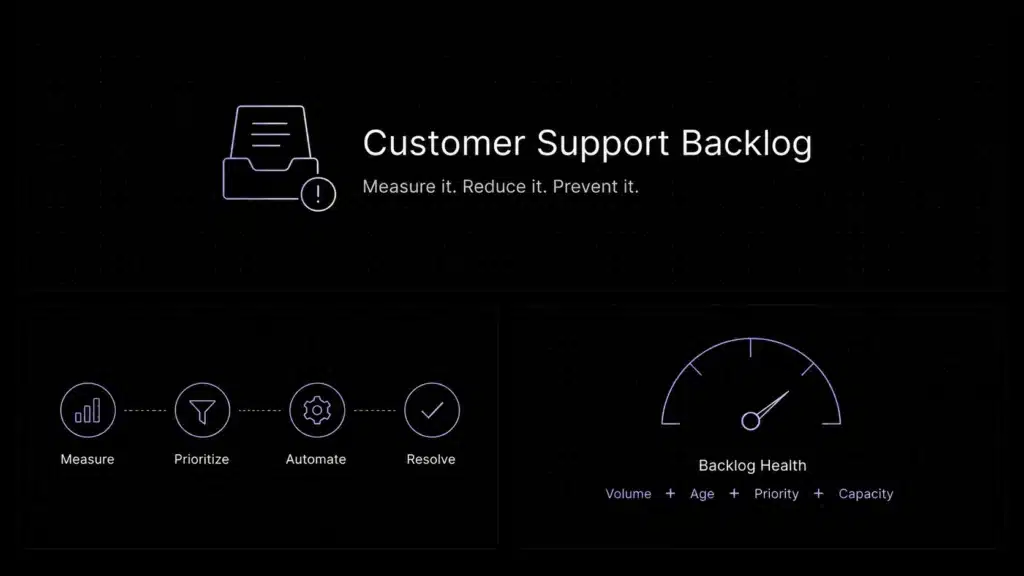
A raw backlog number is not enough to tell you whether a support operation is healthy. The Backlog Health Framework evaluates the queue through four dimensions:
Each component answers a different question.
1. Volume: How much unresolved work exists?
Volume is the raw number of unresolved customer requests. Examples include 240 open tickets, 75 unanswered conversations, or 18 unresolved escalations.
Volume tells you the size of the workload, but it must be interpreted relative to normal support demand. A backlog of 500 tickets may be manageable for a team resolving 1,500 requests per day and disastrous for a team resolving 80.
2. Age: How long has unresolved work been waiting?
Backlog age shows whether requests are moving through the queue. Two teams could each have 400 open tickets and still have completely different operational risk.
Team A may have a median backlog age of five hours and an oldest standard ticket of 30 hours. Team B may have a median age of three days and an oldest ticket of 17 days. Their backlog volume is identical; their operational health clearly is not.
Measure more than the average:
- Median backlog age
- 90th percentile backlog age
- Oldest open ticket
- Age by priority
- Age by queue
- Age by issue type
If you use Zendesk Explore, its current reporting guidance includes a recipe for identifying tickets unsolved for more than three days, which is a practical example of monitoring backlog age rather than only backlog size. Source: Zendesk Explore.
3. Priority: Which unresolved requests matter most?
Not every ticket should receive equal treatment. A billing question from one customer and an outage affecting 200 accounts should not have the same queue position simply because the billing question arrived first.
Priority tells you whether the backlog contains critical incidents, SLA-sensitive customers, security concerns, revenue-impacting issues, account-blocking problems, routine questions, or low-impact feature requests.
A healthy backlog does not necessarily mean resolving the oldest ticket first. It means resolving the right work in the right order.
4. Capacity: Can the team keep up with demand?
Capacity is the team’s ability to resolve incoming support work. A backlog will usually grow when new tickets per day exceed resolutions per day.
Example: if 600 tickets arrive each day and the team resolves 500, the net queue change is +100. If nothing changes, roughly another 500 unresolved tickets accumulate over five working days.
Capacity depends on more than headcount. It also depends on ticket complexity, agent experience, knowledge availability, routing quality, internal dependencies, automation coverage, product incidents, meeting load, support tools, and escalation processes.
The goal of backlog management is therefore not simply to tell agents to work faster. It is to bring demand and sustainable resolution capacity back into balance.
How Do You Calculate Support Backlog?
The simplest backlog calculation is:
Imagine you start Monday with 420 unresolved requests. During the day, 180 new tickets arrive and 210 are resolved. Your ending backlog is 390 tickets.
The net queue change is -30, which means the team reduced its backlog by 30 tickets that day.
Support backlog size vs. backlog age
These two metrics should never be treated as interchangeable. Backlog size tells you how much unresolved work exists. Backlog age tells you how long that work has been waiting.
A queue can shrink while still becoming unhealthy. For example, a team might reduce backlog from 800 tickets to 500 while the remaining 500 contain several week-old tickets that agents repeatedly avoid. The volume improved; the age distribution did not.
The opposite can also happen. A backlog might temporarily grow during a product release, but if most tickets are recent, correctly prioritized, and being resolved at a sustainable rate, the situation may be less serious.
Use median age, 90th percentile age, and oldest ticket together. That gives managers a better view of the long tail than one average can provide.
What Causes a Customer Support Backlog?
Backlogs are rarely caused by one problem. They usually result from a mismatch between customer demand, operational process, and support capacity.
Ticket volume increases faster than capacity
Common triggers include product launches, marketing campaigns, outages, billing problems, account migrations, seasonal demand, and major product changes. If inbound demand rises while resolution capacity stays flat, the queue will eventually grow.
Poor routing
Tickets routed to the wrong person spend time moving instead of being solved. No clear ownership, manual reassignment, incorrect categories, duplicate tickets, unclear escalation paths, and specialized agents receiving irrelevant work all add queue time.
Too much repetitive work
Agents should not repeatedly spend several minutes answering questions that could be handled through knowledge base content, macros, automated workflows, AI assistance, or self-service.
Missing customer context
Agents resolve tickets more slowly when they need to search multiple tools for previous conversations, subscription information, account history, prior troubleshooting, or relevant documentation.
Weak documentation
Poor internal and customer-facing knowledge creates two problems at once: customers submit tickets that could have been prevented through self-service, and agents take longer to resolve the tickets that do arrive.
Unclear priorities
Without consistent prioritization, agents naturally tend to select easier tickets. Throughput may look healthy while high-impact requests continue aging.
Capacity problems
If demand consistently exceeds sustainable resolution capacity even after improving routing, knowledge, workflows, and automation, the organization may need more agents, different schedules, better time-zone coverage, specialist roles, or additional escalation capacity.
2,000 conversations, with some customers waiting more than
four days for a response.
Source: Intercom customer story
How Backlog Affects First Response Time and Resolution Time
A growing backlog creates delay at both ends of the support lifecycle.
First response time increases
When new conversations arrive faster than agents can start working them, customers wait longer before receiving their first meaningful response. A growing support backlog is therefore one of the clearest warning signs that first response performance may deteriorate.
This often creates a feedback loop:
- Customer sends a request
- Support does not respond quickly
- Customer follows up
- Follow-up creates more work
- Agents spend additional time identifying duplicates
- The queue becomes even larger
Reducing wait time can therefore reduce future workload as well as improve customer experience.
Resolution time increases
Backlog also affects how long tickets take to fully resolve. When queues are overloaded, agents switch between too many conversations, follow-ups are delayed, escalations wait longer, internal dependencies become harder to manage, and customer context gets rebuilt repeatedly.
A ticket that requires 20 minutes of actual work may take three days to resolve because the work is fragmented across several queue delays. That is why response time and resolution time should be monitored alongside backlog size.
How to Reduce a Customer Support Backlog
If the queue is already unhealthy, the first goal is not permanent optimization. The first goal is control.
Step 1: Stop treating the backlog as one queue
Segment by priority, age, issue type, customer tier, SLA, required skill, status, and channel. A 1,000-ticket backlog is easier to manage when you know which tickets are repetitive, blocked, duplicate, or high risk.
Step 2: Remove work that should not be in the queue
Review old tickets for duplicates, spam, already-resolved issues, requests waiting on customers beyond your follow-up policy, incorrectly opened requests, and obsolete tickets. Do not close legitimate customer problems just to improve the dashboard.
Step 3: Prioritize before processing
Handle critical customer-impacting issues first, then SLA-risk tickets, high-impact older tickets, quick resolutions that remove significant queue volume, and normal-priority work.
Step 4: Separate quick wins from complex cases
Create a fast-resolution lane for password resets, simple billing questions, product instructions, known issues, and account access. Keep a specialist lane for bugs, integrations, security issues, complex billing disputes, and technical escalations.
Step 5: Improve routing
Every ticket should reach the right owner without unnecessary manual movement. Route using channel, topic, customer plan, language, severity, account, product area, agent skill, and SLA where useful.
Step 6: Add temporary capacity where justified
For a genuine backlog incident, move experienced agents onto the queue, pause low-priority internal work, extend coverage temporarily, add specialist shifts, or reduce unnecessary meetings. Overtime should not become the permanent solution.
Step 7: Fix the cause after stabilizing the queue
Once the backlog starts shrinking, identify whether the root cause was repetitive demand, missing documentation, poor routing, understaffing, product quality, a major incident, or too many manual workflows.
If your current platform makes routing, assignment, and queue management difficult, compare the capabilities modern ticketing systems use to reduce customer support backlog.
A useful operating tactic is to isolate older backlog work from the stream of newly arriving tickets. Help Scout describes this as separating the problem area so the team can make deliberate progress on old work without losing control of new demand.
Source: Help Scout – Isolate the Backlog
How AI and Automation Can Reduce Backlog
AI can help reduce backlog, but only when it removes real support work rather than generating more activity.
The best opportunities are usually repetitive, well-documented requests.
AI can resolve eligible questions directly
Examples include account access instructions, product FAQs, setup guidance, basic billing questions, feature explanations, and known troubleshooting steps. Every successfully resolved eligible request removes work from the human queue.
AI can assist agents
Not every ticket should be fully automated. AI can still reduce handling time by summarizing long conversations, retrieving relevant knowledge, drafting responses, identifying intent, suggesting next steps, surfacing account context, and preparing handoff summaries.
Automation can improve routing
Automation can classify new requests by intent, priority, product, account, language, sentiment, or customer tier. Accurate routing reduces reassignment and queue delay.
Automation can eliminate repetitive administration
Rules and workflows can apply tags, set priority, update statuses, assign tickets, trigger SLA warnings, close expired waiting-for-customer tickets, and notify specialists.
The goal is not automation for its own sake. Ask whether the automation reduces meaningful agent work or improves resolution speed. If not, it probably will not improve backlog health.
This shift is already visible in support operations. Intercom reported in 2026 that about 95% of surveyed customer service teams had made meaningful workflow changes, with triage, routing, translation, and categorization increasingly automated. Treat this as one vendor research data point, not a universal benchmark. Source: Intercom research.
For teams comparing platforms that combine ticketing, AI, automation, shared conversations, and reporting, look at how each tool supports backlog health across the full workflow.
How to Prioritize an Existing Ticket Backlog
When a backlog is already large, chronological order alone is rarely sufficient. A useful approach is an Urgency x Impact Matrix.
High urgency + high impact
Handle first: outages, security issues, account lockouts affecting major customers, payment problems blocking service, and SLA-critical incidents.
High urgency + lower impact
Handle quickly or route into an efficient fast-resolution lane: individual access problems, time-sensitive billing questions, and simple workflow blockers.
Lower urgency + high impact
Plan deliberately: recurring product problems, complex integrations, strategic enterprise requests, and issues affecting many users without immediate service interruption.
Lower urgency + lower impact
Process efficiently after higher-priority work: minor usability questions, non-urgent requests, and low-impact feature suggestions.
Do not make the scoring model unnecessarily complicated. Agents should understand why one ticket appears above another.
Atlassian notes that service queues are often sorted by an SLA or service goal so teams can see time remaining before the next target is due. That is a useful implementation pattern for prioritizing aging work. Source: Atlassian queue guidance.
If your existing ticket backlog is difficult to segment, prioritize, or report on, the limitation may be partly operational and partly a tooling issue.
How to Prevent Backlog From Returning
Clearing the backlog is only half the work. The harder question is how to stop it from rebuilding.
Monitor demand versus resolution capacity
Track new tickets/day, resolutions/day, and net queue change. If incoming demand exceeds completed resolutions for several consecutive days, investigate before the gap becomes a crisis.
Set backlog age thresholds
Create warnings when standard tickets exceed a defined age, escalations when high-priority tickets approach service limits, and manager review when tickets pass a maximum age. Old tickets should become increasingly visible, not increasingly invisible.
Review demand by intent
If a large share of tickets comes from one repetitive issue, solving that issue can create more capacity than pushing agents to process the queue faster. Look for missing documentation, confusing product flows, recurring bugs, billing confusion, authentication problems, and integration failures.
Maintain the knowledge base
Use unresolved and repeated tickets to identify missing articles, stale instructions, poor search terminology, incomplete troubleshooting, and contradictory information.
Plan staffing against demand patterns
Analyze day of week, hour of day, product release periods, seasonal spikes, time zones, and customer segments. Staffing should reflect when demand actually arrives, not just a monthly average.
Protect agent capacity
Capacity is not eight working hours multiplied by headcount. Meetings, training, internal coordination, documentation, QA, escalations, context switching, breaks, and admin work all consume time.
Run a weekly backlog review
Ask whether backlog grew or shrank, which queues grew, what the oldest ticket is, which intents are aging, where SLA breaches are occurring, whether demand or capacity changed, and which issues can be prevented through automation or self-service.
Customer Support Backlog Dashboard: Metrics to Track
You do not need dozens of charts. A useful Backlog Health Dashboard should answer three questions: how much unresolved work exists, whether it is getting better or worse, and why.
Read these metrics together. If new tickets/day is 500, resolutions/day is 450, net queue change is +50, and first response time is increasing, capacity is below demand. If open backlog is falling but the oldest ticket and SLA breach rate are rising, agents may be resolving easy work while difficult or poorly routed cases continue aging.
=
Volume
+
Age
+
Priority
+
Capacity
A Healthy Backlog Is a Controlled Backlog
The goal of backlog management is not necessarily to reach zero open tickets. For most support organizations, that is neither realistic nor useful.
The goal is a backlog that is visible, prioritized, moving, within service expectations, supported by adequate capacity, and free from avoidable repetitive work.
If volume rises, ask whether demand exceeds capacity. If age rises, look for routing, ownership, or complexity problems. If urgent requests disappear inside the queue, fix prioritization. If the team cannot sustainably resolve as much work as customers create, address capacity, process, automation, or product causes.
Most importantly, monitor backlog alongside First Response Time and Resolution Time. These metrics are tightly connected: when unresolved work becomes uncontrolled, customers usually feel the delay before management sees the operational problem.
Audit your backlog today. Find your oldest unresolved tickets, calculate your net queue change, identify the intents consuming the most capacity, and decide which work can be prevented, automated, or routed more effectively.